

Note (September 2026): This guide was updated to correct an overstatement that every cloud upload is automatically fully encrypted and to add current CISA backup guidance; Google+, mentioned at the end, closed on April 2, 2019.
Business online backup copies a company’s files and systems to a provider’s remote servers over the internet so they can be restored after a hardware failure, ransomware attack, fire or flood. US-CERT recommends the 3-2-1 rule: three copies of important data, on two different media types, with one copy stored offsite, and CISA adds that backups should be kept offline and tested regularly.
Key Takeaways
- Online (cloud) backup is one offsite copy in a wider plan, not a complete plan on its own.
- Follow the 3-2-1 rule published by US-CERT: 3 copies, 2 media types, 1 offsite.
- CISA’s #StopRansomware Guide advises offline, encrypted backups that are tested regularly, because many ransomware variants try to delete or encrypt reachable backups.
- Check how a provider encrypts data and protect the backup account with multi-factor authentication (MFA).
- Set a recovery point objective (RPO) and recovery time objective (RTO) so backup frequency matches what the business can afford to lose.
Use Business Online Backup and Save Your Business Headaches
Today it is common for businesses to store all of their important information and data electronically on their computer systems. Although digital storage methods have many benefits, they are also at risk from virtual attacks, such as hacking and viruses, as well as server crashes. These common threats can cause many problems for both small and large businesses which is why it is essential to use online backup methods. In this article we will explain how to make use of online backup and how it will save you from getting yourself into a lot of trouble.
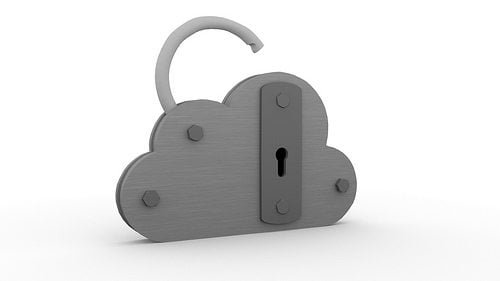
Online backup provides a safe and encrypted place to store your most important business files.
What is an ‘online backup?’
Online backup is simply a method of storing your documents and data on a remote server. If anything should happen to the copies stored on your main system, you can simply recover them from your online backup. Saving data this way reduces the risks associated with system downtime and limits the damage caused by cyber-attacks, provided the backup copy itself is protected from the same attack.
How to use online backups :-
In order to access online backup storage, you will need to sign up with a provider of cloud services. You will usually have to pay a monthly fee for the cloud services you use, but if you think about it, it is worth the money as it could potentially save your business, should anything happen to your own system. Once you have signed up, you will be provided with your own virtual storage cloud. It is important to regularly back up your data to the cloud, as it won’t have much use to you if it is out of date when you come to recover it.
Security :-
Although uploading your files to the internet may seem a little daunting, you needn’t worry as cloud services providers are dedicated to providing safe storage. Many cloud backup providers encrypt data, but encryption methods and access controls differ from service to service, so US-CERT advises checking the service agreement for security practices before trusting a provider with critical data. Your cloud storage will also be password protected, so you can restrict who is able to access it; turning on multi-factor authentication (MFA) adds a second check that a stolen password alone cannot pass.
Benefits of online backup methods :-
Online backup enables business owners to recover individual files within minutes, although restoring large volumes of data over an internet connection can take considerably longer. They can access their files quickly and simply, with just a few clicks of the mouse. The great thing about online backup storage is that it can be accessed from any location. If anything should happen to your work place (like a flood or fire), you will still be able to recover all of your valuable business data from your computer at home.

Cloud solutions are also much more flexible than traditional storage methods. There are a wide range of plans available for you to choose from. You can also increase your storage limit at any given time to accommodate the growth of your business. Rather than having to pay someone to make hard copies of your data on CDs and pen drives, which can be easily lost, damaged or stolen, you can simply back up your own files to the cloud by pressing a few buttons.
Don’t let a computer virus destroy your business – back up your files online.
Conclusion :-
Far too many business owners fail to make use of online backup, thinking that their data will be safe on their main systems. Don’t get caught out thinking that your system is safe. Disaster can strike at any time, whether it is a flood, fire or virtual attack. It is much better to plan for the worst by having online backup files ready to recover, should you need them. Backup storage will not only save you a lot of headaches when it comes to recovering data, but it could also save your business’s reputation. FEMA is widely quoted as estimating that about 40% of small businesses do not reopen after a disaster, and that a further 25% close within a year – do not let your business become part of this percentage!
If you found this article useful, share it with your network and leave a comment below. (Google+, named in earlier versions of this line, was shut down on April 2, 2019.)
What Is the 3-2-1 Backup Rule?
The 3-2-1 backup rule is the most widely cited baseline for business data protection. US-CERT’s paper Data Backup Options (Carnegie Mellon University, 2012) states it as follows:
- 3 – keep three copies of any important file: one primary and two backups.
- 2 – keep the files on two different media types to protect against different types of hazards.
- 1 – store one copy offsite, outside the home or business facility.
A business online backup service usually fills the “1 offsite” slot. A local copy on an external drive or a network storage device provides the second media type and allows faster restores.
Why Does Online Backup Need an Offline Copy?
Ransomware changed how backups must be designed. The Cybersecurity and Infrastructure Security Agency (CISA) says in its #StopRansomware Guide that organizations should maintain offline, encrypted backups of critical data, because many ransomware variants attempt to find and then delete or encrypt accessible backups.
CISA also recommends that organizations:
- Test backup procedures regularly, checking both the availability and the integrity of backups in a disaster recovery scenario.
- Keep updated “golden images” of critical systems: templates with a preconfigured operating system and software.
- Consider immutable storage, which some cloud vendors offer to protect stored data without a separate environment.
- Consider a multi-cloud approach for cloud-to-cloud backups, so a problem affecting every account at one vendor does not take the backups with it.
Cloud Backup vs. Local Backup Media
US-CERT’s Data Backup Options paper compares the main storage choices. The table summarizes its pros, cons and security points.
| Option | Main advantage | Main drawback | Security point |
|---|---|---|---|
| Cloud (remote) backup | Protects against natural disasters and local device failures; accessible anywhere with internet | Depends on the internet; risk of lock-in to one provider; limited visibility of the provider’s infrastructure | Choose a provider that uses established encryption such as AES and secure transfer |
| Internal hard drive | Quick, simple, no extra hardware | If the drive is damaged, stolen or corrupted, primary and backup files can be lost together | Encrypt the drive and physically secure the computer |
| External drives and USB/solid-state media | Portable, reusable, wide range of capacities; can be disconnected | Prone to loss or theft; rolling backups can copy corruption or malware | Password-protect and encrypt; remove from the computer after each backup |
| Optical discs (CD, DVD, Blu-ray) | Write-once discs cannot inherit later corruption or malware | Low capacity: about 682 MB (CD), up to 9.4 GB (DVD), up to 50 GB (Blu-ray) | No built-in encryption; a third-party tool is needed |
| Magnetic tape | Individual tapes can exceed a terabyte and are cheap per gigabyte | Tape systems are expensive to buy and install | Brands are not all compatible, which also makes stolen tapes harder to read |
How Often Should a Business Back Up Data?
Backup frequency should follow two targets defined in NIST Special Publication 800-34 Rev. 1:
- Recovery point objective (RPO) – “the point in time to which data must be recovered after an outage.” If losing a day of orders is unacceptable, daily backups are not enough.
- Recovery time objective (RTO) – the length of time a system can be in recovery before it harms the organization’s mission or business processes. A short RTO may require a local copy or a full system image, not only files in the cloud.
How to Set Up Business Online Backup: Step by Step
- List critical data and systems. Include accounting records, customer data, email, shared files, website files and databases.
- Set an RPO and RTO for each. This decides how often each item is backed up and how quickly it must be restored.
- Choose a provider carefully. US-CERT suggests checking the service agreement for encryption with established algorithms such as AES, encrypted transfer, network protections such as firewalls, physical security of the hardware and separation from other customers’ data.
- Secure the backup account. Use a unique password and turn on MFA; CISA says users who enable MFA are significantly less likely to get hacked.
- Add a second copy on different media. Keep a local or offline copy to complete the 3-2-1 rule and to guard against ransomware.
- Automate the schedule. Scheduled backups avoid the out-of-date copies the article warns about above.
- Test restores regularly. CISA advises testing backups in a disaster recovery scenario; a backup that has never been restored is unproven.
Common Business Backup Mistakes
- Keeping the only backup on the same machine or in the same building as the original data.
- Leaving backups permanently connected, so ransomware can reach and encrypt them.
- Relying on rolling backups alone: US-CERT notes they can silently copy corruption or malware from the primary files into the backups.
- Never testing a restore until a real emergency.
- Protecting the backup account with a password alone.
Related Reading
For more on protecting business data, see why backup and recovery in the cloud matter, the benefits of cloud storage for small business, the risk of data breaches in the cloud, protecting your business from cybercrime and what to do if you are a victim of cybercrime.
Frequently Asked Questions
What is business online backup?
Business online backup is a service that copies a company’s files, databases or whole systems to a provider’s remote servers over the internet, so the data can be restored if the original is lost, damaged or encrypted by ransomware.
Is cloud backup enough on its own?
Cloud backup alone does not meet the 3-2-1 rule. US-CERT recommends three copies on two media types with one offsite, and CISA recommends keeping backups offline as well, because ransomware often targets any backup it can reach.
Is data in online backup encrypted?
Many providers encrypt data, but practices vary. US-CERT advises choosing a provider that encrypts with established algorithms such as AES, transfers data over a secure connection and prevents data from leaking to other customers.
What is the difference between RPO and RTO?
RPO (recovery point objective) is the point in time to which data must be recovered after an outage, which sets backup frequency. RTO (recovery time objective) is how long a system can stay in recovery before the business is harmed. Both terms are defined in NIST SP 800-34 Rev. 1.
How often should backups be tested?
CISA recommends testing backup procedures on a regular basis, including checking that backups are available and intact in a disaster recovery scenario. Restoring sample files after any significant change to the backup setup is a practical routine.

Justwebworld has published guides since 2012. How we write and update articles Report an error
