

Startups turn to cloud technology because it replaces up-front spending on servers and software with pay-as-you-go services that scale with the business. A provider runs the physical infrastructure, staff can work from any connected device, and major providers offer free tiers and startup credits. The startup still has to secure its own accounts, data and settings.
Key Takeaways
- NIST defines cloud computing by five traits: on-demand self-service, broad network access, resource pooling, rapid elasticity and measured service.
- The three service models are IaaS, PaaS and SaaS; the further along that list, the less the startup manages itself.
- As of September 2026, new customers can try AWS (up to $200 in credits over 6 months), Google Cloud ($300 over 90 days) and Azure ($200 within 30 days).
- Startup programs go much further: AWS Activate offers up to $200,000 in credits and the Google for Startups Cloud Program up to $350,000 for AI-first startups.
- Under the shared responsibility model, the provider secures the cloud; the customer secures what it puts in the cloud.
Starting up a business can be a very exciting time for entrepreneurs. There is plenty to look forward to but there are also various challenges that you have to cope with, one of which is the financial side of things.
When it comes to finances, it is important for any startup business to consider ways of reducing costs particularly during the early stages of operation.

There are various methods that you can use in order to reduce costs, one of which is to turn to cloud services for your business because paying for computing as a monthly operating cost, instead of buying servers and licenses up front, can lower early spending. When you consider the amount of money some businesses spend on software, hardware, installations, updates, and similar services, the costs can really add up.
With cloud services, the provider buys, houses and maintains the physical hardware and, for software-as-a-service products, also installs the updates, so a startup does not have to invest in each item separately. The startup still manages its own user accounts, data and settings.
How else can it benefit your business?
There are many other ways in which using cloud technology for your startup can provide you with valuable benefits. Because cloud services are so widely used, a large ecosystem of compatible tools has grown up around them.
As such it means that in addition to the cloud services themselves you can also benefit from services designed to work with cloud based applications such as the one click sign-on feature. This means you can enjoy greater ease, convenience, and security.
One of the key issues that may affect you as a startup business is having to deal with the cost and hassle of installing hardware, software, running updates, doing backups, and dealing with the plethora of other things that can make or break your data security and accessibility.
With cloud-based services, much of this work moves to the cloud services provider, which runs the hardware, facilities and underlying infrastructure. How much moves depends on the service model: with SaaS the provider handles almost everything, while with IaaS the startup still patches its own operating systems and applications. Choosing the right model and package is therefore the first decision.
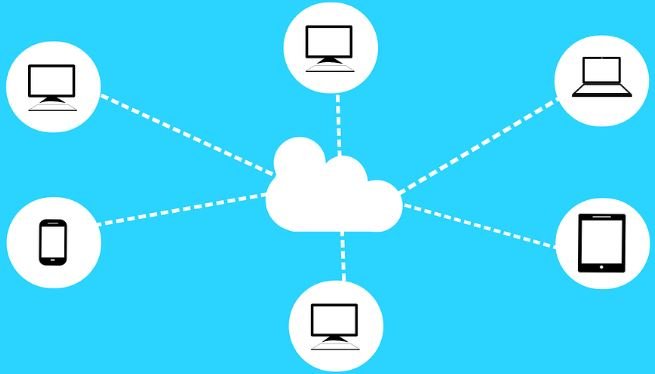
Another way in which you can benefit from cloud services is the ease of access, which is ideal for smaller and startup businesses. When you are first starting out, you cannot risk losing access to your information. This could make all the difference to whether your business gets off the ground or not.
Picture Credit
If your systems go down or even if your mobile device with the information is stolen, you could find yourself in hot water. When your information is in the cloud, you can gain access from anywhere with internet access and from any device.
Cloud services can be affordable for a young business, and providers run free tiers and startup credit programs, but pay-as-you-go billing also means costs grow with usage, so spending needs monitoring.
Make sure you compare providers and plans so you find the best one for your needs. You can then look forward to the many benefits of cloud services without having to pay over the odds for your service.
What Is Cloud Computing?
Cloud computing is the delivery of computing resources such as servers, storage, databases and software over a network, on demand. The US National Institute of Standards and Technology (NIST) set out the most widely cited definition in Special Publication 800-145, published in September 2011.
According to NIST, a cloud service has five essential characteristics:
- On-demand self-service: users provision server time or storage themselves, without contacting the provider.
- Broad network access: services are reachable over standard networks from phones, tablets, laptops and workstations.
- Resource pooling: the provider serves many customers from shared, multi-tenant resources.
- Rapid elasticity: capacity can be added or released quickly as demand changes.
- Measured service: usage is metered, which is what makes pay-as-you-go billing possible.
NIST also names four deployment models: public cloud (shared by many customers over the internet), private cloud (for one organization), hybrid cloud (public and private combined) and community cloud (shared by organizations with common concerns). Most startups begin on the public cloud.
IaaS vs PaaS vs SaaS: Which Model Suits a Startup?
The three cloud service models differ in how much of the technology stack the startup has to manage itself.
| Model | What the provider supplies | What the startup manages | Typical startup use |
|---|---|---|---|
| IaaS (Infrastructure as a Service) | Virtual servers, storage and networking | Operating systems, patches, applications, firewall settings, data | Custom back ends that need full control |
| PaaS (Platform as a Service) | A ready development and hosting environment | The application code and its data | Deploying a web or mobile app without running servers |
| SaaS (Software as a Service) | A finished application used through a browser or app | User accounts, access settings and the data entered | Email, accounting, CRM, file sharing |
A practical rule for a small team is to use SaaS for standard business functions and reserve IaaS for the parts of the product that genuinely need custom infrastructure, because every layer the startup manages is a layer it has to patch and secure.
Cloud vs On-Premises Costs for a Startup
The main financial difference is timing: on-premises IT is bought up front, while cloud services are billed as they are used.
| Factor | On-premises IT | Cloud services |
|---|---|---|
| Up-front cost | Servers, licenses and installation paid before launch | Little or none; billed by usage or subscription |
| Scaling | Buy and install more hardware | Add or release capacity quickly (rapid elasticity) |
| Maintenance | In-house hardware repairs, updates and backups | Provider maintains the infrastructure; the customer still manages its own data and settings |
| Remote access | Needs VPNs or office connections | Available from any connected device with the right permissions |
| Cost risk | Paying for idle capacity | Bills that rise quickly if usage is not monitored |
Cloud spending is easier to start but not automatically cheaper at every scale. Keeping a cash buffer also matters; see this guide on building an emergency fund for a startup.
Free Tiers and Startup Credits
The three largest public cloud providers all offer free trials to new customers, and AWS and Google Cloud run larger credit programs for startups. The figures below come from each provider’s own pages as of September 2026; terms change, so check them before signing up.
| Provider | New-customer offer | Startup program |
|---|---|---|
| Amazon Web Services (AWS) | $100 in credits at sign-up plus up to $100 more, up to $200 over 6 months on the Free plan; 30+ services always free within monthly limits | AWS Activate: up to $5,000 for self-funded startups (starting at $1,000); up to $200,000 for pre-Series B startups with an Organization ID from an Activate Provider such as an accelerator or investor |
| Google Cloud | $300 Welcome credit valid for 90 days; 20+ products free up to monthly limits | Google for Startups Cloud Program: $2,000 for pre-funded startups; $200,000 for Seed to Series A (up to $350,000 for AI-first startups) |
| Microsoft Azure | $200 credit to use within 30 days; 20+ services free for 12 months; 65+ always-free services | Not verified for this article; check Microsoft’s current startup offers directly |
Credits expire, and usage beyond them is billed once an account moves to a paid plan. Before starting a trial, note the expiry date and set a spending budget and billing alert in the provider’s console.
Who Is Responsible for Cloud Security?
Cloud security is shared between the provider and the customer. AWS describes this as the shared responsibility model: AWS is responsible for security “of the cloud”, meaning the hardware, software, networking and facilities that run its services, while the customer is responsible for security “in the cloud”.
For an infrastructure service such as a virtual server, AWS states that the customer manages the guest operating system including updates and security patches, any software installed on it, and the configuration of the firewall. The customer also decides who can access its data, so a misconfigured storage setting or a stolen password is the startup’s problem rather than the provider’s. This explainer on the risk of data breaches in the cloud covers the main threats.
Security basics for a startup’s cloud accounts
- Turn on multifactor authentication (MFA) for every account. The US Cybersecurity and Infrastructure Security Agency (CISA) says users who enable MFA are significantly less likely to get hacked, and it urges organizations to plan a move to phishing-resistant FIDO/WebAuthn authentication.
- Use single sign-on (SSO) so staff log in once, with one ID, to several independent applications. Common SSO standards include SAML and OpenID Connect.
- Give each person only the access they need and remove accounts as soon as someone leaves.
- Back up critical data separately from the main service, and test that a restore actually works.
- Protect the owner or root account and use it only for tasks that require it.
How to Move a Startup to the Cloud: Step by Step
- List what the business needs: email, file storage, accounting, customer records, website hosting and any product infrastructure.
- Match each need to a service model: SaaS for standard tools, PaaS or IaaS for the product itself.
- Compare providers and plans: check pricing pages, data-center regions, support levels and how easily data can be exported later.
- Apply for credits: use the free tier for testing and apply to startup programs, especially through an accelerator or investor if the startup has one.
- Set up identity and security first: MFA, SSO where available, and role-based permissions before any data is moved.
- Migrate in stages: move one system at a time and keep the old copy until the new one is verified. This walkthrough of a Google Cloud migration shows the process on one platform.
- Monitor costs monthly: review bills, delete unused resources and adjust budgets as the business grows.
Common Mistakes Startups Make With the Cloud
- Assuming the provider handles all security: under the shared responsibility model, account access, data and configuration stay with the customer.
- Forgetting that credits expire: Google Cloud’s Welcome credit lasts 90 days and Azure’s $200 credit 30 days, so plan tests inside those windows.
- Leaving test resources running: with metered billing, idle servers are still charged.
- Skipping an exit plan: check how data can be exported before committing to one vendor.
- Choosing IaaS by default: managing servers takes staff time that a small team may not have.
For an overview of the companies behind these services, see the top cloud computing companies in the USA and the leading SaaS companies in the USA.
Frequently Asked Questions
Why should a startup use cloud computing?
A startup should use cloud computing because it avoids large up-front hardware costs, scales capacity up or down with demand and lets staff work from any connected device. Providers also offer free tiers and startup credits that can cover early infrastructure costs.
Is cloud computing cheaper than buying servers?
Cloud computing is usually cheaper to start because there is no up-front purchase, but it is not automatically cheaper at every scale. Pay-as-you-go bills rise with usage, so costs need regular monitoring.
How much free cloud credit can a startup get?
As of September 2026, AWS Activate offers up to $200,000 in credits for eligible pre-Series B startups, and the Google for Startups Cloud Program offers $200,000 for Seed to Series A startups, or up to $350,000 for AI-first startups. Standard new-customer trials are smaller: up to $200 on AWS, $200 on Azure and $300 on Google Cloud.
Is data safe in the cloud?
Data in the cloud is as safe as the combination of the provider’s infrastructure security and the customer’s own settings. The provider protects the hardware and facilities; the startup must secure accounts with MFA, limit access and configure storage correctly.
What is the difference between IaaS, PaaS and SaaS?
IaaS supplies virtual servers and storage that the customer manages, PaaS supplies a platform for running the customer’s own applications, and SaaS supplies finished software used through a browser. Each step from IaaS to SaaS shifts more management work to the provider.

Justwebworld has published guides since 2012. How we write and update articles Report an error
