ISO 8601 is the international standard for writing dates and times. A date is written YYYY-MM-DD, so 2 October 2026 becomes 2026-10-02. To add a time, put a T between them, for example 2026-10-02T14:30:00. End with Z for UTC, or with an offset such as +05:30 for India.
The format exists because dates written as numbers are easy to misread. The International Organization for Standardization (ISO) gives the example 01/05/22, which could mean 5 January 2022 or 1 May 2022. Putting the year first removes that doubt. This guide shows every common ISO 8601 form, how to use it in code and spreadsheets, and the mistakes that cause real bugs.
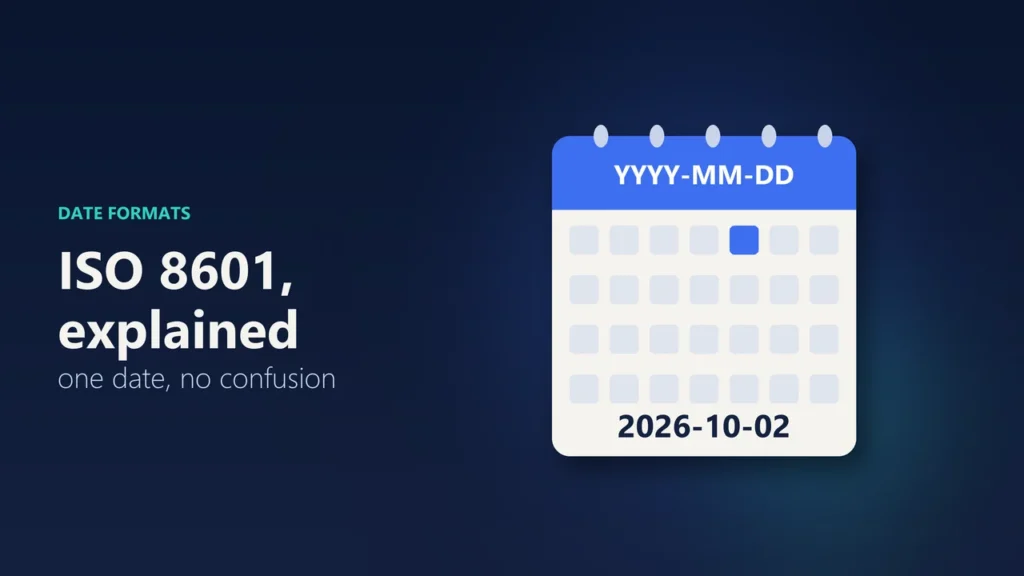
- Date: 2026-10-02
- Date and time: 2026-10-02T14:30:00
- In UTC: 2026-10-02T14:30:00Z
- India time (IST): 2026-10-02T20:00:00+05:30
- Order: biggest unit first: year, month, day, hour, minute, second
ISO 8601 formats with examples
Every example below describes the same moment, Friday 2 October 2026, or parts of it.
| What you want to write | ISO 8601 format | Example |
|---|---|---|
| Full date | YYYY-MM-DD | 2026-10-02 |
| Year and month | YYYY-MM | 2026-10 |
| Time of day | hh:mm:ss | 14:30:00 |
| Date and time | YYYY-MM-DDThh:mm:ss | 2026-10-02T14:30:00 |
| Date and time in UTC | …Z | 2026-10-02T14:30:00Z |
| With an offset from UTC | …±hh:mm | 2026-10-02T20:00:00+05:30 |
| With milliseconds | …ss.sss | 2026-10-02T14:30:00.000Z |
| Week date | YYYY-Www-D | 2026-W40-5 |
| Day of the year | YYYY-DDD | 2026-275 |
| Compact form (no separators) | YYYYMMDD | 20261002 |
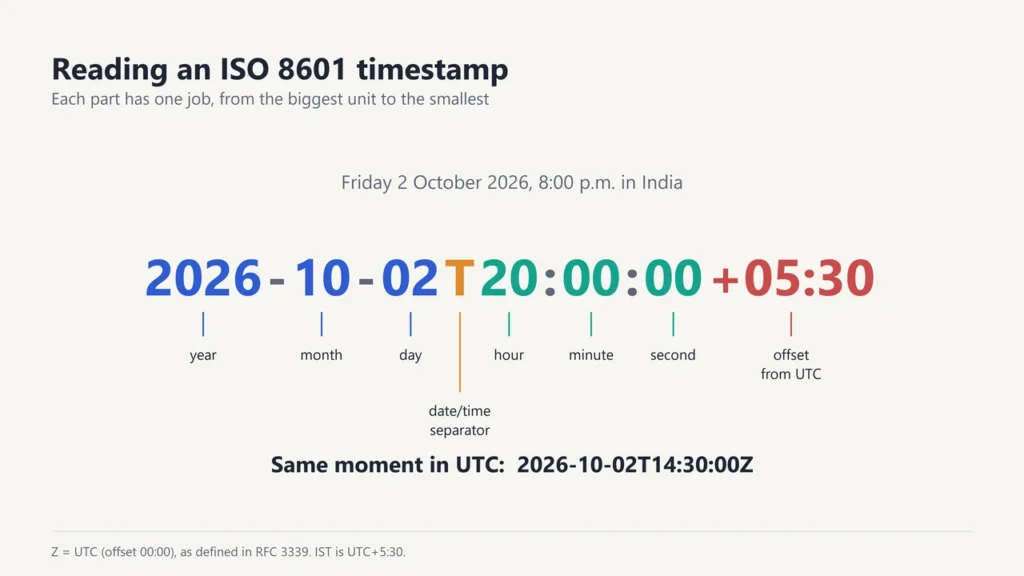
ISO 8601 uses the 24-hour clock, so 2:30 p.m. is 14:30. Months, days, hours, minutes and seconds always use two digits, so October 2 is 10-02, never 10-2.
Why ISO 8601 puts the year first
There are two good reasons.
- No guessing. In the US, 10/11/2026 usually means October 11. In India and the UK it usually means 10 November. The internet standard RFC 3339 uses this same kind of example to explain why such formats are “completely unsuitable for global interchange”. 2026-10-11 can only mean one thing.
- It sorts correctly. Because the biggest unit comes first, ISO dates sort into the right order as plain text. File names like
report-2026-10-02.pdfline up by date in any folder, with no special software.
How to add a time zone
A time without a time zone is unclear, because 14:30 in London and 14:30 in Mumbai are different moments. ISO 8601 handles this in two ways:
- Z means UTC. 2026-10-02T14:30:00Z is 14:30 in Coordinated Universal Time. RFC 3339 defines Z as an offset of 00:00, often spoken as “Zulu”.
- An offset shows local time. 2026-10-02T20:00:00+05:30 is 8 p.m. in India, which is the same moment as 14:30 UTC. Behind UTC, use a minus sign, such as −04:00 for New York in summer.
For the difference between UTC and GMT, and a table of common offsets, see our guide to GMT vs UTC.
ISO week numbers and the week-53 surprise
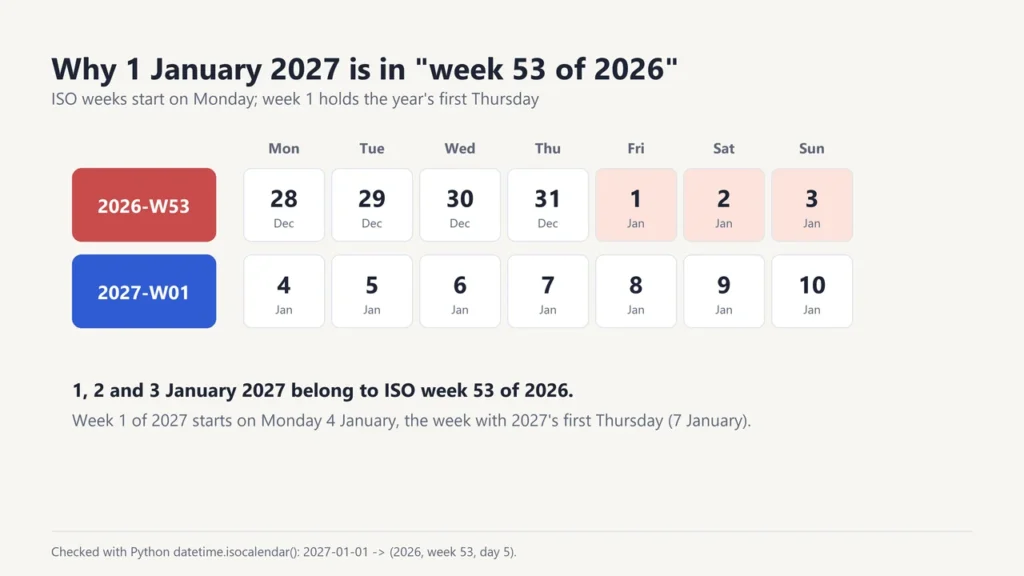
ISO 8601 also numbers the weeks of the year. Weeks start on Monday, and week 1 is the week that contains the year’s first Thursday. Python’s official documentation states the same rule for its ISO calendar functions.
This rule has a surprising result. Some days in early January belong to the last week of the previous year. 1 January 2027 is in week 53 of 2026, written 2026-W53-5. That is because 2026 started on a Thursday and has 53 ISO weeks. If your payroll, school timetable or report uses week numbers, check how your software counts them. For more on this, see how many weeks are in a year.
Durations and time ranges
ISO 8601 can also describe a length of time. A duration starts with P (for “period”). Use T before any hours, minutes or seconds.
| Duration | Meaning |
|---|---|
| P1D | 1 day |
| P2W | 2 weeks |
| PT30M | 30 minutes |
| PT1H30M | 1 hour 30 minutes |
| P1Y2M | 1 year and 2 months |
| P3DT12H | 3 days and 12 hours |
Watch the letter M. Before T it means months (P1M is one month). After T it means minutes (PT1M is one minute). A time range, called an interval, is written with a slash between two dates, for example 2026-10-01/2026-10-31.
ISO 8601 vs RFC 3339
RFC 3339 is a stricter version of ISO 8601 used on the internet. It is published by the Internet Engineering Task Force (IETF) and is free to read. The full ISO 8601 standard (ISO 8601-1:2019 and ISO 8601-2:2019) is sold by ISO.
- RFC 3339’s internet timestamp needs a full date, time and offset, such as 2026-10-02T14:30:00Z. ISO 8601 also allows partial forms such as 2026-10, week dates and durations.
- RFC 3339 notes that applications may use a space instead of the T “for the sake of readability”, as in 2026-10-02 14:30:00Z.
- Most APIs, JSON data and log files use the RFC 3339 style, so it is the safe choice for software.
How to get ISO 8601 dates in code and spreadsheets
- JavaScript:
new Date().toISOString()gives a string like2026-10-02T14:00:00.000Z. It always converts to UTC and always includes milliseconds. - Python:
datetime.date(2026, 10, 2).isoformat()gives2026-10-02. For a time zone, use a timezone-aware datetime, which gives an offset such as+00:00. - Excel and Google Sheets: apply the custom number format
yyyy-mm-ddto a date cell. - Sitemaps: the Sitemaps protocol asks for the
lastmoddate in W3C Datetime format, which can be just YYYY-MM-DD.
Working with JSON? Dates inside JSON are just text, so ISO 8601 strings are the usual choice. You can check a file’s structure with the JSON Formatter or JSON Validator.
Common ISO 8601 mistakes
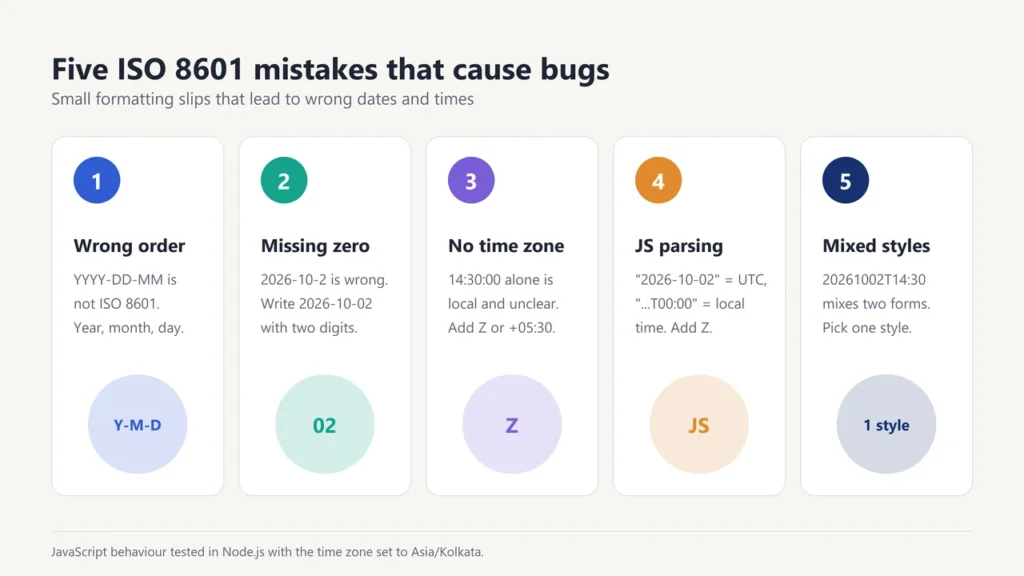
- Swapping month and day. YYYY-DD-MM is not ISO 8601. The order is always year, month, day.
- Dropping the leading zero. 2026-10-2 is wrong. Write 2026-10-02.
- Leaving out the time zone. 2026-10-02T14:30:00 with no Z or offset is a local time, and different systems may read it differently.
- The JavaScript trap.
new Date("2026-10-02")is read as midnight UTC, butnew Date("2026-10-02T00:00")is read as midnight local time. In India the second one is 18:30 UTC on 1 October, a whole day earlier. We tested both in Node.js. Always include Z or an offset. - Mixing styles. 20261002T14:30:00 mixes the compact and extended forms. Pick one style and use it everywhere.
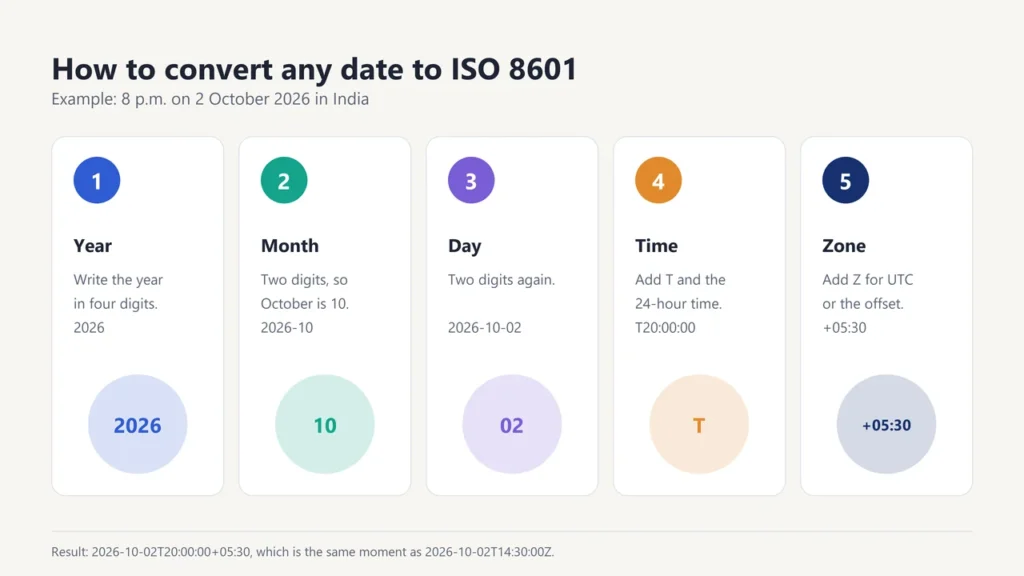
How to convert any date to ISO 8601
- Write the year in four digits: 2026.
- Add the month in two digits: October is 10, so 2026-10.
- Add the day in two digits: 2026-10-02.
- If you need a time, add T and the 24-hour time: 2026-10-02T14:30:00.
- Add the time zone: Z for UTC, or the offset, such as +05:30.
Frequently asked questions
What is the ISO 8601 date format?
YYYY-MM-DD: four-digit year, two-digit month and two-digit day, separated by hyphens. For example, 2026-10-02.
What does the T mean in an ISO 8601 date?
T separates the date from the time. In 2026-10-02T14:30:00, the date is 2026-10-02 and the time is 14:30:00.
What does Z mean at the end of a date?
Z means the time is in UTC, with an offset of zero. It is often read as “Zulu time”.
Is ISO 8601 the same as UTC?
No. ISO 8601 is a way of writing dates and times. UTC is a time standard. An ISO 8601 timestamp can be in UTC (ending in Z) or in any local time with an offset.
How do I write India time in ISO 8601?
Add +05:30 after the time. For example, 8 p.m. IST on 2 October 2026 is 2026-10-02T20:00:00+05:30.
What is ISO 8601 week format?
YYYY-Www-D, where ww is the week number and D is the day (1 = Monday, 7 = Sunday). Friday 2 October 2026 is 2026-W40-5.