

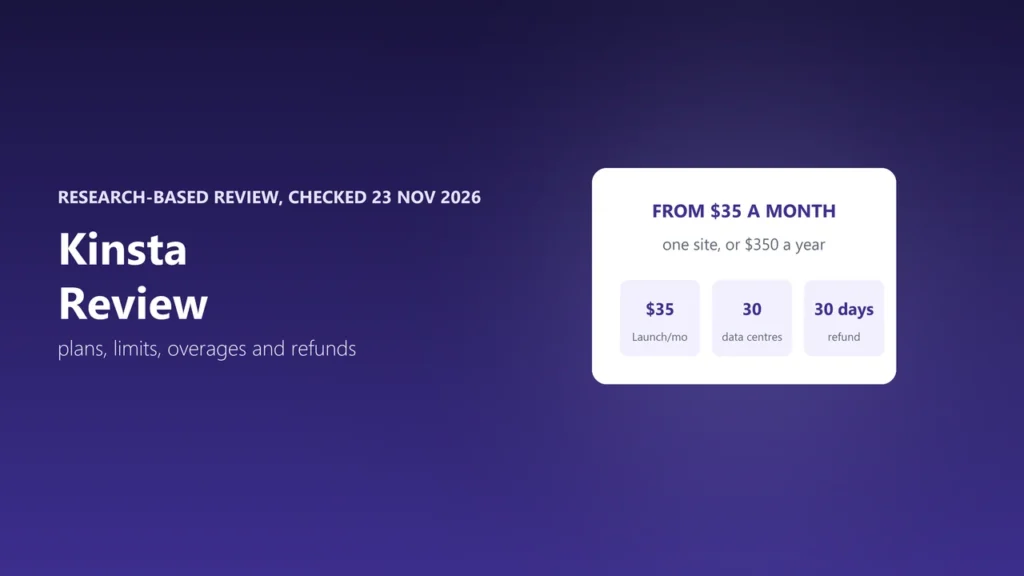
Kinsta is worth considering if you want managed WordPress hosting where caching, backups and server security are handled for you, from $35 a month for one site. If you run a small blog on a tight budget, or need many sites cheaply, a shared or cloud host will cost far less.
This review is based on Kinsta’s own pricing page, documentation, money-back guarantee and terms, all read on 23 November 2026, not on hands-on tests: we have not bought a plan or measured its speed, uptime or support.
Disclosure: links to Kinsta on this page are affiliate links. We may earn a commission if you buy through them, at no extra cost to you. It does not change the facts we report.
Good fit for businesses, stores and agencies that want WordPress-only hosting with the server work done for them. A weak fit for a small blog on a tight budget.
- Price: from $35 a month for one site, or $350 a year (two months free); extra sites $30 a month each.
- Included: Cloudflare CDN and edge caching, daily backups, free staging, APM, malware clean-up, 24/7 chat support.
- Watch out: visit, bandwidth, disk and CDN overages, paid Redis ($100 a month per site), and a 30-day refund that excludes overages.
What Kinsta is
Kinsta sells managed hosting for WordPress only. Each site runs in its own isolated container, managed in Kinsta’s own dashboard, MyKinsta.
You pick one of 30 data centres worldwide for each site. Kinsta’s infrastructure-upgrades doc says its new infrastructure runs on Oracle Cloud Infrastructure, replacing Google Cloud; a pricing-card note still says Google Cloud Platform.
Kinsta plans and prices
Kinsta’s pricing page holds two plan sets, so you may see either. The newer set:
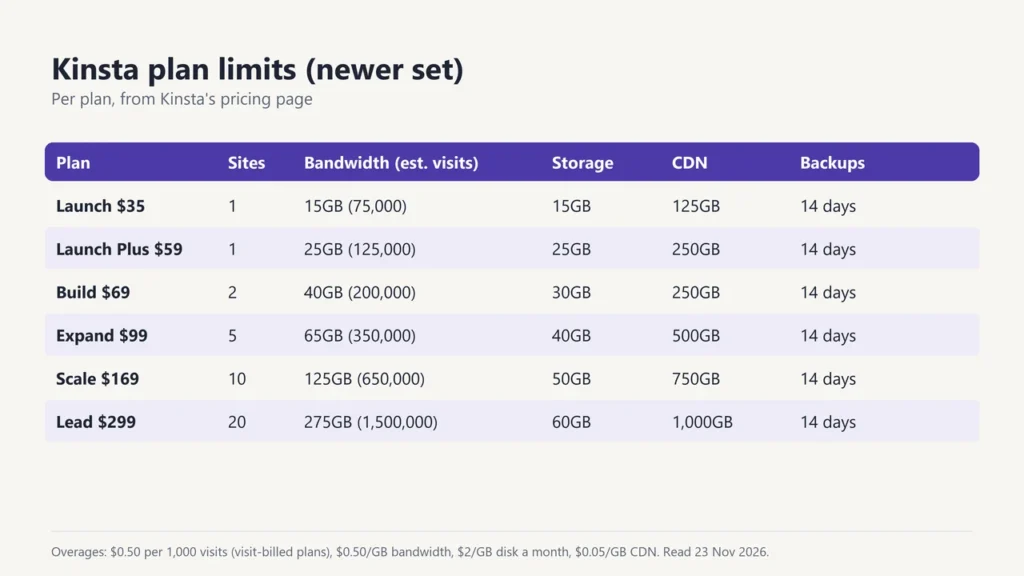
| Plan | Monthly | Sites | Bandwidth (est. visits) | Storage | CDN |
|---|---|---|---|---|---|
| Launch | $35 | 1 | 15GB (75,000) | 15GB | 125GB |
| Launch Plus | $59 | 1 | 25GB (125,000) | 25GB | 250GB |
| Build | $69 | 2 | 40GB (200,000) | 30GB | 250GB |
| Expand | $99 | 5 | 65GB (350,000) | 40GB | 500GB |
| Scale | $169 | 10 | 125GB (650,000) | 50GB | 750GB |
| Lead | $299 | 20 | 275GB (1,500,000) | 60GB | 1,000GB |
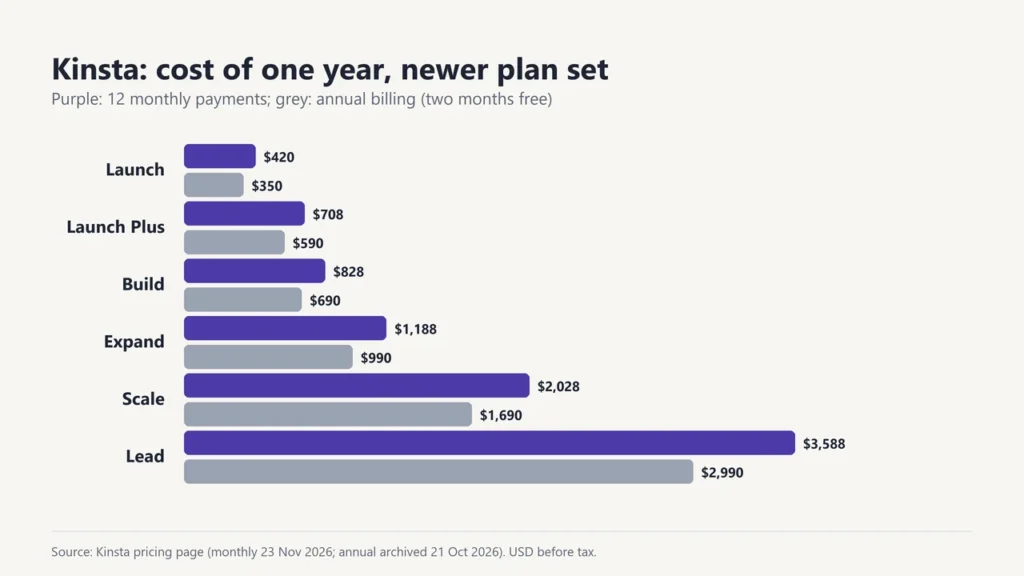
The older set bills by visits or server bandwidth: Single 35k or Single 20GB at $35 a month (one site, 10GB storage) up to WP 40 at $450. Annual billing gives “two months free”, so Launch is $350 a year (Kinsta’s pricing page on 21 October 2026, archived).
New customers get the first 30 days free on Single 35k, Single 20GB, WP 2 or Launch, per Kinsta’s billing docs. Its first-month-free page’s text names only Single 35k and WP 2, though its plan cards show all four. A card is needed.
What every plan includes
- CDN and edge caching: a Cloudflare-powered CDN and edge caching across 300+ Cloudflare locations, free on all plans.
- Backups: daily automatic backups kept 14 days on most plans (20 or 30 on bigger ones) and up to 5 manual backups. Kinsta says backups are stored on the same host machine as the site.
- Staging: one free staging copy per site. It may sleep after 24 hours without use.
- Performance tools: a built-in APM tool at no extra charge, automatic PHP updates by default (8.1 is the oldest officially supported version).
- Security: a managed firewall with DDoS protection, free SSL and free malware clean-up. Skip the follow-up steps and later infections cost $100.
- Uptime and support: an SLA-backed guarantee of up to 99.9%, but no high-availability hosting. Support is 24/7 chat inside MyKinsta in 8 languages.
- Migrations: unlimited and free.
Overages and add-ons: the real cost
Going over a limit doesn’t take your site offline, but you pay for it (alerts come at 80% and 100%):
- Visits: $0.50 per 1,000 on visit-billed plans. Kinsta’s own example: 100,000 visits on Single 35k is a 65,000 overage, $32.50.
- Server bandwidth: $0.50 per GB on bandwidth-billed plans.
- Disk: $2 per GB a month, worked out daily. CDN: $0.05 per GB.
- Extreme overages (your plan price or $500, whichever is less) may mean immediate payment, a forced upgrade or limited site access.
Add-ons: an extra site $30 a month (it shares the plan’s resources and adds no disk), 20GB of disk $20, Redis object cache $100, premium staging $20 and 6-hourly backups $20. External backups are listed at $10 per 500MB plus $1 per GB on the pricing page, but $2 per site plus $1 per GB on the add-ons page.
Our arithmetic: three small sites on Launch plus two extra sites cost $95 a month, against $99 for Expand, which includes five sites and more resources. Adding Redis to one store on Launch takes it from $35 to $135 a month.
Black Friday offer (until 1 December)
Until 1 December 2026, new customers get 50% off the first three months on monthly plans, or “3 months off” on annual plans. Launch monthly is $17.50 for three months after the free month, then $35. Launch annual is $315: the “3 months” come off 12 monthly payments ($420), so against the normal $350 annual price it saves $35, one month (our arithmetic). Kinsta has announced no separate Cyber Monday price. Details in our Kinsta Black Friday and Kinsta Cyber Monday guides.
Refunds and billing traps
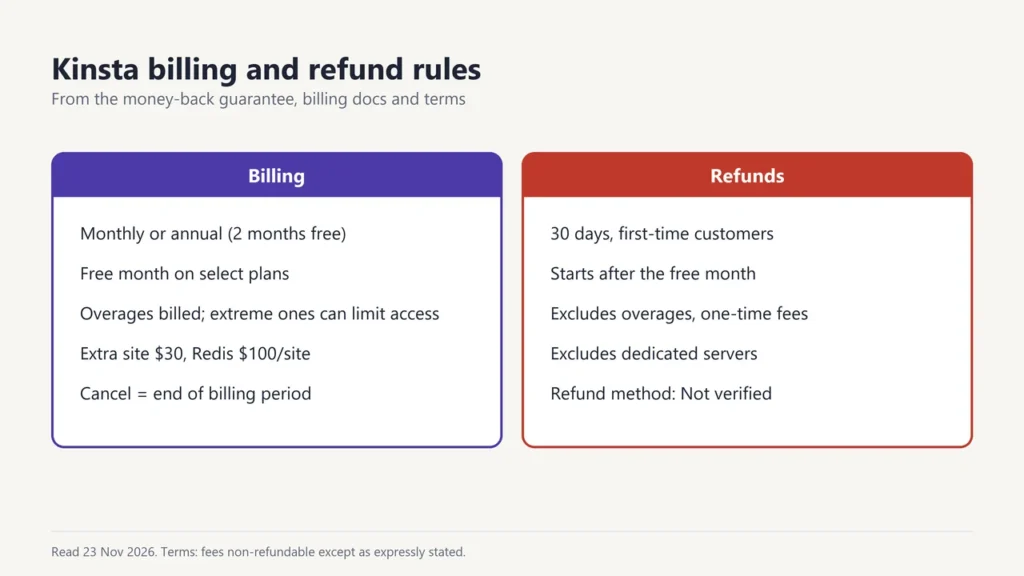
- 30-day money-back guarantee, first-time customers only, for WordPress hosting plan fees. Dedicated servers, one-time fees and overages are excluded, and “any fees incurred during the first 30 days will be deducted”.
- Free month first: on a free-month plan, the 30 days start when billing begins, not at sign-up. Switching plans doesn’t restart the clock.
- Cancelling in the free month: the first-month-free page says “at no charge”, but Kinsta’s billing docs say accrued overages are charged on cancellation.
- After 30 days: cancellation takes effect at the end of the billing period. Kinsta’s terms say fees are “non-refundable, except as expressly stated”, and the guarantee page offers no pro-rata plan refund.
- Refund method: Not verified.
Who Kinsta suits, and who should look elsewhere
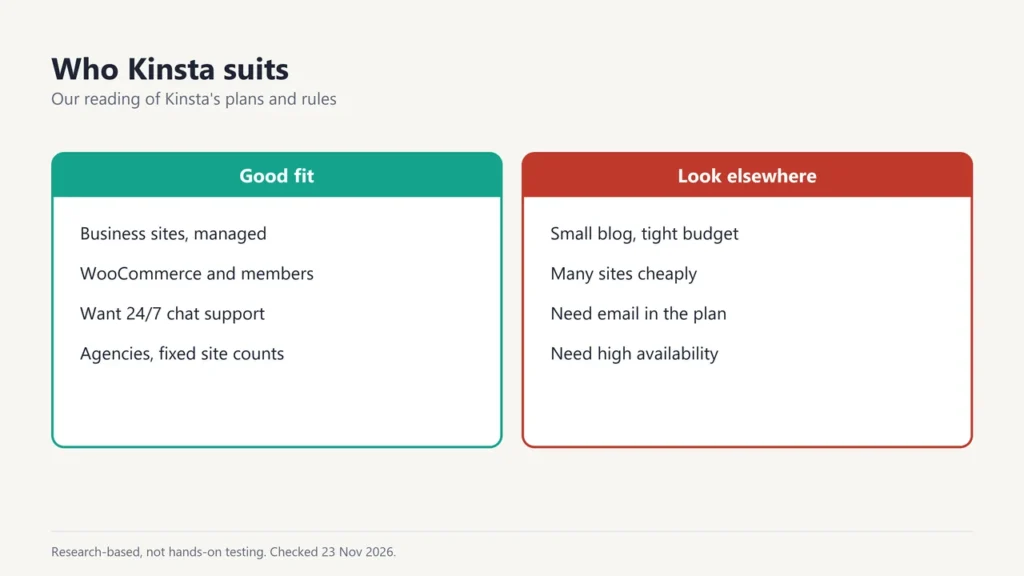
Good fit: businesses and WooCommerce or membership sites that want the server managed, daily backups and 24/7 chat support; agencies that can plan around fixed site counts.
Look elsewhere if: you run one small blog and $35 a month is too much, you need many sites cheaply, you want email hosting in the plan (Kinsta says it doesn’t provide email), or need high-availability hosting. For lower prices, compare our Hostinger review, SiteGround review and Cloudways review; for per-site sandboxes, see our InstaWP review.
Frequently asked questions
Is Kinsta free to try?
New customers get the first 30 days free on Single 35k, Single 20GB, WP 2 or Launch. A card is needed. Overages are still charged during the free month.
What happens if my site goes over its visits?
It stays online, and Kinsta charges $0.50 per 1,000 extra visits on visit-billed plans, or $0.50 per GB on bandwidth plans.
Does Kinsta include email hosting?
No. Kinsta’s email doc says “we don’t provide email as part of our hosting plans”, so you need a separate email provider.
Can I host more than one site on a Kinsta plan?
Yes, on multi-site plans such as Build, Expand or WP 2 and up, or by adding sites at $30 a month each. WordPress multisite mode isn’t allowed on Single 35k or Single 20GB.

Justwebworld has published guides since 2012. How we write and update articles Report an error
