

Scientific notation is a short way to write very big or very small numbers. You write the number as a number from 1 to just under 10, times 10 to a power. So 4,500,000 becomes 4.5 × 10⁶, and 0.0048 becomes 4.8 × 10⁻³.
The power of 10 tells you how many places the decimal point moved. A positive power means a big number. A negative power means a small number between 0 and 1. This guide shows you how to write numbers in scientific notation, how to change them back, how to multiply and divide them, and what the “E” means on calculators, in Excel and in code.
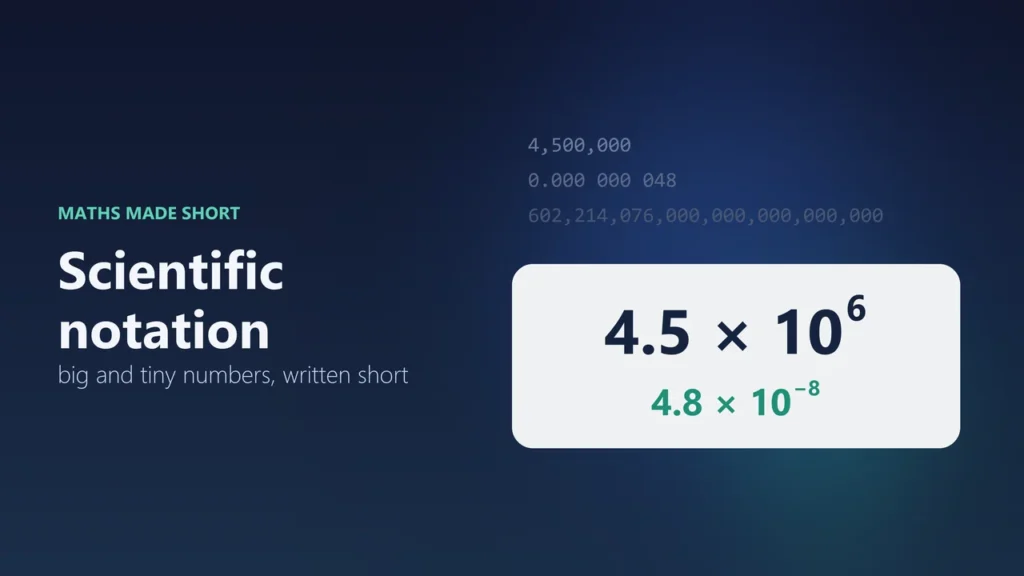
- Form: a × 10n, where a is at least 1 and less than 10, and n is a whole number
- Big number: 4,500,000 = 4.5 × 10⁶
- Small number: 0.0048 = 4.8 × 10⁻³
- On calculators and in Excel: 4.5 × 10⁶ often shows as 4.5E+06 or 4.5E6
- In UK schools: the same thing is called “standard form”
What is scientific notation?
Scientific notation writes any number as two parts multiplied together. The first part is called the coefficient (some books say mantissa or significand). The second part is a power of 10.
The coefficient must be at least 1 and less than 10. So 3.7 is fine, but 37 and 0.37 are not. The power of 10 (the exponent) must be a whole number. It can be positive, negative or zero.
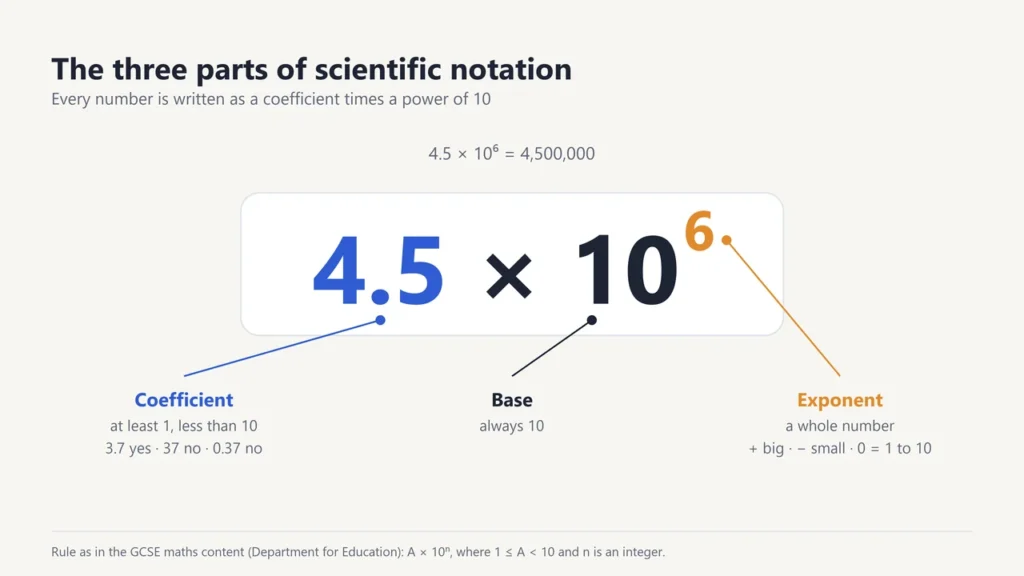
In England, the Department for Education’s GCSE maths content calls this standard form and writes it as A × 10n, where 1 ≤ A < 10 and n is an integer. That is the same rule. Be careful, though: “standard form” also means other things in maths, such as the standard form of a linear or quadratic equation.
Why do we use scientific notation?
It saves space and stops mistakes with long rows of zeros. Science is full of numbers like these. The SI Brochure, the official guide to the metric system from the International Bureau of Weights and Measures (BIPM), writes many of its fixed constants this way:
| Quantity | Written in full | Scientific notation |
|---|---|---|
| Speed of light | 299,792,458 metres per second | 2.997 924 58 × 108 m/s |
| Avogadro constant | 602,214,076,000,000,000,000,000 per mole | 6.022 140 76 × 1023 mol−1 |
| Charge of one electron (elementary charge) | 0.000 000 000 000 000 000 160 217 663 4 coulomb | 1.602 176 634 × 10−19 C |
Try counting the zeros in the middle column. Now look at the last column. The exponent does the counting for you.
How to write a large number in scientific notation
Move the decimal point to the left until only one non-zero digit is in front of it. The number of places you moved is the exponent, and it is positive.
- Find the decimal point. In a whole number it sits at the end: 4,500,000. is the same as 4,500,000.
- Move it left until one digit from 1 to 9 is in front: 4.500000
- Count the moves. You moved 6 places.
- Drop the extra zeros at the end and write the answer: 4.5 × 10⁶
More examples: 93,000 = 9.3 × 10⁴. 1,000,000 (one million) = 1 × 10⁶. 86,400 (the seconds in one day) = 8.64 × 10⁴.
How to write a small number in scientific notation
For a number between 0 and 1, move the decimal point to the right until one non-zero digit is in front of it. Count the moves. This time the exponent is negative.
- Start: 0.0048
- Move right until a digit from 1 to 9 is in front: 4.8
- Count the moves: 3 places
- Write it with a minus sign on the exponent: 4.8 × 10⁻³
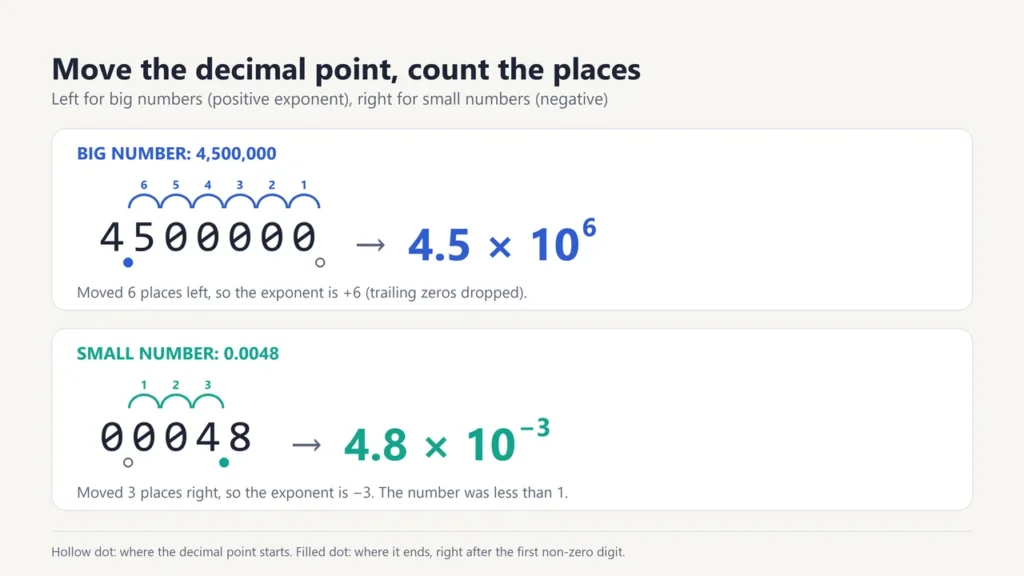
A quick check: if the original number is 10 or more, the exponent is positive. If it is between 0 and 1, the exponent is negative. If it is already between 1 and 10, the exponent is 0, because 100 = 1. So 7.2 = 7.2 × 100.
How to change scientific notation back to a normal number
Do the moves in reverse. A positive exponent means move the decimal point right. A negative exponent means move it left. Fill any gaps with zeros.
| Scientific notation | Move the point | Normal number |
|---|---|---|
| 3.06 × 10⁵ | 5 places right | 306,000 |
| 7 × 10² | 2 places right | 700 |
| 5.1 × 10⁻² | 2 places left | 0.051 |
| 9 × 10⁻⁶ | 6 places left | 0.000009 |
How to multiply and divide in scientific notation
To multiply: multiply the coefficients and add the exponents. To divide: divide the coefficients and subtract the exponents. Then fix the coefficient if it is no longer between 1 and 10.
| Problem | Working | Answer |
|---|---|---|
| (3.2 × 105) × (4 × 103) | 3.2 × 4 = 12.8, and 5 + 3 = 8, so 12.8 × 10⁸. Fix: 12.8 = 1.28 × 101 | 1.28 × 10⁹ |
| (6 × 10⁸) ÷ (3 × 10⁻²) | 6 ÷ 3 = 2, and 8 − (−2) = 10 | 2 × 10¹⁰ |
| (2.5 × 104) × (4 × 10−7) | 2.5 × 4 = 10, and 4 + (−7) = −3, so 10 × 10−3. Fix: 10 = 1 × 101 | 1 × 10⁻² (0.01) |
The “fix” step is where most marks are lost. 12.8 × 10⁸ has the right value, but it is not in scientific notation, because 12.8 is bigger than 10.
How to add and subtract in scientific notation
You can only add or subtract the coefficients when the exponents are the same. So first rewrite one number to match the other.
Example: 3.4 × 10⁵ + 2.1 × 10⁴. Rewrite 2.1 × 10⁴ as 0.21 × 10⁵. Now add: 3.4 + 0.21 = 3.61. The answer is 3.61 × 10⁵, which is 340,000 + 21,000 = 361,000.
What does E mean on a calculator, in Excel and in code?
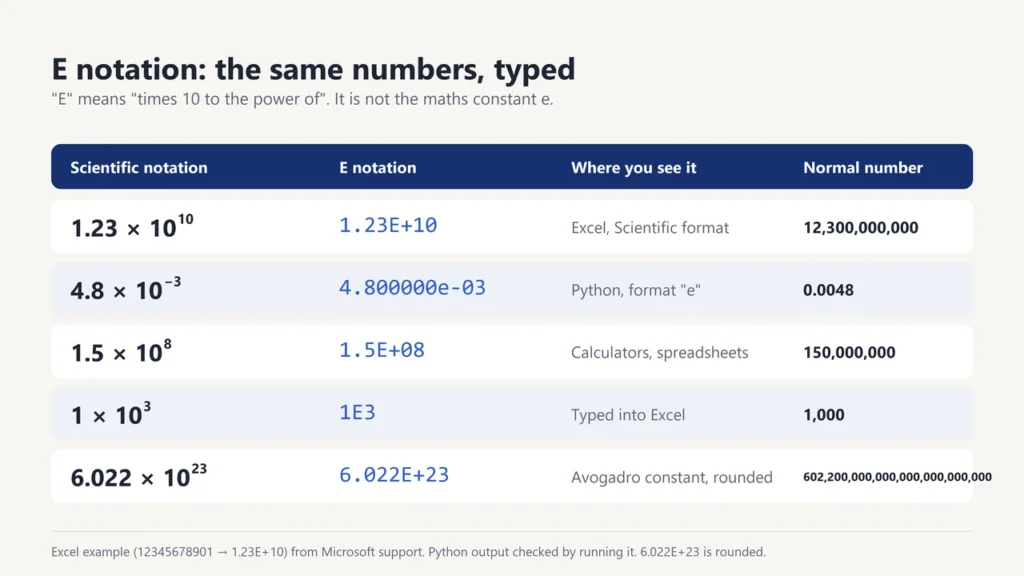
“E” stands for “times 10 to the power of”. It is E notation, a way to type scientific notation without superscripts. So 1.23E+10 means 1.23 × 10¹⁰, and 4.8E-03 means 4.8 × 10⁻³. It has nothing to do with the number e (about 2.718) used in advanced maths.
- Excel: Microsoft’s help page says the Scientific format “replaces part of the number with E+n”, and gives the example that 12345678901 shows as 1.23E+10 with 2 decimal places (the default). It also says the General format uses exponential notation for large numbers of 12 or more digits. You can type numbers this way too: 1E3 is 1,000.
- Python: the format code “e” prints scientific notation. The Python documentation says the exponent always has at least two digits for normal decimal numbers, so 0.0048 prints as 4.800000e-03.
- Calculators: many show an “E” or a small “×10” when an answer is too long for the screen. The key to type an exponent is often labelled EXP or EE.
A warning for Excel users: Microsoft says the maximum precision is 15 digits. So a longer number, such as a 16-digit card or ID number, can lose its last digits when Excel stores it as a number. Format the cells as Text before you type numbers that are really labels.
Scientific notation vs engineering notation
Engineering notation is a close cousin. The exponent must be a multiple of 3 (…, −6, −3, 0, 3, 6, …). That leaves 1 to 3 digits in front of the decimal point. The Python documentation describes it the same way: “Engineering notation has an exponent which is a multiple of 3.”
| Number | Scientific notation | Engineering notation | With a metric prefix |
|---|---|---|---|
| 45,000 metres | 4.5 × 10⁴ m | 45 × 103 m | 45 km |
| 0.000 22 seconds | 2.2 × 10⁻⁴ s | 220 × 10−6 s | 220 µs |
| 3,300,000 watts | 3.3 × 10⁶ W | 3.3 × 10⁶ W | 3.3 MW |
Engineers like it because every multiple of 3 matches a metric prefix: 103 is kilo, 106 is mega, 10−3 is milli. Our guide to metric prefixes lists all 24 of them.
Scientific notation and significant figures
The coefficient also shows how precise a number is. Every digit you write in it counts as a significant figure. So 2.5 × 10³ has 2 significant figures, and 2.50 × 10³ has 3. Both equal 2,500, but the second one says it was measured to the nearest 10.
Written as 2,500, you cannot tell which is meant. That is one more reason scientists use this format. It is also why the exact constants in the table above keep every digit.
For every counting and rounding rule, with worked examples, see our full guide to significant figures.
Common scientific notation mistakes
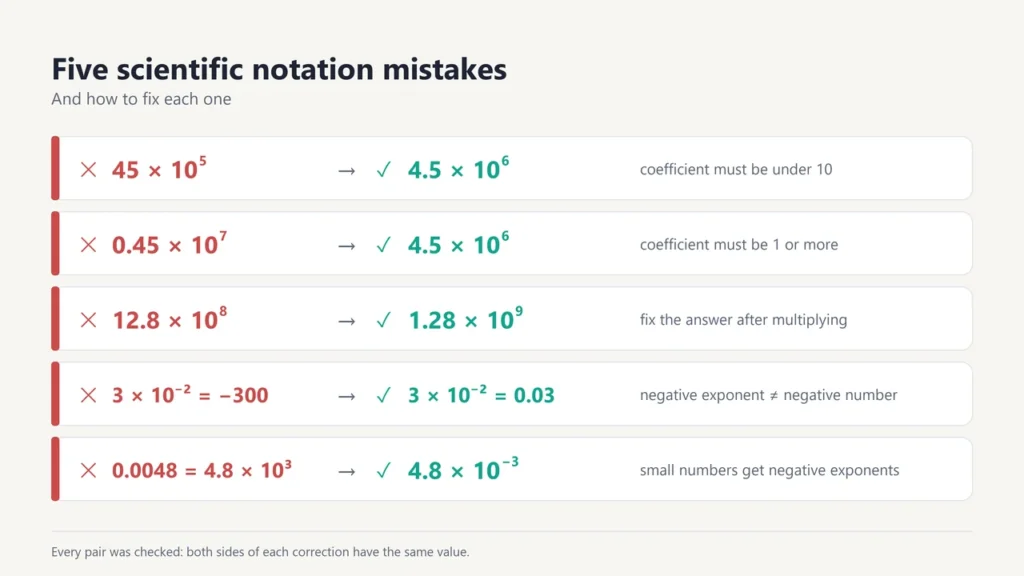
- Coefficient too big or too small. 45 × 105 and 0.45 × 10⁷ both equal 4.5 × 10⁶, but only the last one is in scientific notation.
- Mixing up a negative exponent and a negative number. 3 × 10⁻² is 0.03, a small positive number. −3 × 10² is −300.
- Moving the point the wrong way. Big numbers get positive exponents. Small numbers get negative ones.
- Forgetting the fix step after multiplying or dividing.
- Adding exponents when you add numbers. Exponents are added only when you multiply. To add numbers, match the exponents first.
Scientific notation is one of several ways to write the same number. Others include Roman numerals and other bases such as binary and hexadecimal, which you can try in the Number System Converter. Computers also store dates as one big count of seconds, as our guide to the Unix timestamp explains.
Frequently asked questions
What is 0.0048 in scientific notation?
4.8 × 10⁻³. Move the decimal point 3 places right to get 4.8, and use −3 as the exponent because the number is less than 1.
How do you write one million in scientific notation?
1 × 10⁶. One billion (1,000,000,000) is 1 × 10⁹, and one thousandth (0.001) is 1 × 10⁻³.
Is 10 × 10³ in scientific notation?
No. The coefficient must be less than 10. 10 × 103 is 10,000, which is written 1 × 10⁴.
What does 1.5E+08 mean?
It means 1.5 × 10⁸, which is 150,000,000. The E stands for “times 10 to the power of”.
Is standard form the same as scientific notation?
In UK maths, yes. The GCSE content defines standard form as A × 10n with 1 ≤ A < 10, which is scientific notation. In other topics, “standard form” can mean something else, such as the standard form of an equation.
Can the exponent be zero?
Yes. 100 equals 1, so any number from 1 up to (but not including) 10 has an exponent of 0. For example, 6.3 = 6.3 × 100.
How do I stop Excel from showing E+ numbers?
Change the cell format from General to Number, as Microsoft suggests. If the value is really a code with more than 15 digits, such as an ID number, format the cell as Text before you type it, or the last digits can be lost.

Justwebworld has published guides since 2012. How we write and update articles Report an error
