Close Menu
JustwebworldJustwebworld
  • Astrology
  • Business & Finance
    • Cryptocurrency
    • Make Money
    • Entrepreneur
    • Brands
    • Companies
    • Personal Finance
      • Banking
      • Insurance
      • Trading and Investing
  • Tech
    • Computing
    • Cybersecurity
    • Electronics
    • Android
    • Apple
    • Gadgets
    • Social Media
    • Mobile Apps
    • Softwares
  • Education
    • Vocabulary
    • Abbreviations
    • General Knowledge
    • Writing & Translation
  • Lifestyle
    • Beauty & Cosmetics
    • Fashion & Style
    • Furniture & Decor
    • Luxury
    • People & Relationships
    • Pets and Animals
    • Shopping
    • Parenting
    • Gardening
    • Birthdays
  • Health
  • Travel
  • Auto
  • Gaming
  • Food
  • Entertainment
  • Sports
Facebook X (Twitter) Instagram Pinterest YouTube LinkedIn WhatsApp Telegram
Wednesday, January 14
  • About
  • Contact Us
  • Advertise With Us
  • Disclaimer
  • Terms & Conditions
  • Privacy Policy
JustwebworldJustwebworld
  • Astrology
  • Business & Finance
    • Cryptocurrency
    • Make Money
    • Entrepreneur
    • Brands
    • Companies
    • Personal Finance
      • Banking
      • Insurance
      • Trading and Investing
  • Tech
    • Computing
    • Cybersecurity
    • Electronics
    • Android
    • Apple
    • Gadgets
    • Social Media
    • Mobile Apps
    • Softwares
  • Education
    • Vocabulary
    • Abbreviations
    • General Knowledge
    • Writing & Translation
  • Lifestyle
    • Beauty & Cosmetics
    • Fashion & Style
    • Furniture & Decor
    • Luxury
    • People & Relationships
    • Pets and Animals
    • Shopping
    • Parenting
    • Gardening
    • Birthdays
  • Health
  • Travel
  • Auto
  • Gaming
  • Food
  • Entertainment
  • Sports
JustwebworldJustwebworld
Home » Internet » 192.168.0.1 – Default Router IP Address, Login, Password

192.168.0.1 – Default Router IP Address, Login, Password

Kara ClaytonBy Kara Clayton Internet Computing
Facebook Twitter LinkedIn Telegram Pinterest Reddit Email WhatsApp
Follow Us
WhatsApp Telegram
Share
Facebook Twitter LinkedIn Pinterest Reddit Telegram WhatsApp

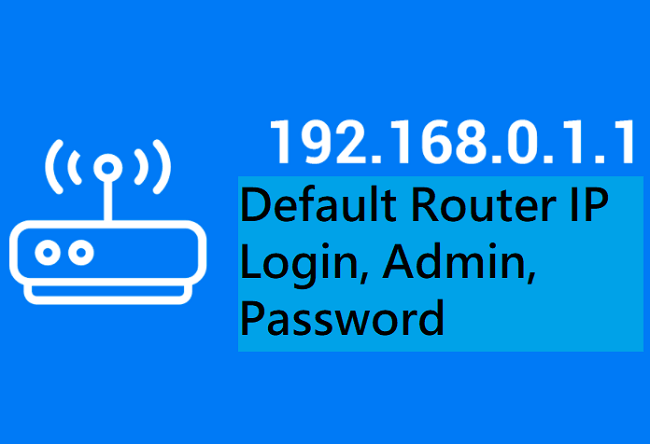
If you are not a computer geek and you don’t know what 192.168.0.1 is, it is a private IP address that is commonly used by D-Link and Netgear router brands. Both these brands are competitors of the Linksys division of Cisco and they are responsible for making a large number of internet routers all over the world.

Despite being big giants in this field, the network address isn’t given to the Netgear and D-Link companies but they have the opportunity to choose a similar default address, if needed.

Table of Contents

Toggle
  • 192.168.0.1 Default Router IP Address and Routers Using It
    • Private IP Addresses – How do they work?
    • 192.168.0.1 as a Default IP Address
    • 192.168.0.1 – What kind of an IP address is it?
    • Which Routers use IP Address 192.168.0.1?
    • Accessing Router Settings using IP address 192.168.0.1
    • Delving deeper into the Private IP Addreses

192.168.0.1 Default Router IP Address and Routers Using It

192.168.0.1 Default Router IP

In case there is one more router that is already installed in the local network that is utilizing the same default IP, it can be altered trough accessing the router administrator console of the network.

Besides being used for the initial setup of the router, 192.168.0.1 is even used for identifying network connectivity issues with Netgear and D-Link products.

Private IP Addresses – How do they work?

As already mentioned earlier, 192.168.0.1 is a private address defined by the IANA or the Internet Assigned Numbers Authority. The IANA will deduce IP address ranges that are predetermined and that are reserved for private use or that which is used on a local network for specified tasks and individual machine.

When a network device tries using a private IP address as the main identifier, it won’t be able to connect to the internet. Moreover, a networked device that is not located within the realm of the network won’t be able to connect to a computer or a device that is using the IP address directly.

Also Read: How to Find Someone’s Email Address Online How to Find Someone’s Email Address Online

Such connections are forced to enter through a device that implement NAT or Network Address Translation and that provides with an added layer of security amidst the local network.

192.168.0.1 as a Default IP Address

192.168.0.1 is commonly used in the form of a Netgear or D-Link default IP address for configuration of local router. The other used default addresses for routers are 192.168.2.1 and 192.168.1.1.

The main use of the default D-Link and Netgear IP address (192.168.0.1) is to let an end-user or a network administrator connect to the router to obtain the internet connection, security settings or conduct other functions of a network administrator.

192.168.0.1 – What kind of an IP address is it?

In the real world, if you want to reach out to a specified destination, you would want its address so that you can enter it into GPS (Global Positioning System). Similarly, when you wish to reach a destination on the internet, you will need an address so that you can type it in the URL bar of your web browser.

However, the issue with the internet is that all destinations don’t have a public address. There are few destinations too only have a private address. 192.168.0.1 is one such private IP address for such online destinations. This IP address is similar to 192.168.1.1, 192.168.1.254 and 10.0.0.1 used by several vendors as their default gateway.

Which Routers use IP Address 192.168.0.1?

There are several routers that use 192.168.0.1 as their default IP address. Here is a list of the manufacturers that released at least 1 router that use 192.168.0.1 as their default IP address. Few among them are.

Also Read: 5 Reasons to Stop Using FTP in Your Business Right Now 5 Reasons to Stop Using FTP in Your Business Right Now
  • Aceex
  • Anker
  • Belkin
  • BroadMax
  • Card King
  • CCNet
  • Contec
  • Cyberguard
  • D-Link
  • Diamond
  • Eero
  • Ericsson
  • Freecom
  • Hiltron
  • Huawei
  • Linksys
  • Konica.

These are just a few names among the lot and among them D-Link, TP Link, Linksys and they own the most routers that use 192.168.0.1 as their key IP address.

Accessing Router Settings using IP address 192.168.0.1

In case you’ve tried to open http://192.168.0.1 or other router IP address in a web browser, you will know by now that it is not possible to go far without the right password of the router.

The problem lies in the fact that all routers are different and there are several default router password combinations that you can try. In order to log on to 192.168.0.1, here are the steps to follow.

  • Open the browser and type http://192.168.0.1 on the address bar.
  • Enter the login and the password of the router. In case you don’t know them, check the list of the default router passwords.
  • You enter the admin panel and now you are able to tweak the settings.

The most common login names of a router are root, admin, user and administrator.

Delving deeper into the Private IP Addreses

The main reason behind certain destinations on the internet that don’t have public addresses assigned towards them is because of the IPv4 or the Internet Protocol version 4. This defines an IP address as 32-bit number. The IPv4 pool is 32-bits in size and it can contain just 4,294,967,296 addresses.

Among these, the IETF (Internet Engineering Task Force) directed the IANA (Internet Assigned Numbers Authority) to book 18.9 million addresses for private networks. These are typically used for LANs (Local Area Networks) in office, residential and enterprise environments.

Also Read: 10 Scam Free Work From Home Opportunities, You Have to Know 10 Scam Free Work From Home Opportunities, You Have to Know

You may think that 4.3 billion IP address aren’t enough but this is wrong. There are presently 24 billion connected devices and this number is all set to double by the time it is 2023.

In order to cope with the huge shortage of IP address, a single public IP address is frequently used to hide the total space of IP address that comprise of private IP addresses utilizing NAT or network address translation.

There is a brand new version of the Internet Protocol that has been developed and it is called IPv6. This one uses 128-bit address, thereby letting 3.4X1038 addresses which are more than enough to allot a unique IPv6 address to every atom on the Earth’s surface!

So, it can be concluded by saying that 192.168.0.1 is one among the several private IP addresses that are used by routers to recognize themselves on a specific network.

In case you have a router that uses this IP address and you are aware of its login and password, you may type the address in the URL field, log in and alter the settings if you want.

All Router manufacturers such as TP-Link, Cisco, D-Link, Linksys, Netgear, Belkin, Asus all have the admin login printed on the router.
Router ManufacturerIP addressUser NamePassword
TP-Link192.168.1.1
192.168.1.254
adminadmin/password
Cisco192.168.1.1adminadmin
Linksys192.168.1.1
192.168.1.10
192.168.1.254
192.168.2.1
adminadmin
Netgear192.168.1.1adminadmin/password
Asus192.168.1.1
192.168.2.1
10.10.1.1
adminadmin
Belkin192.168.1.1
192.168.2.1
10.0.0.2
10.1.1.1
(none)MiniAP
Billion192.168.1.254adminadmin
iBall192.168.1.1adminadmin

cards
Powered by paypal
Follow on WhatsApp Follow on Telegram
Share. Facebook Twitter Pinterest LinkedIn Tumblr Email Telegram WhatsApp Copy Link
Previous ArticleHow to Find Your Router’s IP Address
Next Article How to Create a Strong Password?
Kara Clayton
  • Website

Kara Clayton is a passionate writer with a flair for turning ideas into captivating content. Whether it’s technology, business, health, or lifestyle, she knows how to make every topic engaging and easy to understand. With a natural storytelling ability and a keen eye for detail, Kara’s writing not only informs but also keeps readers hooked till the last word. A true tea lover, she believes that a good cup of tea sparks creativity and fuels her best work. When she’s not writing, you’ll find her sipping her favorite brew, exploring new ideas, or getting lost in a great book.

Related Posts

Ultimate Guide to CapCut Templates 2025 | Create Viral Reels, TikToks & Shorts with Free Trending Video Edits!

15+ Ghibli AI Image Generator: Top FREE Alternatives to ChatGPT & Grok (Apps & Websites)

Airtel Broadband: The Best Unlimited Data Plans for Your Home Internet

How to Choose the Best Proxy Provider for Your Needs

Unlocking Boundaries: Best Ways to Access GEO-Restricted Resources

Rotating Datacenter Proxies Vs. Static Proxies: Why Dynamic Rotation Matters

Leave A Reply

Subscribe to Blog via Email

Enter your email address to subscribe to this blog and receive notifications of new posts by email.

Join 43.4K other subscribers
Categories
Latest Posts

Understand How Wind Emulators Upgrade Renewable Energy Training In Institutes

Expert Tips On Proper Use Of Septic System Cleaning Products

Discover Why An Online Tutor Job In Bangalore Is A Flexible Earning Option

Group Vs Customised Australia Trips: How to Decide What Suits You

What to Know About Choosing the Right Support Path

How to Keep Your Yamaha Bike Running Smoothly in Indian Weather Conditions

Is Celebrity Culture Dying? Why People Are Losing Interest in Famous Stars in 2026

Why Your Brain Feels Overloaded All the Time – The Real Cost of Modern Stress & Burnout

Ever Wondered Why Travel Feels So Meaningful? The Truth Might Surprise You

Ford Territory Automatic: The Perfect SUV for Filipino Families

The content on this website is provided solely for educational and informational purposes. We do not promote, endorse, or deal in any products, services, or activities mentioned. While we strive to share accurate and up-to-date information, we make no warranties regarding completeness, reliability, or accuracy. Any action you take based on the information found here is strictly at your own risk, and we will not be liable for any losses or damages in connection with the use of our website.

DMCA.com Protection Status
Quick Links
Age Calculator
Angel Number Calculator
Case Converter
Sudoku Online
Word Counter
Love Calculator
Jack Doherty YouTuber
Snake Dream Meaning
Get Rid of Cockroaches
Indian Cricket Team Coaches
Best Volleyball Team Names
Useful Links
Number to Words
Period Calculator
Yes-No Picker Wheel
Demon Name Generator
Kingdom Name Generator
Harry Potter Name Generator
Daddy Yankee Biography
Crocodile Dream Meaning
Goa Budget Trip Guide
Maryse Mizanin WWE Diva
Best Cricket Team Names
Helpful Resources
Colors Name In English
Best Computer Brands
WhatsApp Web
Most Beautiful Beaches
Tesla Cybertruck Review
Richest Actors in the World
India Jarvis Actress
Cat Dream Meaning
Belmar Beach New Jersey
Aryna Sabalenka Tennis Superstar
Best WhatsApp Group Names
Explore More
Good Morning Handsome
Best English Songs of All Time
Cricket World Cup Winners
Ways to Say Rest In Peace
Britain’s Got Talent Winners
American Idol Winners
Dude Perfect Net Worth
Horse Dream Meaning
Ramakrishna Beach Visakhapatnam
Anastasia Potapova Tennis Star
Best Funny Team Names
Facebook X (Twitter) Instagram Pinterest YouTube Tumblr LinkedIn WhatsApp Telegram Threads RSS
  • About
  • Contact Us
  • Advertise With Us
  • Disclaimer
  • Privacy Policy
  • Terms & Conditions
  • Web Stories
Copyright © 2012-2026. JustWebWorld - All Rights Reserved. | Sitemap

Type above and press Enter to search. Press Esc to cancel.

×

👇 Bonus Reads for You 🎁

CashBack & Coupons On CashKaro
Get CashBack & Coupons at Top Brands On CashKaro
Data storage practices for businesses
Data Storage Practices for Individuals and Businesses
CapCut's Cloud Storage
CapCut’s Cloud Storage: Streamlining Photo Editing Processes
E-Recycling
E-Recycling: The Responsible Way to Dispose of Electronics