Two-factor authentication (2FA) means logging in with two different kinds of proof instead of one: usually your password plus a code or approval from your phone. Even if someone steals your password, they still cannot get in without the second factor.
It is one of the simplest ways to protect your email, social media and bank accounts. The US Cybersecurity and Infrastructure Security Agency (CISA) says users who turn it on are “significantly less likely to get hacked”. This guide explains how 2FA works, which methods are strongest, how to switch it on, and what to do if you lose your phone.
- 2FA: two different types of proof when you log in
- The three types: something you know, something you have, something you are
- Common methods: SMS codes, authenticator apps, phone prompts, passkeys, security keys
- Strongest: passkeys and security keys, which resist phishing
- Turn it on first for: your main email account
How two-factor authentication works
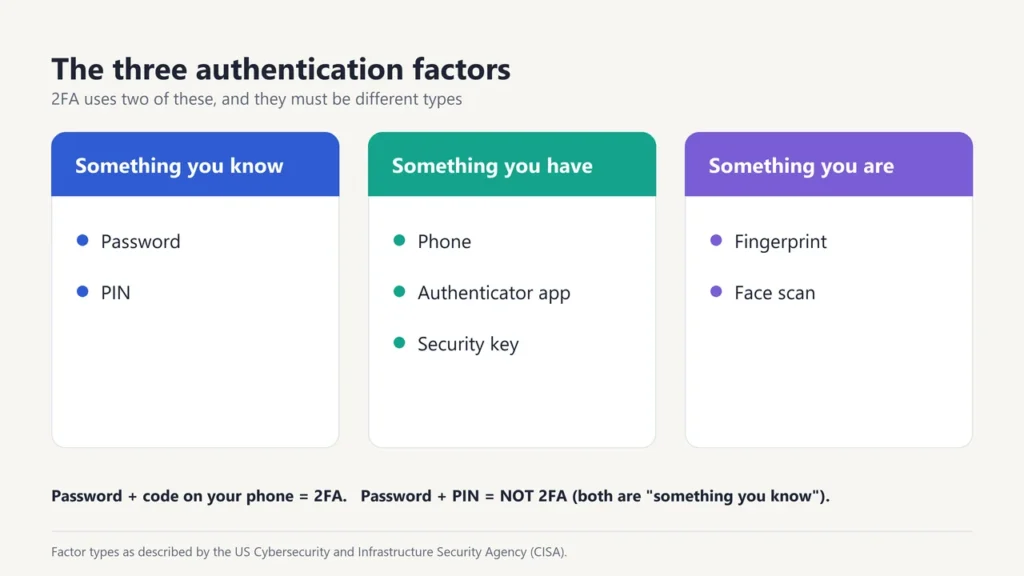
Every login proof falls into one of three types, which security experts call “factors”. CISA describes them like this:
| Factor | Examples |
|---|---|
| Something you know | A password or PIN |
| Something you have | Your phone, an authenticator app, a security key |
| Something you are | A fingerprint or face scan |
2FA uses two different types. A password and a PIN are both “something you know”, so together they are not true 2FA. A password plus a code sent to your phone is. In practice, a fingerprint usually works by unlocking something you have, like your phone. The US standards body NIST notes that a biometric is not counted as an authenticator on its own.
2FA vs MFA vs two-step verification
- Multi-factor authentication (MFA) means two or more factors. 2FA is the most common kind of MFA.
- Two-step verification is the name some companies use. Google calls its feature “2-Step Verification, or two-factor authentication”. WhatsApp uses “two-step verification” for an extra PIN on your account.
For everyday use, the three terms mean almost the same thing: an extra check beyond your password.
Types of 2FA, from strongest to weakest
| Method | How it works | Strength |
|---|---|---|
| Security key | A small USB or NFC device you plug in or tap | Strongest; resists phishing |
| Passkey | Your phone or computer confirms it’s you with your fingerprint, face or screen lock | Strong; resists phishing |
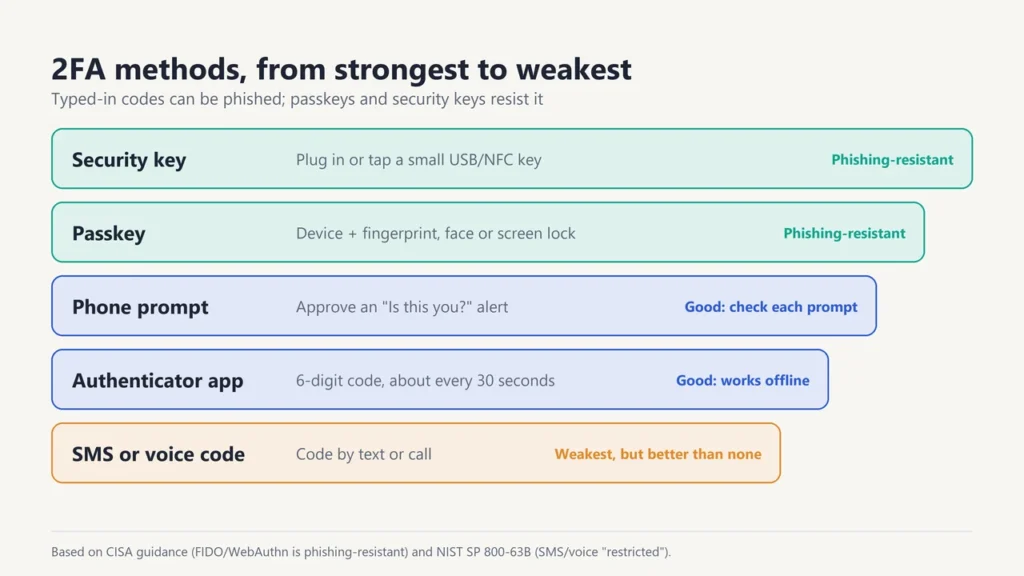
| Phone prompt | A “Is this you?” alert you approve on your phone | Good, but check every prompt before tapping Yes |
| Authenticator app | An app shows a 6-digit code that changes about every 30 seconds | Good; works without mobile signal |
| SMS or voice code | A code is sent by text message or phone call | Better than nothing, but the weakest option |
Why the difference? Any code you type in by hand can be tricked out of you by a fake login page. NIST says authenticators that need you to type in a code “SHALL NOT be considered phishing-resistant”, and it lists SMS and voice codes as a “restricted” option. CISA says FIDO/WebAuthn, the technology behind passkeys and security keys, is the only widely available phishing-resistant method. But CISA is also clear that any MFA is better than no MFA.
How to turn on two-factor authentication
Most apps put 2FA in their settings under Security, Privacy or Account. Look for words like “two-factor”, “2-step verification” or “login approval”. For a Google account, Google’s help centre gives these steps on a computer:
- Open your Google Account.
- Go to Security & sign-in.
- Under “How you sign in to Google”, select Turn on 2-Step Verification.
- Follow the on-screen steps.
Google lets you choose passkeys, Google prompts on your phone, an authenticator app, text or voice codes, backup codes or a hardware security key.
Which accounts to protect first
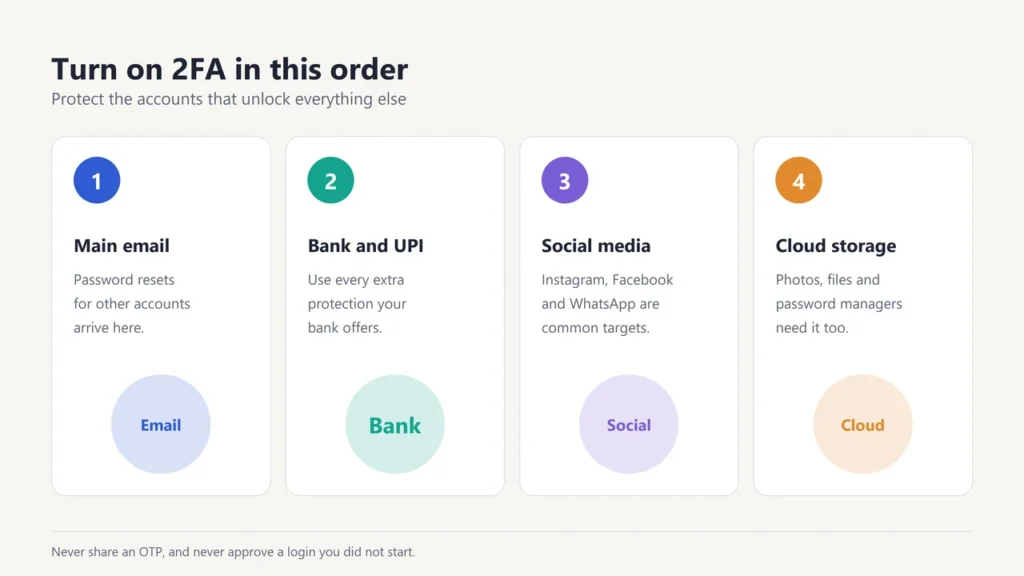
- Your main email. Password reset links for almost every other account go there.
- Banking and payment apps. Add every extra protection your bank offers.
- Social media and messaging, such as Instagram, Facebook and WhatsApp, which are common targets for account takeovers.
- Cloud storage and password managers, which hold your photos, files and other passwords.
Two-factor authentication in Indian banking
In India, online card and digital payments already use a second factor, usually an OTP. On 25 September 2025, the Reserve Bank of India (RBI) issued the Authentication Mechanisms for Digital Payment Transactions Directions, 2025. They encourage banks to add new types of authentication and allow extra risk-based checks beyond the minimum two factors. The RBI says the framework does not end SMS OTP as a factor, and banks must follow the directions by 1 April 2026.
One rule matters more than any technology: never share an OTP or approve a prompt you did not start. Your bank will not ask you for it. Anyone who does is trying to get past your second factor.
If you lose money to online fraud in India, call 1930 and see our guide on how to file an FIR.
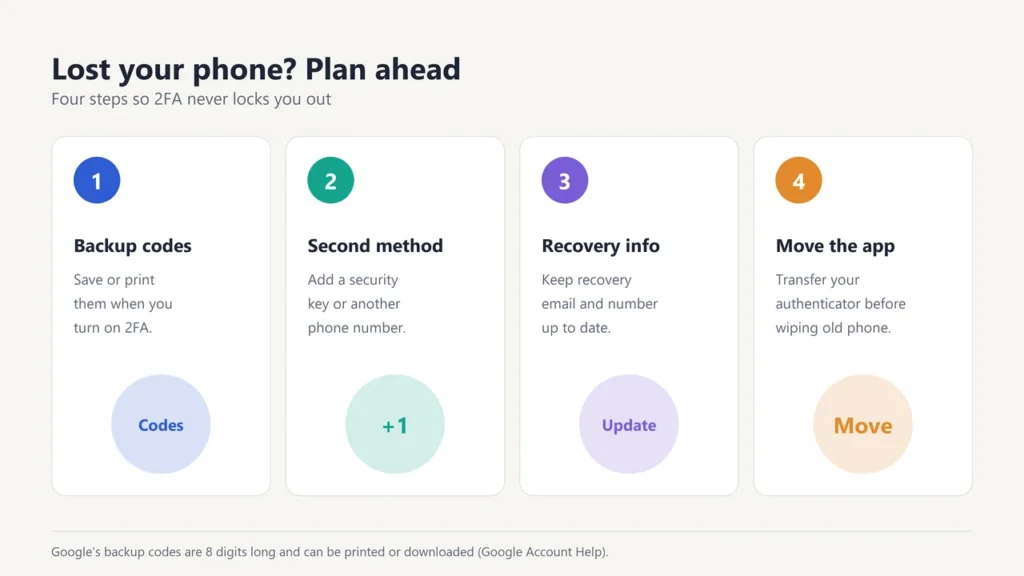
What if you lose your phone?
- Save backup codes when you turn on 2FA. Google’s backup codes are 8 digits long, and you can print or download them.
- Add a second method, such as a security key or a second phone number.
- Keep your recovery email and phone number up to date.
- Move your authenticator app to your new phone before you wipe or sell the old one.
Two-factor authentication meaning in Hindi and Gujarati
In Hindi, two-factor authentication is दो-कारक प्रमाणीकरण, meaning “two-factor proof of identity”. WhatsApp’s Gujarati help pages call two-step verification બે વાર ખાતરી, meaning “checking twice”. Both mean the same idea: an extra check after your password.
Want to stay safer online? Read how safe is your data online, our look at the pros and cons of biometric authentication, and tips on how to improve user authentication.
Frequently asked questions
What is two-factor authentication in simple words?
It is an extra check when you log in. After your password, you also confirm it’s you with something like a code on your phone.
What is the full form of 2FA?
2FA stands for two-factor authentication.
Is SMS two-factor authentication safe?
It is much safer than a password alone, but it is the weakest 2FA option. If you can, use an authenticator app, a passkey or a security key instead.
What is an authenticator app?
An app, such as Google Authenticator, that shows a short code that changes about every 30 seconds. You type the code in after your password. It works without internet or mobile signal.
Is a passkey the same as 2FA?
Not exactly. A passkey can replace your password. It combines something you have (your device) with your fingerprint, face or screen lock, so it gives you the protection of two factors in one step.
Can 2FA be hacked?
Codes can be stolen through fake websites or by tricking you into sharing them. Passkeys and security keys resist this. Never share an OTP, and never approve a login you didn’t start.