

The Eisenhower Matrix is a simple way to decide what to do first. You sort every task into four boxes by asking two questions: is it urgent? and is it important? Then you do the urgent and important tasks, schedule the important ones, delegate the urgent but unimportant ones, and drop the rest.
It is named after US President Dwight D. Eisenhower, and it is popular with students, managers and anyone with a long to-do list. This guide explains where it came from, what each box means, how to use it step by step with a worked example, and why our brains so often pick urgent tasks over important ones.
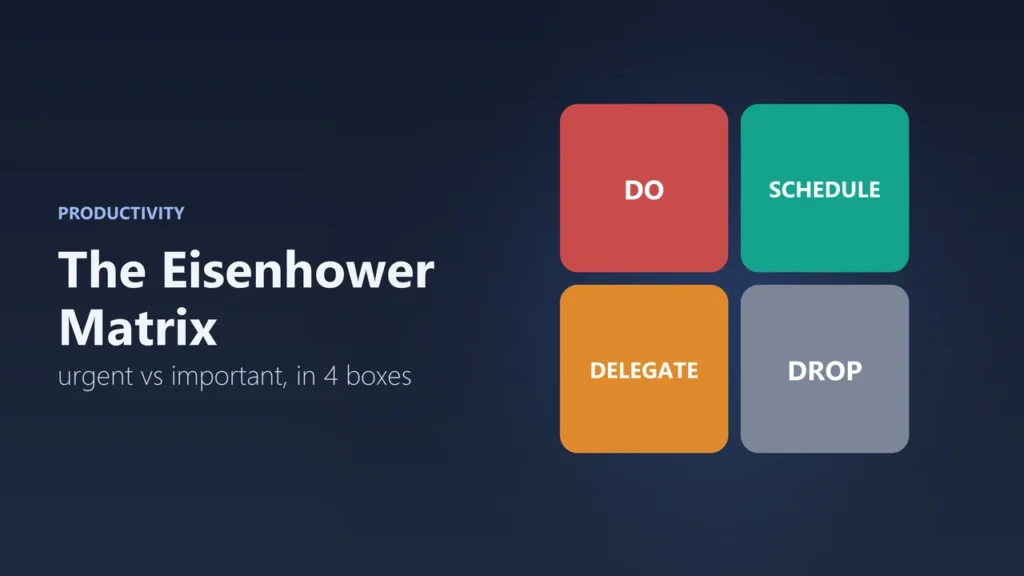
- Box 1, urgent and important: do it now
- Box 2, important, not urgent: schedule it
- Box 3, urgent, not important: delegate it or keep it short
- Box 4, neither: drop it
- The goal: spend more time in Box 2, so fewer tasks become emergencies
Where the Eisenhower Matrix comes from
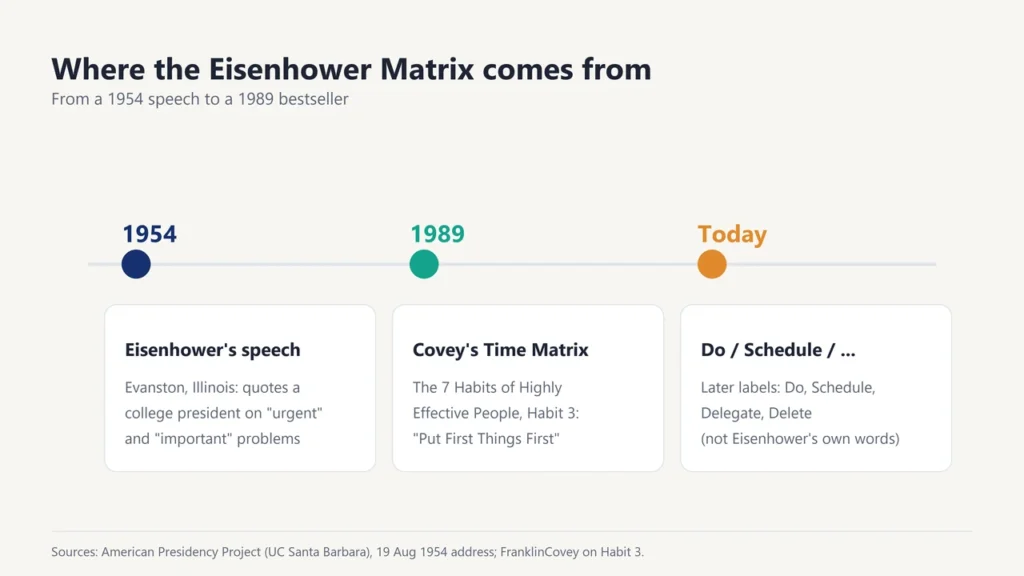
The idea goes back to a speech. On 19 August 1954, Eisenhower addressed the Second Assembly of the World Council of Churches in Evanston, Illinois. He quoted “a former college president” as saying: “I have two kinds of problems, the urgent and the important. The urgent are not important, and the important are never urgent.” The full text is kept by the American Presidency Project at the University of California, Santa Barbara.
Eisenhower did not draw a grid. The four-box version was made famous by Stephen Covey in his 1989 book The 7 Habits of Highly Effective People, as the “Time Management Matrix” in Habit 3, “Put First Things First”. Covey called the important-but-not-urgent box, Quadrant II, “the heart of effective personal management”. The labels Do, Schedule, Delegate and Delete came later and are now the most common way to describe the boxes.
Urgent vs important: what is the difference?
- Urgent means it needs attention soon. It has a deadline, or someone is waiting. In Hindi: ज़रूरी या तुरंत (needed right now).
- Important means it matters for your goals, health, studies, work or relationships. In Hindi: महत्वपूर्ण.
A ringing phone is urgent but often not important. Exercising, revising for an exam a month away or planning your career is important but rarely urgent. The matrix helps you see the difference.
The four boxes explained
| Box | What to do | Examples |
|---|---|---|
| 1. Urgent and important | Do it now | A project due today, a sick child, a broken laptop before an exam |
| 2. Important, not urgent | Schedule a time for it | Studying ahead, exercise, planning, learning a skill, building relationships |
| 3. Urgent, not important | Delegate it, or keep it short | Many calls, messages, some meetings, other people’s small requests |
| 4. Not urgent, not important | Drop it, or save it for free time | Endless scrolling, aimless TV, sorting things that don’t need sorting |
How to use the Eisenhower Matrix, step by step
- List everything. Write down every task on your mind, big or small.
- Ask “is it important?” Does it help your goals, studies, work, health or people you care about?
- Ask “is it urgent?” Does it have a deadline in the next day or two, or is someone waiting?
- Put each task in a box. Draw a square split into four, or use the template below.
- Act on each box. Do Box 1 now, put Box 2 tasks in your calendar, hand off or shorten Box 3, and cross out Box 4.
- Repeat daily or weekly. Tasks move: an ignored Box 2 task can become a Box 1 emergency.
A worked example
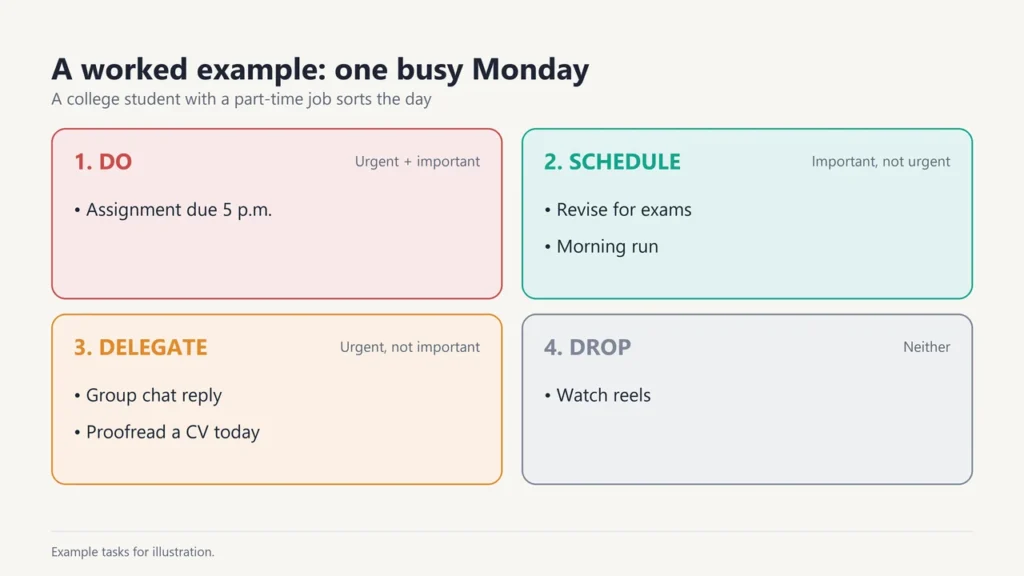
Here is how a college student with a part-time job might sort a busy Monday:
| Task | Box | Action |
|---|---|---|
| Submit assignment due at 5 p.m. today | 1 | Do it first |
| Revise for exams in four weeks | 2 | Book one hour every evening |
| Go for a run | 2 | Schedule for 7 a.m. tomorrow |
| Reply to a group chat about weekend plans | 3 | Answer in one message after work |
| A friend asks you to proofread their CV today | 3 | Offer 15 minutes, or suggest tomorrow |
| Watch reels | 4 | Skip, or keep for a planned break |
Why we pick urgent tasks over important ones
Research suggests this habit is built into how we decide. In a 2018 paper in the Journal of Consumer Research, Meng Zhu, Yang Yang and Christopher Hsee described the “mere urgency effect”: a tendency to pursue urgency over importance. In their experiments, people often chose tasks that only seemed urgent, such as ones with a short time limit, even when another task offered a better result.
That is why the matrix helps. Writing tasks down and asking “is this actually important?” slows you down enough to notice when a deadline is pulling you away from what matters.
Tips and common mistakes
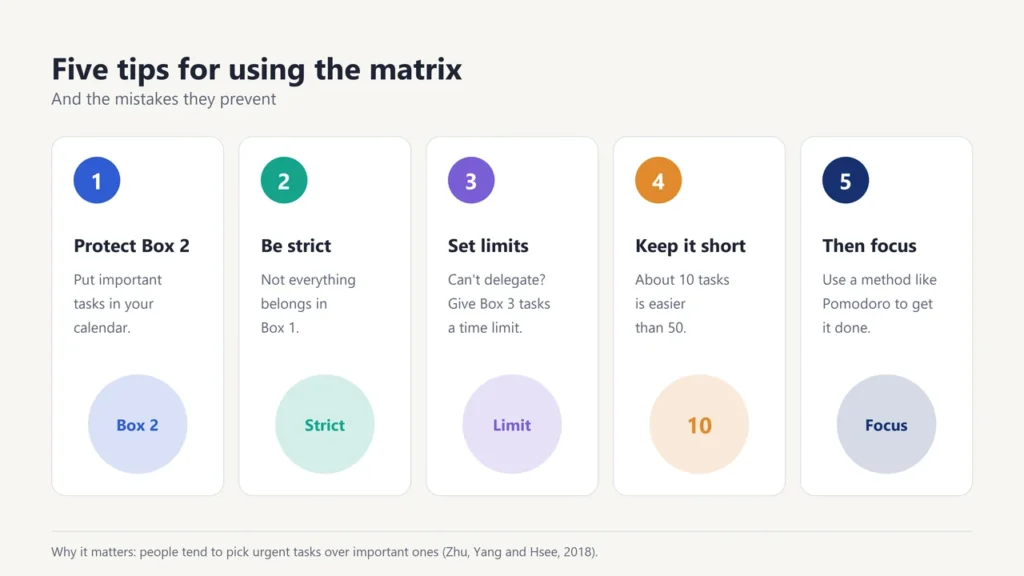
- Protect Box 2. Put important tasks in your calendar like meetings. Box 2 is where long-term progress happens.
- Don’t fill Box 1 with everything. If every task feels urgent and important, be stricter with your questions.
- Delegate kindly. If you can’t hand a task off, set a time limit on it instead.
- Keep the list short. Around 10 tasks per matrix is easier to manage than 50.
- Pair it with a focus method. Once you know what to do first, the Pomodoro Technique helps you actually do it.
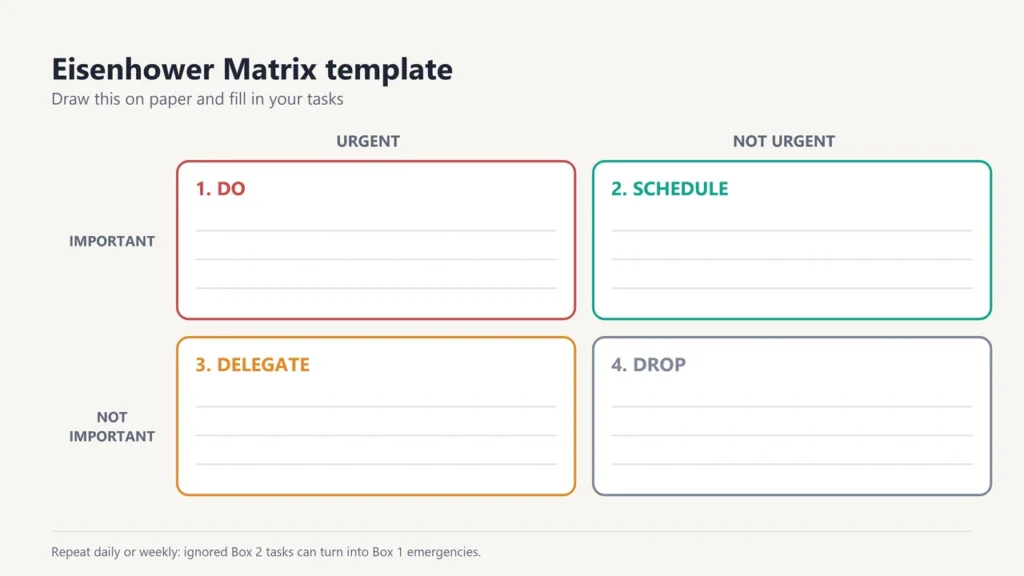
Eisenhower Matrix template
Copy this into a notebook, a document or a sticky note on your desk:
| Urgent | Not urgent | |
|---|---|---|
| Important | 1. DO … … | 2. SCHEDULE … … |
| Not important | 3. DELEGATE … … | 4. DROP … … |
Want more ways to manage your time? Read our guides to time management mistakes to avoid, prioritising project work for your team and study motivation tips.
Frequently asked questions
What is the Eisenhower Matrix in simple words?
A four-box grid that sorts tasks by urgency and importance, so you know what to do now, what to schedule, what to hand off and what to drop.
Did Eisenhower invent the matrix?
Not the grid itself. In a 1954 speech, Eisenhower quoted a former college president on “urgent” and “important” problems. Stephen Covey made the four-box Time Management Matrix famous in 1989.
What are the four quadrants of the Eisenhower Matrix?
Urgent and important (do), important but not urgent (schedule), urgent but not important (delegate) and neither urgent nor important (drop).
Which quadrant is the most important?
Box 2, important but not urgent. Covey called it “the heart of effective personal management”, because time spent here prevents future emergencies.
Can students use the Eisenhower Matrix?
Yes. Sort assignments, revision, chores and social plans into the four boxes, and give regular revision a fixed slot in Box 2.
What if I can’t delegate anything?
Then shrink Box 3 tasks instead. Batch them together, set a time limit, or do them after your important work.

Justwebworld has published guides since 2012. How we write and update articles Report an error
