

To advertise on blogs, find blogs whose readers match your customers, choose an ad format (a sponsored article, a product review, a banner or a newsletter mention), contact the publisher through its “Advertise” page, agree the price and terms in writing, and track results with tagged links. Many blogs sell space directly; others only show ads through ad networks. Only buy what you can measure, and never pay for “guaranteed backlinks”.
A note on where we stand: Justwebworld sells ad space itself, but this guide applies to any blog, including ours. It walks through each step from the advertiser’s side: which format suits which goal, how to check a blog before you pay, the pricing models you’ll be offered, and the rules from Google and the US Federal Trade Commission (FTC) that keep your campaign safe.
Step 1: Decide what you want from the campaign
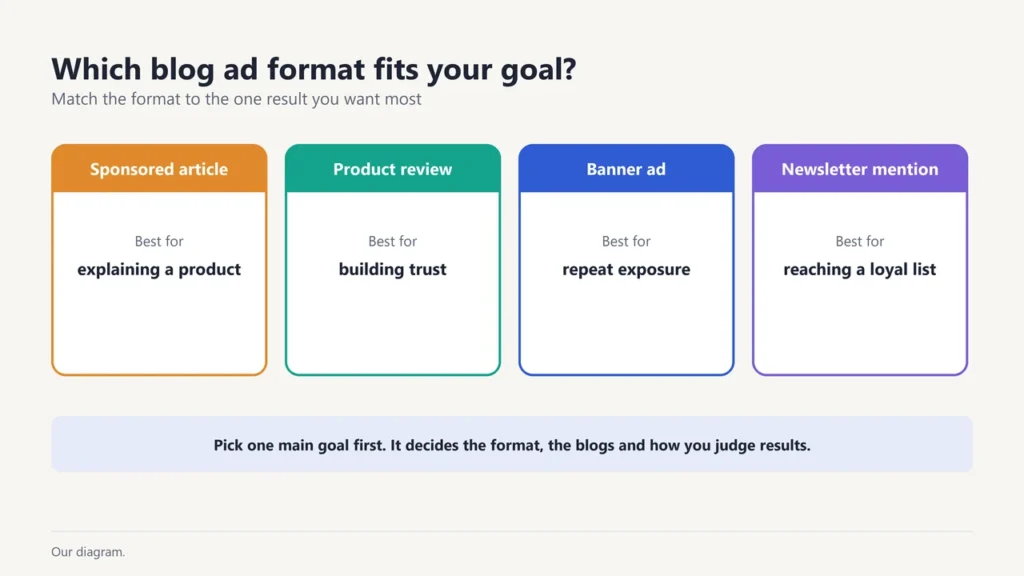
Pick one main goal before you contact anyone. It decides the format, the blogs you choose and how you judge the result.
- Get known by a new audience (brand awareness): banners and sponsored articles on blogs your buyers already read.
- Get visitors and sales: sponsored articles and product reviews with a clear next step and a tracked link.
- Build trust before a purchase: an honest product review by someone who actually tried your product.
- Reach a loyal group directly: a newsletter mention, if the blog has a mailing list.
Step 2: Choose the right ad format
| Format | What you get | Best for | Watch out for |
|---|---|---|---|
| Sponsored article | An article about your topic or product, published on the blog | Explaining a product, reaching readers who research before buying | Who writes and edits it, and whether it stays live |
| Product review | The blog tests your product and writes about it | Trust and purchase decisions | An honest review can include negatives; disclosure rules apply |
| Banner / display ad | An image ad in set spots on the site | Awareness and repeat exposure | Placement (top of page or footer?), sizes, and whether ad blockers hide it |
| Newsletter sponsorship | A mention or block in the blog’s email | Reaching an engaged list | Ask how big the list is and how they know |
| Social media mention | A post on the blog’s social accounts | Short-term reach | Posts fade fast; ask which accounts and audiences |
Step 3: Find blogs that fit your customers
- Start with what your customers read. Ask them, or search the questions your customers ask and note which blogs keep appearing.
- Look for an “Advertise” or “Work with us” page. Blogs that sell space usually say so, often with a list of formats and a contact email.
- Prefer a close topic match over a big name. A smaller blog about exactly your niche can do more for you than a large general site.
- Check the blog is active. Recent posts, named authors and real comments are good signs; a site that publishes nothing but ads is not.
- Can’t deal with the blog directly? Many blogs only show ads through networks such as Google AdSense. You can still reach them by buying display ads in Google Ads and choosing specific websites as placements.
Step 4: Check the blog before you pay
Third-party scores such as Domain Authority are estimates made by SEO tool companies, not Google numbers. Use them as a rough hint only, and check these instead:
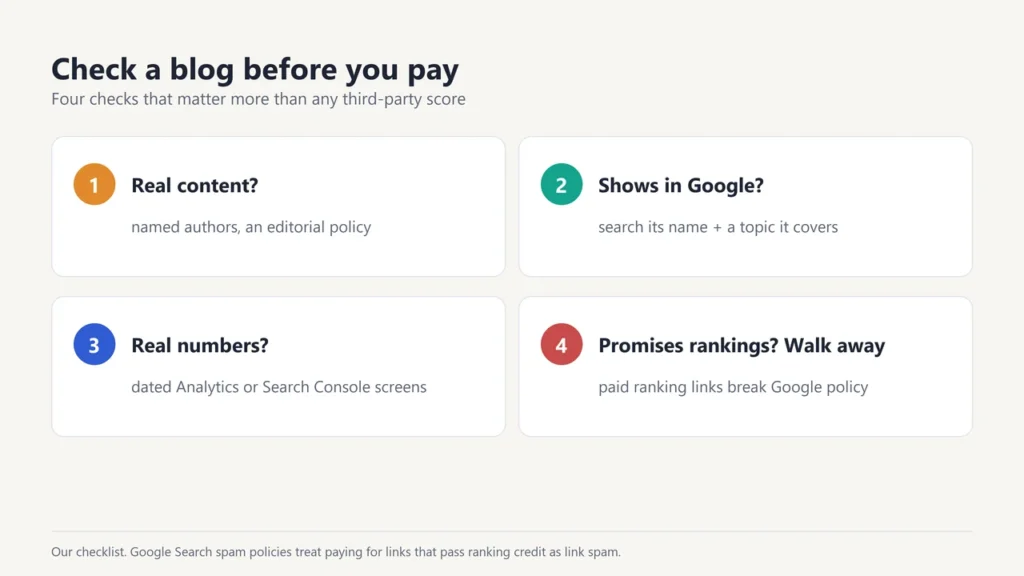
- Real content. Does the blog publish useful articles with named authors and an editorial policy, or mostly paid posts?
- Search visibility. Search Google for the blog’s name plus a topic it covers. If its articles never appear, Google may not be showing the site much.
- Real numbers. Ask for recent, dated screenshots from Google Analytics or Google Search Console instead of a “monthly visitors” claim.
- What they promise. Walk away from any blog that guarantees rankings, traffic or “dofollow backlinks”. No blog can guarantee rankings, and selling links that pass ranking credit is against Google’s spam policies.
- Who controls the words. Will they edit your draft? Can they turn it down? A blog with real editing standards is more valuable to readers, and so to you.
- How long it lasts. Will a sponsored article stay published, and for how long?
Step 5: Understand the pricing models
Blogs set their own prices, and they vary widely by niche and audience, so ask each one. You’ll usually see one of three models:
- Flat fee: one price for one placement (a sponsored article, or a banner for a month). A common model for direct deals with blogs.
- CPM (cost per mille): a price per 1,000 times your ad is shown. Common for banners.
- CPC or CPA: you pay per click or per sale. Less common for direct blog deals.
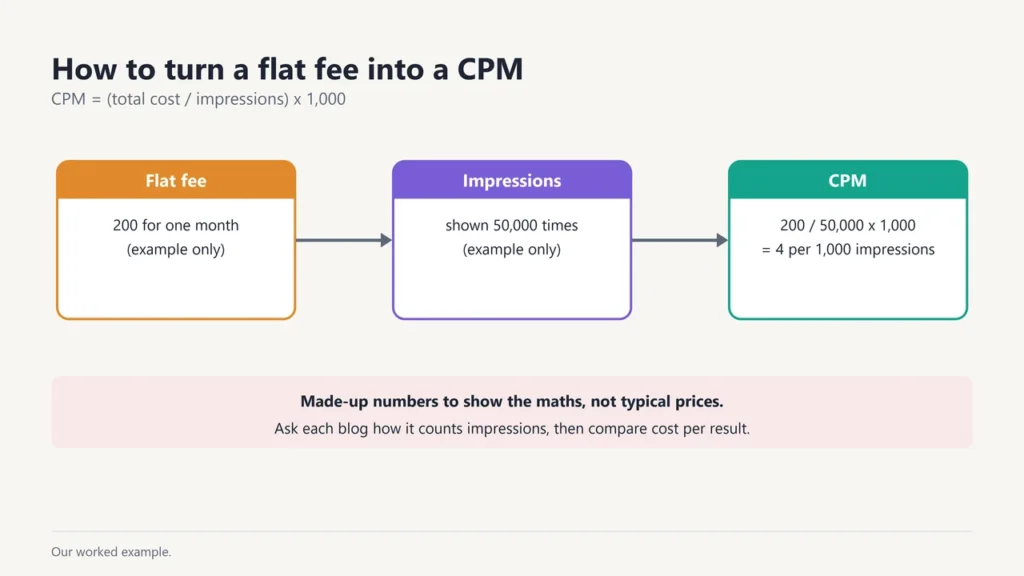
How to compare a flat fee with CPM: CPM = (total cost ÷ impressions) x 1,000. For example, if a banner costs 200 (in any currency) for a month and the blog shows it 50,000 times, the CPM is 200 ÷ 50,000 x 1,000 = 4. These are made-up numbers to show the maths, not typical prices. Ask the blog how it counts impressions.
Step 6: Agree the terms in writing
A short email agreement saves arguments later. Cover:
- The format, placement and dates (start date and, for banners, end date)
- Who writes the content, and how many rounds of changes are allowed
- The price, the payment terms and what happens if the post is removed early
- How the paid relationship will be made clear to readers (see the rules below)
- What results data the blog will share afterwards, if any
The rules that keep your campaign safe
Google’s rules on paid links. Google’s spam policies list “exchanging money for links, or posts that contain links” as link spam when it is done for ranking purposes. The same policies say buying and selling links “is a normal part of the economy of the web for advertising and sponsorship purposes”, and is allowed as long as the links don’t pass ranking credit, for example by using rel="nofollow". In plain terms: buy ads for the readers, not for SEO.
The FTC’s guidance on paid content (United States). The FTC’s guide to native advertising says “the watchword is transparency”: an ad “shouldn’t suggest or imply to consumers that it’s anything other than an ad.” Where readers might not realise content is paid, a disclosure may be needed, and the FTC says it should be “in clear and unambiguous language” and as close as possible to the content. Many other countries have similar advertising rules, so check the rules where your readers live.
Step 7: Track the results
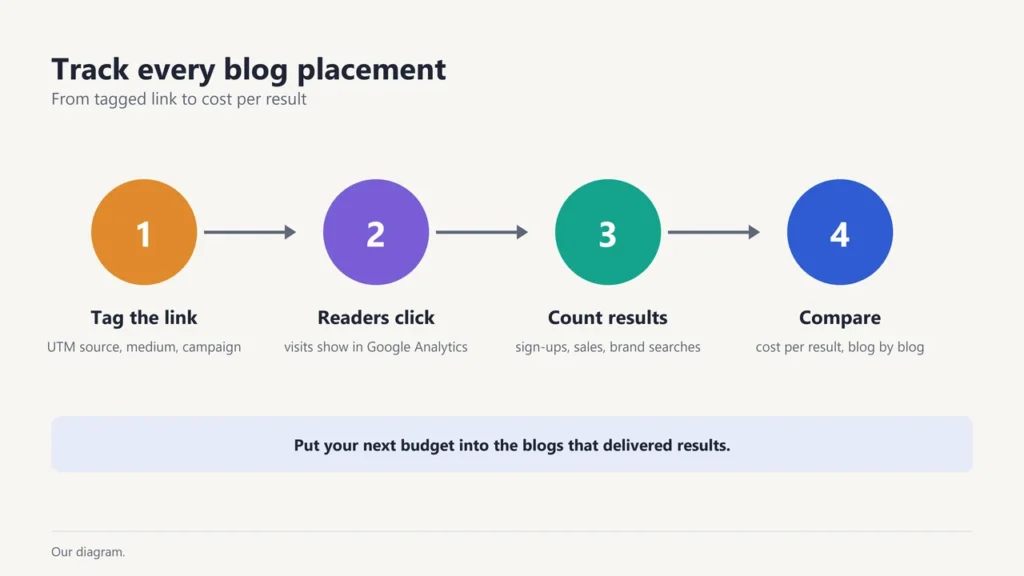
- Tag every link. Add UTM parameters (source, medium and campaign) to the links you give the blog, so Google Analytics clearly shows which visits came from it.
- Set one main measure before launch: visits, sign-ups, sales or searches for your brand name.
- Compare cost with results. Work out the cost per visit or per sale for each blog, then put your next budget into the ones that worked.
Common mistakes to avoid
- Choosing blogs by a third-party score alone, instead of by readers and topic fit
- Paying for “guaranteed” backlinks or rankings
- Sending readers to your homepage instead of a page made for them
- Running one placement and judging the whole channel on it
- Skipping tracked links, so you can’t tell what worked
Want to reach Justwebworld readers?
Justwebworld is a digital magazine publishing since December 2012, with 8,000+ articles across 20 topics and a public editorial policy. We offer sponsored articles, product reviews, banner placements and newsletter sponsorship. Pricing is on request, and the team usually replies within 24-48 hours. Accepted sponsored drafts are edited to our house standards, and we never promise backlinks, rankings or traffic. See Advertise with Justwebworld for the details, or email [email protected].
Related reading: our guest posting guide, online advertising for small businesses and, if you also run a blog, CPM ad networks for publishers.
Frequently asked questions
How do I advertise on someone else’s blog?
Look for the blog’s “Advertise” page or contact email, say which format you want and your goal, and ask for their options and price. Agree the details in writing before you pay.
How much does it cost to advertise on a blog?
It depends on the blog, its niche and the format. Most blogs quote a flat fee per placement or a CPM for banners, so ask several and compare them on cost per result.
Is it better to buy a sponsored post or a banner ad?
A sponsored post explains your product and suits readers who research before buying. A banner builds repeat exposure. Many advertisers test both on the same blog.
Are paid blog links against Google’s rules?
Paying for links meant to raise your rankings is. Paid links for advertising are allowed as long as they don’t pass ranking credit, for example with rel=”nofollow”.
Do paid blog posts have to be disclosed?
In the US, the FTC says an ad shouldn’t suggest or imply it’s anything other than an ad, so paid content often needs a clear disclosure. Other countries have similar rules.
How do I know if blog advertising worked?
Use tagged (UTM) links and check visits, sign-ups or sales from each blog in Google Analytics, then compare them with what you paid.

Justwebworld has published guides since 2012. How we write and update articles Report an error
