

To find out who hosts a website, look up the website’s IP address, then check who that IP address is registered to. The owner of the IP address is usually the hosting company. If the site uses a CDN or security service in front of its server, you will see that service instead, and the real host stays hidden.
The checks take a few minutes with free tools that are already on your computer. This guide walks through each step, explains what every clue can and cannot tell you, and shows why a domain’s registrar and its web host are often different companies.
Key takeaways
- DNS gives you the IP address; an IP ownership lookup tells you who holds it.
- A CDN or proxy can hide the real host. You will often see Cloudflare or a similar service.
- The registrar is not the host. Registration data shows where the domain was bought.
- Nameservers and mail records reveal the DNS and email providers, which may differ from the web host.
- RDAP has replaced WHOIS as the main way to look up registration data.
The four-step method
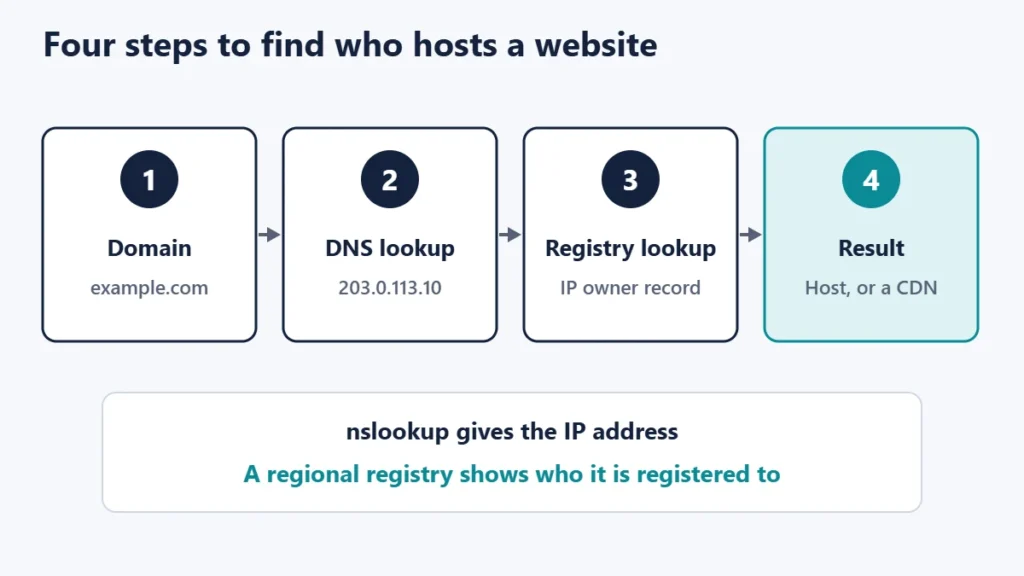
Step 1: Find the IP address
Open Command Prompt on Windows, or Terminal on macOS or Linux, and run:
nslookup example.comThe result lists one or more addresses. The examples below use an address reserved for documentation, so yours will look different:
Name:      example.com
Address:   203.0.113.10
A website can have several addresses, including IPv6 addresses containing colons. Any of them can be used for the next step.
Step 2: Look up who owns the IP address
IP addresses are handed out through five Regional Internet Registries, which the Number Resource Organization lists as AFRINIC, APNIC, ARIN, LACNIC and RIPE NCC. Each registry publishes registration records for the addresses in its region. Search for the IP address in a registry’s lookup tool, such as ARIN’s search, or in a general IP lookup service.
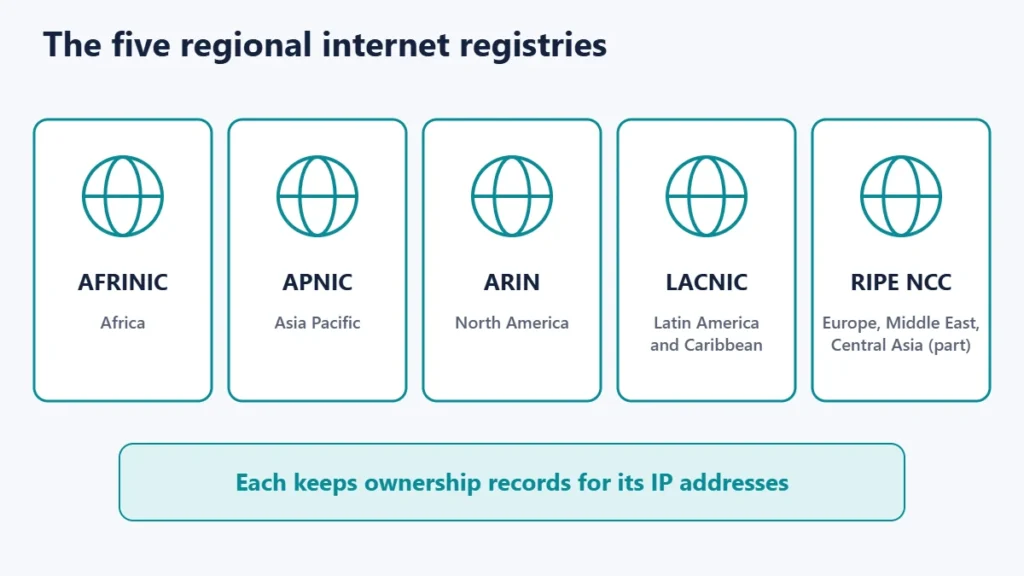
The record shows the organisation the address block is registered to, usually under a name or “org” field. That organisation is normally the hosting company or the network that runs the server. Records often include an abuse contact as well, which is the right place to report spam or attacks coming from that address.
Step 3: Check for a CDN or proxy
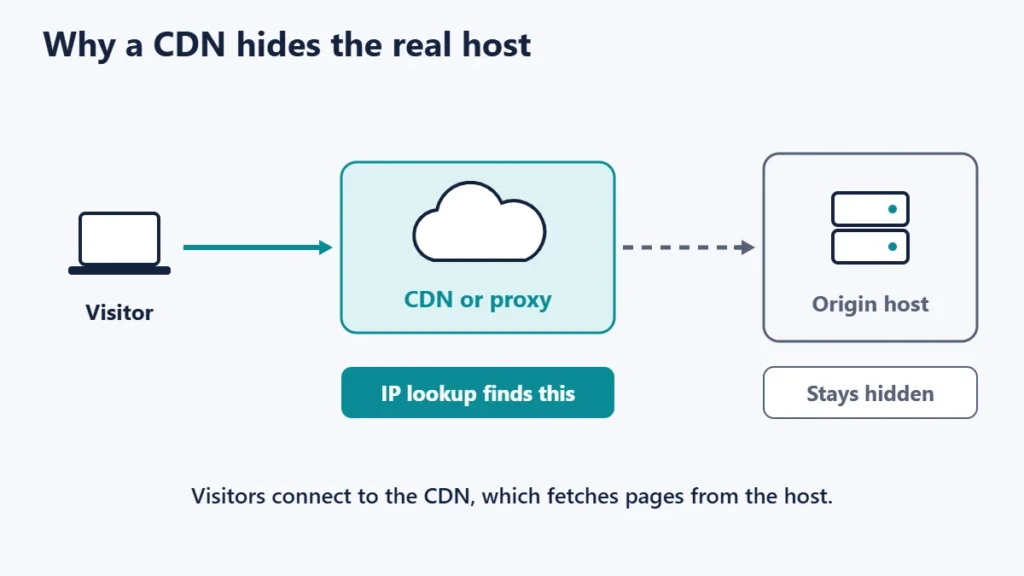
Many websites sit behind a content delivery network or security proxy. Visitors connect to the proxy’s servers, which then fetch pages from the real host. In that case, the IP address belongs to the proxy company.
We tested this. When we looked up the IP address of a website that uses Cloudflare, the registry record named Cloudflare, Inc. as the owner. Nothing in the record pointed to the hosting company behind it. Our guide to what a CDN is explains how these services work.
Step 4: Read the other clues
If the IP points to a CDN, other DNS records and the website itself can still offer hints.
nslookup -type=NS example.com
nslookup -type=MX example.com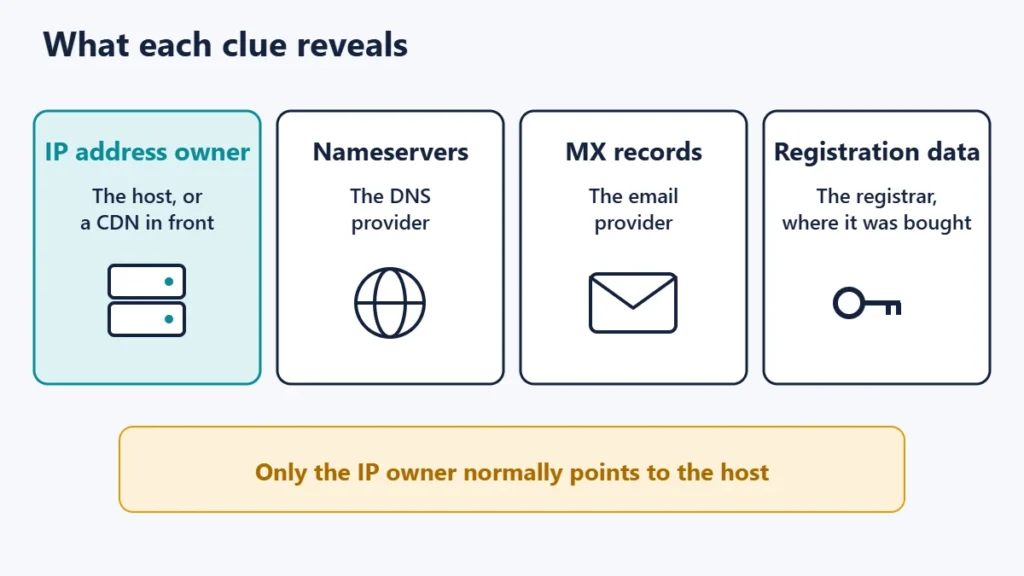
| Clue | How to find it | What it tells you | How reliable it is for finding the host |
|---|---|---|---|
| IP address owner | nslookup, then a registry lookup | The host or the CDN in front of it | High, unless a CDN is used |
| Nameservers | nslookup -type=NS | Who runs the domain’s DNS | Medium; hosts often provide DNS, but not always |
| MX records | nslookup -type=MX | Who handles the domain’s email | Low; email is often a separate service |
| Registration data | ICANN Lookup or the registrar’s lookup | The registrar and key dates | Low; the registrar is often not the host |
| Response headers | Browser developer tools, Network tab | Sometimes server software or platform hints | Varies; headers can be absent or generic |
To view response headers, open your browser’s developer tools, choose the Network tab, reload the page and click the first request. Look for headers such as Server. Some hosts and platforms add their own identifying headers, but many sites remove or standardise them.
Registrar vs host: why the results differ
A domain lookup is a different search from an IP lookup. ICANN’s Lookup tool uses the Registration Data Access Protocol (RDAP) to show domain registration data: the registrar, the creation and expiry dates, and the nameservers. ICANN describes RDAP as the replacement for the older WHOIS protocol, and says that since 28 January 2025, generic top-level domain registries and registrars are no longer required to offer WHOIS, with limited exceptions.
The registrar is simply where the domain was registered and renewed. Plenty of people register a domain with one company and host the website with another. If you are choosing a domain yourself, our guide to domain registration tips covers what to look for.
Do not expect to find the owner’s personal details. Registration records often show limited contact information, with privacy services or redacted fields in place of names and addresses.
Good reasons to look up a host
- Taking over or moving a website when nobody remembers where it is hosted.
- Reporting abuse, such as phishing or spam, through the abuse contact on the IP record.
- Researching hosting options by seeing which companies similar sites use.
- Troubleshooting, such as confirming that a domain points to the server you expect.
Use the information responsibly. If you want to reach a site owner, the website’s own contact page is usually the right route. If you are planning a move, our guides on what web hosting is and hosting renewal prices help when comparing providers.
Common mistakes
- Assuming the registrar is the host. They are separate roles that are often filled by separate companies.
- Treating a CDN as the host. If the IP belongs to a proxy service, the actual host remains unknown.
- Reading the MX record as the web host. It shows the email provider, which is frequently a different company.
- Relying on one IP address. Large sites may use several providers or locations.
- Trusting old results. Sites move between hosts, so repeat the checks when it matters.
Frequently asked questions
Can I always find out who hosts a website?
No. If the site uses a CDN or proxy service, the IP address belongs to that service, and the real host may not be publicly visible.
Is it legal to look up who hosts a website?
Looking up public DNS and registration records is routine and widely used for troubleshooting and research. What matters is how you use the information.
What is RDAP?
RDAP is the Registration Data Access Protocol, a web-based successor to WHOIS that returns registration data in a structured format. It covers both domain names and IP addresses.
Does the nameserver tell you the host?
Sometimes. Many hosts provide DNS for their customers, but sites often use a separate DNS provider, so treat nameservers as a hint.
Why does the lookup show Cloudflare?
The site uses Cloudflare’s network in front of its server, so the IP address you see belongs to Cloudflare rather than the hosting company.
Can I see the website owner’s name?
Usually not. Registration records often hide personal contact details for privacy.
The quick version
Run nslookup to get the IP address, then look that address up with a regional internet registry to see who holds it. If the answer is a CDN, check the nameservers and response headers for further hints, and remember that the registrar and email provider are separate clues. Together, those checks usually show who is behind a website within a few minutes.

Justwebworld has published guides since 2012. How we write and update articles Report an error
