

A multi-hop VPN, also called a double VPN, sends your traffic through two or more VPN servers instead of one before it reaches the internet. Surfshark describes a double VPN as routing online traffic through two VPN servers and encrypting the data twice. The aim is that no single server sees both who you are and where your traffic goes, which adds protection if one server is ever compromised.
The trade-off is speed: traffic travels further, so connections are usually slower. For most everyday uses a normal single-server VPN is enough. This guide explains how multi-hop works, what different providers call it, and when it is worth turning on.
Key takeaways
- Multi-hop routes traffic through two or more VPN servers instead of one.
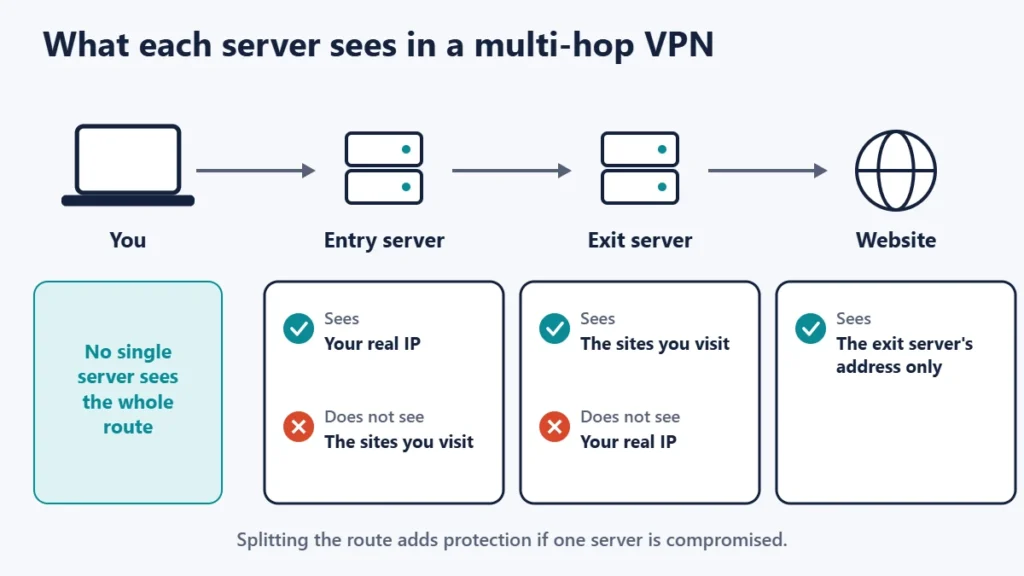
- The entry server sees your IP address; the exit server sees where traffic goes.
- It adds protection if one server is compromised.
- It is usually slower, because traffic travels further.
- Providers use different names, such as Secure Core, Multihop and MultiHop.
How a multi-hop VPN works
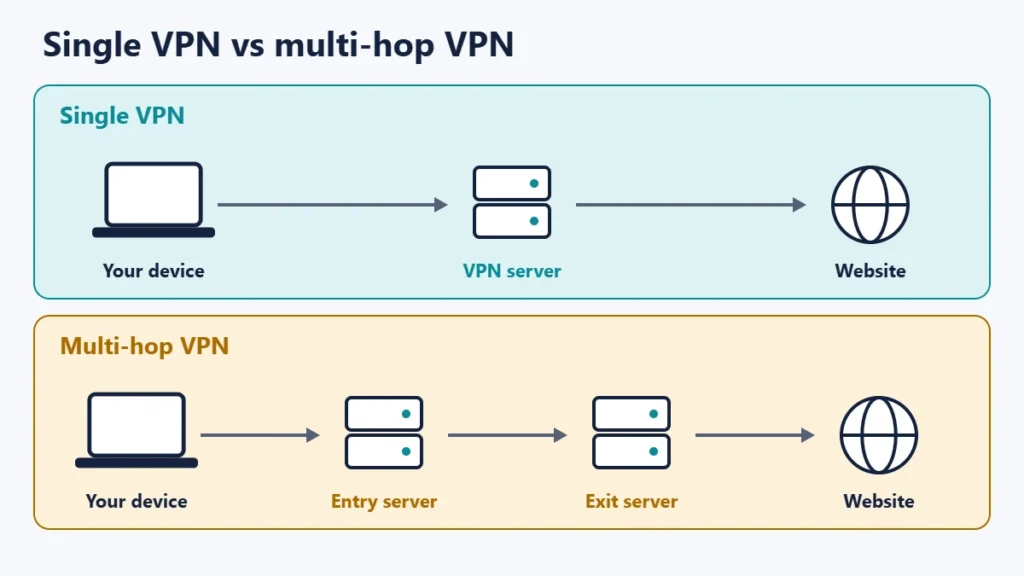
With a normal VPN, your device connects to one server, and that server forwards your traffic to websites. That one server knows both your real IP address and where your traffic is going, even if a good provider does not keep records of it.
With multi-hop, your device connects to an entry server, which passes the traffic to an exit server, usually in another country, before it reaches the internet. Surfshark explains that the second server has no information about you because the first VPN server already changed your IP address. Mullvad says that routing traffic through two or more servers in separate jurisdictions gives a higher level of privacy and security, even if one server were to be compromised.
What providers call it
| Provider | Feature name | How it works, according to the provider |
|---|---|---|
| Proton VPN | Secure Core | Traffic first goes through Secure Core servers in countries chosen for strong privacy laws (Iceland, Switzerland and Sweden), available on all paid plans |
| Mullvad | Multihop | WireGuard servers are linked to each other, so you choose an entry location and an exit location |
| Surfshark | MultiHop | Routes traffic through two servers, using preselected pairs or locations you choose |
Proton’s version is a little different from a simple double hop. Its documentation says that when you connect to a server in a high-risk jurisdiction like the US, your traffic will first go through Secure Core servers. If someone were watching the exit server, Proton says they would only be able to follow the traffic back to the edge of its Secure Core network.
The speed trade-off
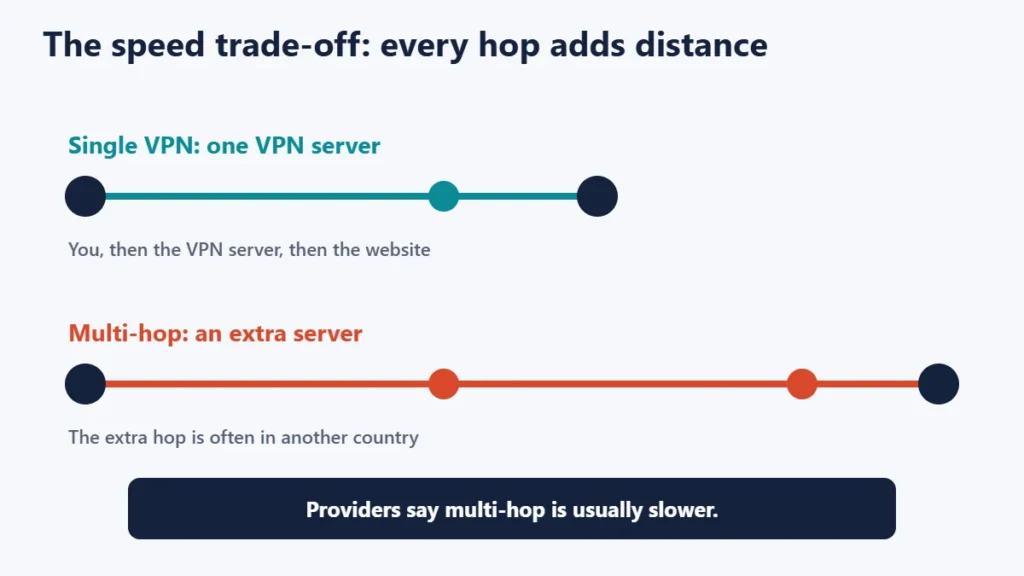
Providers are open about the cost. Mullvad says that, generally, multihop will make your connection slower over distance. Surfshark says that in most cases it reduces your overall speed. The extra server adds distance and processing, which shows up as higher latency, the delay before data arrives. Our guide to ping, jitter and latency explains why that matters for calls and games.
You can reduce the slowdown by choosing entry and exit servers that are geographically close to each other and to you, where your provider allows it.
When multi-hop is worth using
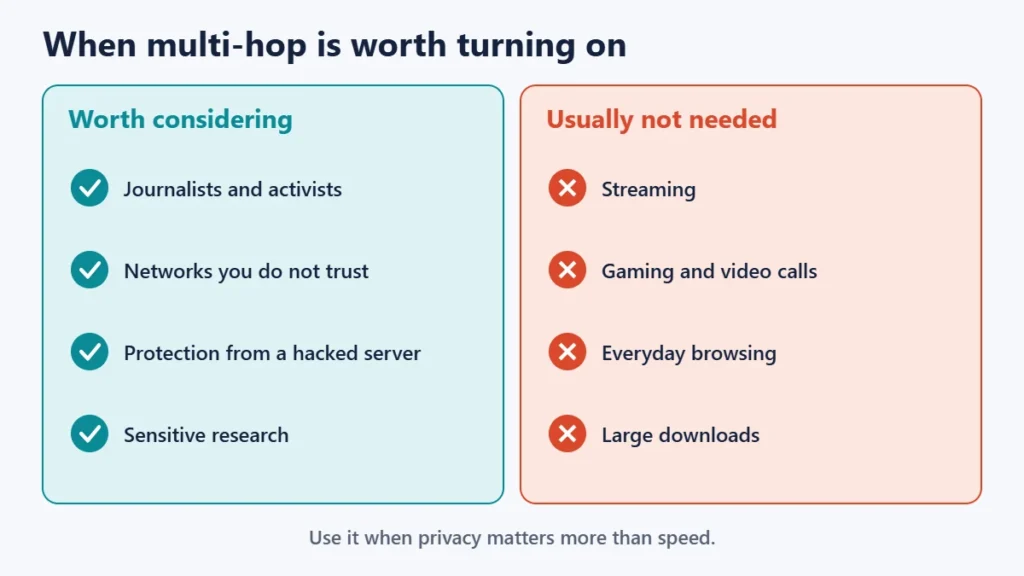
- Higher-risk users, such as journalists, activists or anyone whose safety depends on privacy.
- Untrusted networks, where you want an extra layer between you and the internet. Our guide to using free Wi-Fi securely covers other steps.
- Extra protection against a compromised server, the main benefit providers describe.
It is usually not worth it for streaming, gaming, video calls or large downloads, where speed matters most and a single VPN server already hides your IP address from websites.
What multi-hop does not do
- It does not make you anonymous. Accounts you sign in to, cookies and browser fingerprinting can still identify you.
- It does not remove trust in the provider. If one company runs both servers, you still rely on that company.
- It does not fix leaks. DNS and WebRTC leaks and connection drops need the app’s leak protection and kill switch.
- It does not protect against malware or phishing.
For a balanced view of what any VPN can do, see our guide to the pros and cons of using a VPN.
How to turn on multi-hop
- Check that your plan includes it. Proton says Secure Core is available on all paid Proton VPN plans.
- Find the setting. In the Mullvad app, its help page gives the path as Advanced, then VPN settings, then WireGuard settings, then Enable multihop.
- Choose the servers. Pick an entry and an exit location, or a preselected pair.
- Test your connection. Check your IP address and run a DNS leak test, and see whether the speed is acceptable.
Menu names change between app versions, so check your provider’s help pages if the setting has moved. If you are trying a new VPN to test the feature, our guide to VPN money-back guarantees explains how refunds usually work.
Common mistakes
- Leaving multi-hop on for everything. Use it when you need it, and a normal server otherwise.
- Choosing servers far apart. That adds more delay than necessary.
- Assuming it replaces good habits. Updates, strong passwords and care with links still matter.
- Treating it as anonymity. It protects the route, not your identity online.
Frequently asked questions
Is a double VPN safer than a normal VPN?
It adds a layer, because no single server sees both your IP address and your destinations. For most people, a trustworthy single-server VPN is already enough.
Does multi-hop slow down my internet?
Usually, yes. Providers including Mullvad and Surfshark say it generally makes connections slower.
Is multi-hop the same as Tor?
No. Both route traffic through several servers, but Tor is a separate volunteer-run network, while a multi-hop VPN uses one provider’s servers.
Can I stream with a double VPN?
You can, but the lower speed may affect quality. A single nearby server is usually better for streaming.
Do free VPNs offer multi-hop?
It is mostly a paid feature. Check the provider’s plan details.
Does multi-hop hide my VPN use from my ISP?
No. Your ISP can still see that you are connected to a VPN server, though not what you do through it.
The short version
A multi-hop VPN routes your traffic through two or more servers, so the entry server knows who you are but not where you go, and the exit server knows where you go but not who you are. It adds protection if one server is compromised, at the cost of speed. Use it when privacy matters more than performance, choose servers close together, and keep a normal VPN connection for everyday use.

Justwebworld has published guides since 2012. How we write and update articles Report an error
