

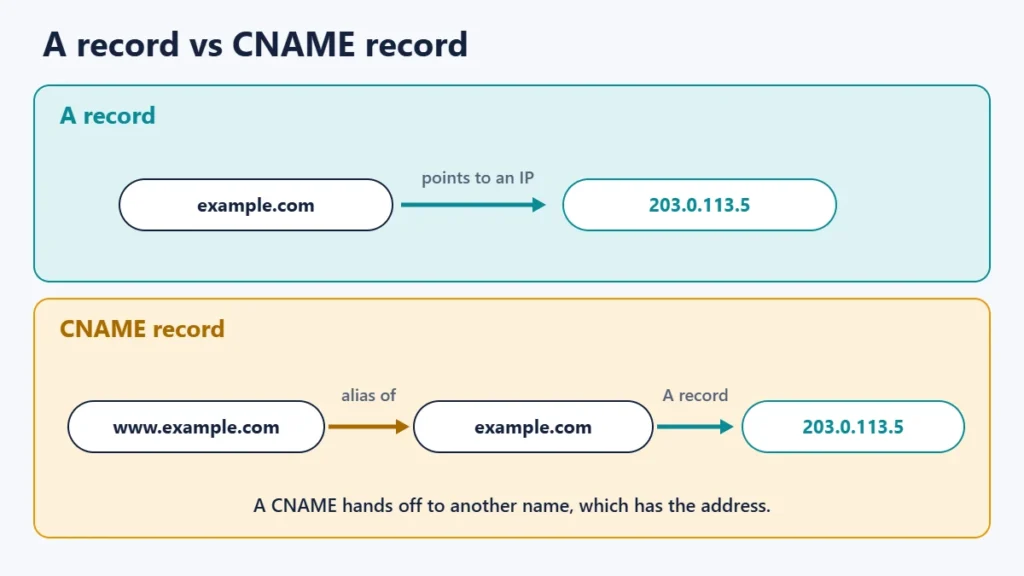
A CNAME record is a DNS record that makes one domain name an alias of another, so a name such as www.example.com points to the same place as example.com without needing its own IP address. When a resolver finds a CNAME, it follows it to the target name and looks that up instead. RFC 1034, the core DNS standard, calls the target the canonical name, which is where the “C” in CNAME comes from.
CNAMEs are how you connect subdomains to services such as hosted shops, help centres and CDNs. They also come with two rules that catch people out. This guide explains how CNAMEs work, when to use one instead of an A record, and the mistakes to avoid.
Key takeaways
- A CNAME points a name to another name, not to an IP address.
- An A record points a name to an IP address.
- A CNAME cannot sit alongside other records on the same name.
- So you normally cannot put a CNAME on your root domain, such as example.com.
- Use CNAMEs for subdomains that point at services run by other companies.
How a CNAME record works
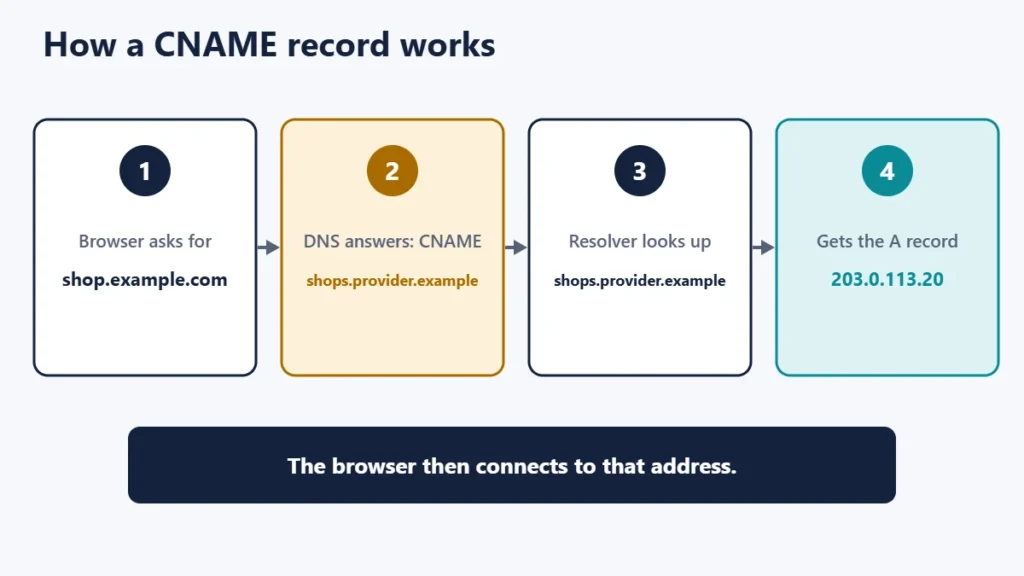
Suppose you want shop.example.com to load a store hosted by a shop platform. Instead of copying the platform’s IP addresses into your DNS, you add a CNAME:
shop.example.com. CNAME shops.provider.example.When someone visits, their resolver asks for shop.example.com, receives the CNAME, then looks up shops.provider.example to find the actual IP address. If the platform changes its servers, it updates its own records, and your CNAME keeps working without any change on your side.
CNAME vs A record
| A record | CNAME record | |
|---|---|---|
| Points to | An IPv4 address | Another domain name |
| Can be used on the root domain | Yes | Not in standard DNS |
| Can share a name with other records | Yes | No |
| If the target’s IP changes | You must update it | Nothing to change |
| Typical use | Pointing a domain at your web host | Pointing a subdomain at a service |
For pointing your main domain at a web host, see our guide to nameservers and A records.
The rule that catches everyone: no other records
RFC 1034 states that if a CNAME record is present at a name, no other data should be present. RFC 1912, a guide to common DNS mistakes, is blunter: a CNAME record is not allowed to coexist with any other data, so if a name is an alias you cannot also give it an MX record, an A record or even a TXT record.
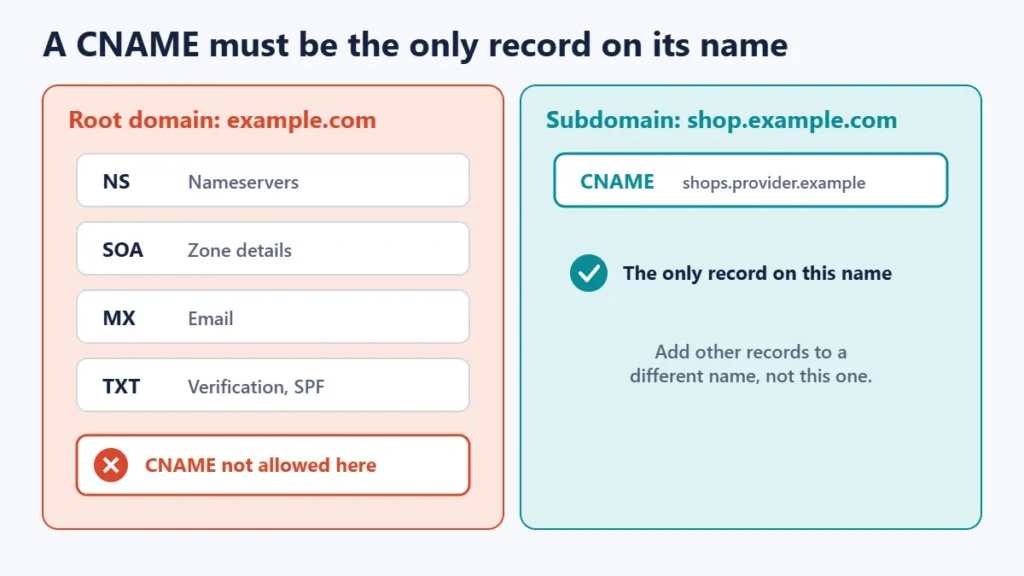
This is why you normally cannot use a CNAME on your root domain (example.com). The root of a zone always holds other records, such as the nameserver records, and usually email records too. Some DNS providers offer workarounds. For example, Cloudflare’s CNAME flattening lets you use a CNAME record at your zone apex by resolving it and returning the address instead. Other providers have similar features under different names.
Common uses for CNAME records
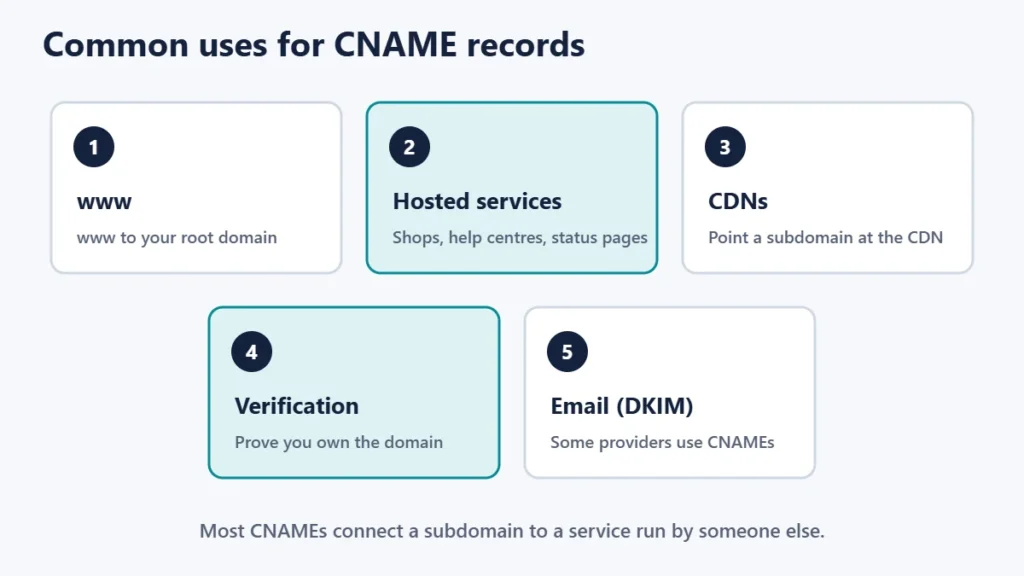
- www: pointing www.example.com at example.com, so both reach the same site.
- Hosted services: shops, help centres, landing page builders and status pages usually ask for a CNAME on a subdomain. Our guide to subdomains vs subdirectories explains when to use a subdomain.
- CDNs: many content delivery networks give you a hostname to point a CNAME at. See our guide to CDNs.
- Verification: some services ask you to add a CNAME to prove you own the domain.
- Email authentication: some email providers ask for CNAME records on special subdomains for DKIM. Our guide to email hosting vs web hosting covers email records.
How to add a CNAME record
- Find where your DNS is managed. It may be your registrar, your host or a DNS service.
- Open the DNS records page and choose to add a record.
- Pick the CNAME type.
- Enter the name, such as shop. Most panels add your domain automatically.
- Enter the target exactly as the service gave it to you.
- Remove any other record on the same name, because a CNAME cannot share it.
- Save and wait. Changes take time to spread; our guide to DNS propagation explains how long.
Common mistakes
- Putting a CNAME on the root domain without a provider feature that supports it.
- Adding a CNAME next to an existing A, MX or TXT record on the same name.
- Pointing a CNAME at an IP address. A CNAME target must be a name.
- Leaving old CNAMEs pointing at services you no longer use. If someone else can claim that service name, they may be able to take over your subdomain.
- Typos in the target. Copy it exactly from the provider.
Frequently asked questions
Can a CNAME point to an IP address?
No. A CNAME must point to another domain name. Use an A record for an IP address.
Can I use a CNAME for my root domain?
Not in standard DNS, because the root domain must hold other records. Some DNS providers offer a flattening or alias feature that works around this.
Is a CNAME slower than an A record?
It can add an extra lookup, but answers are usually cached, so the difference is small.
Can a CNAME point to another CNAME?
It can, but long chains add lookups and points of failure, so keep them short.
Do CNAMEs affect email?
Yes, if placed wrongly. A name with a CNAME cannot also have MX records, which is another reason not to put one on your root domain.
What is the difference between a CNAME and a redirect?
A CNAME works in DNS and does not change the address in the browser. A redirect is an HTTP response that sends visitors to a different URL.
The short version
A CNAME record makes one name an alias of another, which is ideal for connecting subdomains to services such as shops, help centres and CDNs. It must be the only record on its name, so it normally cannot be used on your root domain, and it must point to a name rather than an IP address. Remove CNAMEs you no longer need. For hosting basics, see what web hosting is.

Justwebworld has published guides since 2012. How we write and update articles Report an error
