

Yes, a VPN usually makes your internet a little slower, because your traffic takes a longer route through the VPN server and that server is shared with other users. How much slower depends mostly on how far away the server is, how busy it is, and which protocol you use. Proton VPN’s support guide also makes the basic point that your VPN speed cannot be faster than your base connection.
The good news is that most slowdowns can be reduced with a few settings. This guide explains what causes VPN slowdowns, how to test your speed fairly, and the fixes VPN providers themselves recommend.
Key takeaways
- Some slowdown is normal, because traffic takes a longer path.
- Distance is the biggest factor: the farther the server, the higher the latency.
- Busy servers are slower, as capacity is shared between more people.
- Protocol matters: Proton says WireGuard is usually its fastest, and UDP is faster than TCP.
- Extra features cost speed, including multi-hop and obfuscation.
Why a VPN slows your connection
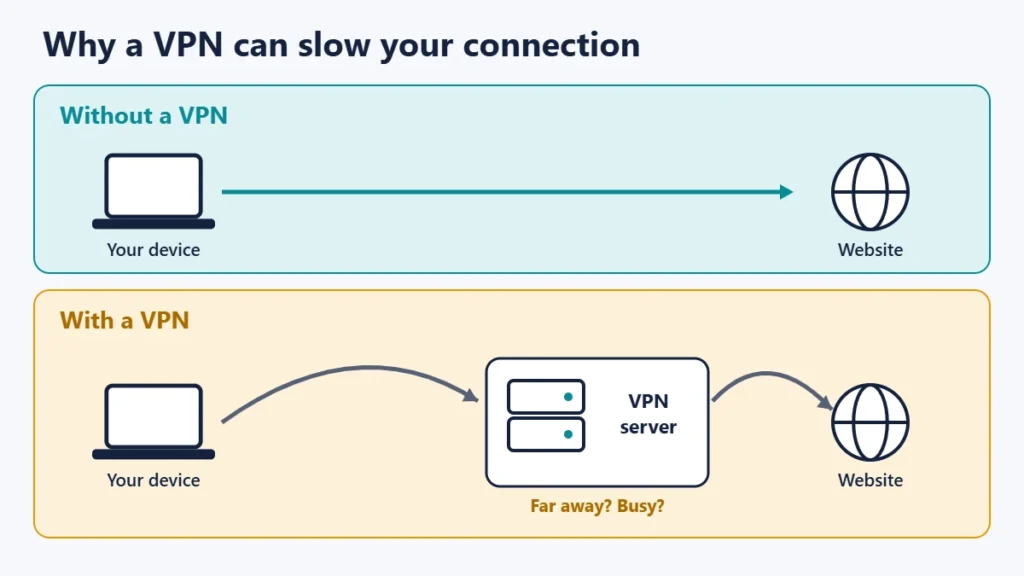
1. Distance to the server
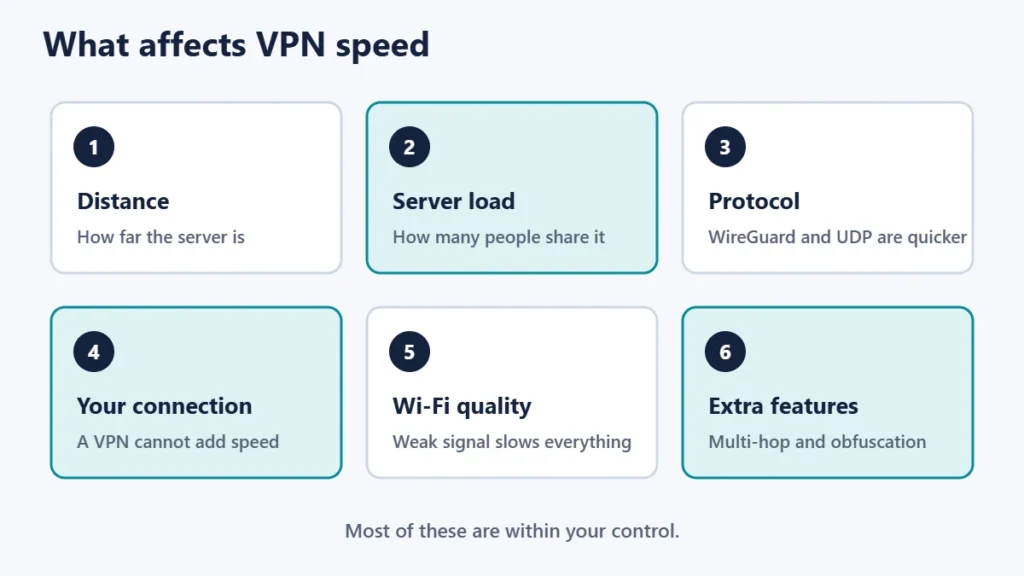
Proton’s guide puts it simply: the farther away the VPN server is, the higher your latency. Every request has to travel to the VPN server first, then on to the website, and back again. Our guide to ping, jitter and latency explains why that delay matters for calls and games.
2. Server load
Proton also notes that a busy server shares its capacity between more people. A server near you can still feel slow if many users are connected to it at the same time.
3. The VPN protocol
Different VPN protocols perform differently. Proton says WireGuard is usually its fastest protocol and that UDP is faster than TCP. WireGuard’s own website describes it as a fast, modern VPN that intends to be considerably more performant than OpenVPN.
4. Your base connection and device
A VPN cannot add speed your connection does not have. Weak Wi-Fi, a busy home network or other apps downloading in the background will slow things down whether or not the VPN is on.
5. Extra privacy features
Features that add steps also add delay. Mullvad says multihop slows down the speed because the connection is routed from one server to another, and that in most cases obfuscation can significantly increase latency and slow down the speed. Proton says its Secure Core feature routes traffic through an extra server, which adds a lot of latency.
How to test your VPN speed fairly
- Test without the VPN first. Run a speed test and note download, upload and ping.
- Connect to the nearest VPN server and run the same test.
- Repeat a few times, because results vary from minute to minute.
- Compare like with like: same device, same network, same time of day.
- Try a second server or protocol to see whether the problem is the server or something else.
Higher ping usually shows up before lower download speed, so look at both numbers. While connected, it is also worth checking that nothing is leaking; see our guide on how to check if your VPN is working.
How to speed up a VPN
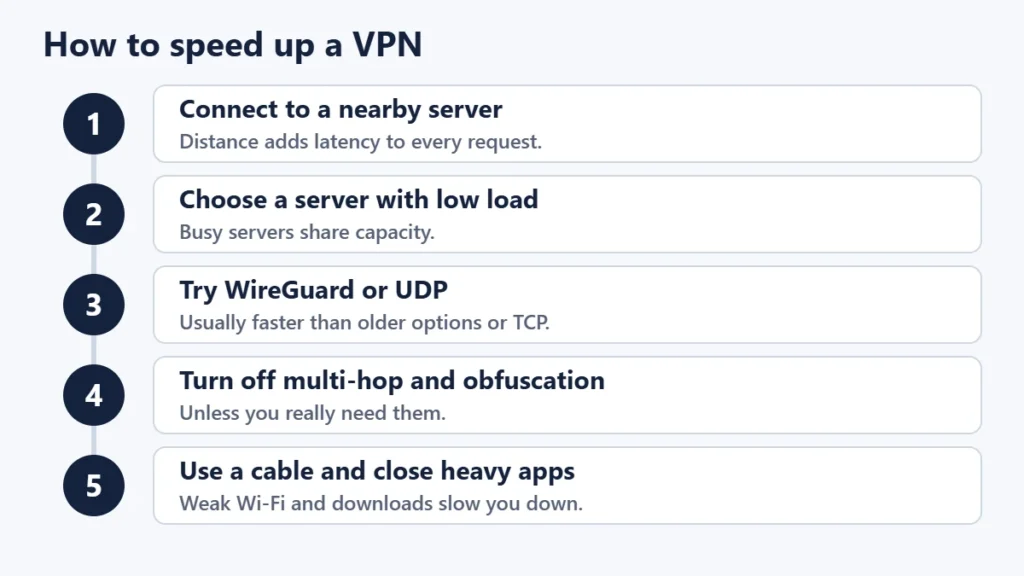
- Pick a nearby server. Mullvad suggests choosing a location as close to your real location as possible.
- Choose a server with low load. Many apps show how busy each server is.
- Try another server in the same country. Proton notes another server may avoid a bottleneck on the route to your current one.
- Switch protocol. Try WireGuard, or UDP instead of TCP.
- Turn off extra hops and obfuscation unless you need them. Mullvad advises enabling obfuscation only if you cannot connect without it.
- Use a cable. Mullvad notes Wi-Fi can be slower due to a weak signal or interference.
- Close heavy apps such as large downloads and cloud backups.
- Check security software. Proton says antivirus or firewall software can sometimes slow VPN connections.
- Update the app to get the latest performance fixes.
If you run the VPN on a router, the router’s processor can also limit speed. Our guide to VPN routers covers the set-up.
Can a VPN ever make your internet faster?
Sometimes, in specific cases. Proton says some sites may occasionally load faster with the VPN than without it, because a VPN can route traffic around a problem elsewhere on the internet. Proton also notes that some ISPs deliberately slow down VPN traffic, which works the other way. A VPN is not a reliable way to get more speed, so treat any improvement as a bonus.
When a slow VPN is a problem with something else
- Everything is slow, even with the VPN off. The problem is your connection or Wi-Fi. Our guide to Wi-Fi that is connected but not working can help.
- Only one website is slow. The site or its server may be the issue.
- The VPN keeps disconnecting. Try another protocol or server, and keep the kill switch on so drops do not expose your address.
Common mistakes
- Connecting to a far-away country by default. Use the nearest server unless you need a specific location.
- Leaving multi-hop or obfuscation on all the time.
- Judging from one speed test. Test several times.
- Blaming the VPN for weak Wi-Fi. Test with the VPN off first.
- Sticking with an older protocol when a faster one is available.
Frequently asked questions
How much does a VPN slow down internet?
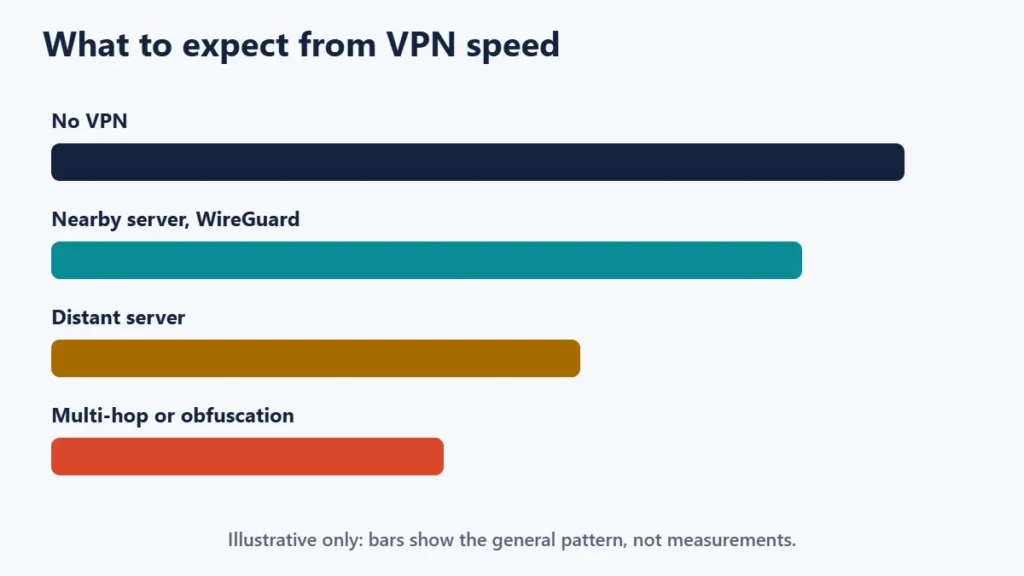
It varies with distance, server load, protocol and your own connection. A nearby server with a modern protocol usually has a small effect.
Which VPN protocol is fastest?
Proton says WireGuard is usually its fastest protocol. Check which protocols your provider offers.
Why is my VPN slow at night?
More people use the internet and VPN servers in the evening. Try a less busy server.
Does a VPN slow down gaming?
It usually adds some latency. Use the nearest server and avoid multi-hop for games.
Is a free VPN slower?
Often, because free servers can be busier. Proton notes its free servers are slower at busy times.
Should I turn the VPN off for speed?
For tasks where privacy does not matter, you can. Split tunnelling, where available, lets chosen apps bypass the VPN.
The short version
A VPN usually slows your internet a little, mainly because of the extra distance and shared servers. Keep the slowdown small by choosing a nearby, lightly loaded server, using WireGuard or UDP, turning off multi-hop and obfuscation unless you need them, and using a wired connection where you can. For a balanced view of what VPNs offer, see our guide to the pros and cons of using a VPN.

Justwebworld has published guides since 2012. How we write and update articles Report an error
