

Addresses such as accounting@, info@, service@, claims@, or projects@ are useful because customers do not have to know which employee is working that day. The message reaches the function instead of one person. The security problem begins when the shared mailbox is managed informally: several people know a password, former employees remain connected, forwarding rules accumulate, and nobody can say with confidence who currently has access.
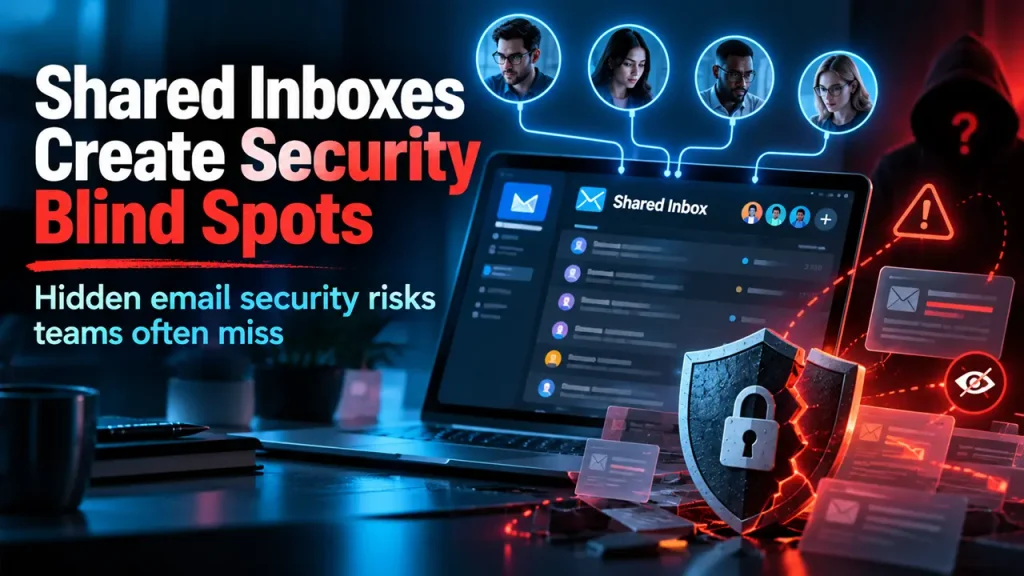
Shared inboxes sit in an awkward space between collaboration and identity. They are business assets, but employees often treat them like convenient email accounts. That makes them easy to overlook during security reviews focused on individual users, endpoints, and network controls.
A shared password removes accountability
The weakest setup is a single mailbox username and password known by several people. When access is shared this way, the organization loses individual accountability. If someone deletes a message, changes a rule, exports contacts, or sends a fraudulent reply, it becomes harder to determine which person performed the action.
Modern email platforms generally provide better ways to delegate mailbox access through individual user accounts. Employees authenticate as themselves and receive permission to the shared mailbox, allowing access to be granted and revoked centrally without circulating a common password.
Offboarding is where hidden access appears
An employee leaves and HR asks IT to disable the person’s main account. That process may be well documented. But what about the accounting mailbox they opened directly on a phone, the forwarding rule sending messages to another address, or the third-party application connected to the shared inbox?
If those connections were created outside the standard identity model, disabling the employee’s primary account may not remove everything. Shared mailboxes therefore need to be part of the same access inventory used for applications, file shares, and administrative privileges.
Forwarding rules can become quiet persistence
Email rules are powerful because they automate routine work. They can also hide malicious behavior. An attacker who gains access to a mailbox may create a rule that forwards invoices, payment instructions, password-reset messages, or client communications while leaving the original workflow mostly intact.
That is particularly dangerous in mailboxes used for finance or customer service because the attacker can observe normal patterns before attempting fraud. Monitoring unusual forwarding, inbox rules, and sign-in activity can reveal behavior that endpoint antivirus never sees.
Third-party tools expand the mailbox surface
Shared inboxes are frequently connected to ticketing systems, CRM platforms, marketing tools, document workflows, and automation services. Each integration introduces another credential, token, or permission grant. Years later, the business may no longer remember why a particular application can read or send mail.
Companies assessing cybersecurity services Atlanta should include cloud application permissions and mailbox integrations in the review. Protecting the laptop used to read email is only one part of protecting the account and the systems connected to it.
Sensitive mailboxes deserve stronger controls
Not every shared inbox carries the same risk. A general inquiries mailbox may contain mostly public information. An accounts-payable inbox may contain invoices, bank details, tax records, and conversations about payment changes. A healthcare or legal mailbox may receive highly sensitive client information.
Classifying shared mailboxes by sensitivity helps determine which controls should apply. High-risk mailboxes may warrant tighter access groups, stronger monitoring, restrictions on forwarding, more frequent access reviews, or additional approval before new users are added.
Business email compromise thrives on context
A compromised shared inbox can be more useful to an attacker than an individual’s mailbox because it contains conversations across many customers and vendors. The attacker can learn who approves payments, which vendors are expected to invoice, how executives communicate, and when large transactions usually occur.
That context makes fraudulent messages more convincing. A payment-change request sent from a mailbox employees already trust does not look like a random phishing email. Financial procedures therefore need verification steps that do not rely on email alone.
Ownership prevents mailboxes from becoming orphans
Every shared inbox should have a business owner who can answer three questions: why does this mailbox exist, who should have access, and which systems are connected to it? IT can manage the technical permissions, but the business owner is usually better positioned to decide whether a person still needs them.
A quarterly or semiannual review is often enough to expose stale access, unnecessary forwarding, and obsolete integrations before they become permanent.
Treat shared mailboxes as shared systems
The useful mental shift is to stop thinking of a shared inbox as just another email address. It is a small collaborative system with users, permissions, integrations, data, and business processes attached to it. That means it deserves lifecycle management.
Create it deliberately, delegate access through named identities, monitor important activity, review integrations, remove access when roles change, and retire the mailbox when the business no longer needs it. Shared inboxes are convenient by design. They do not have to become invisible security exceptions.

Justwebworld has published guides since 2012. How we write and update articles Report an error
