

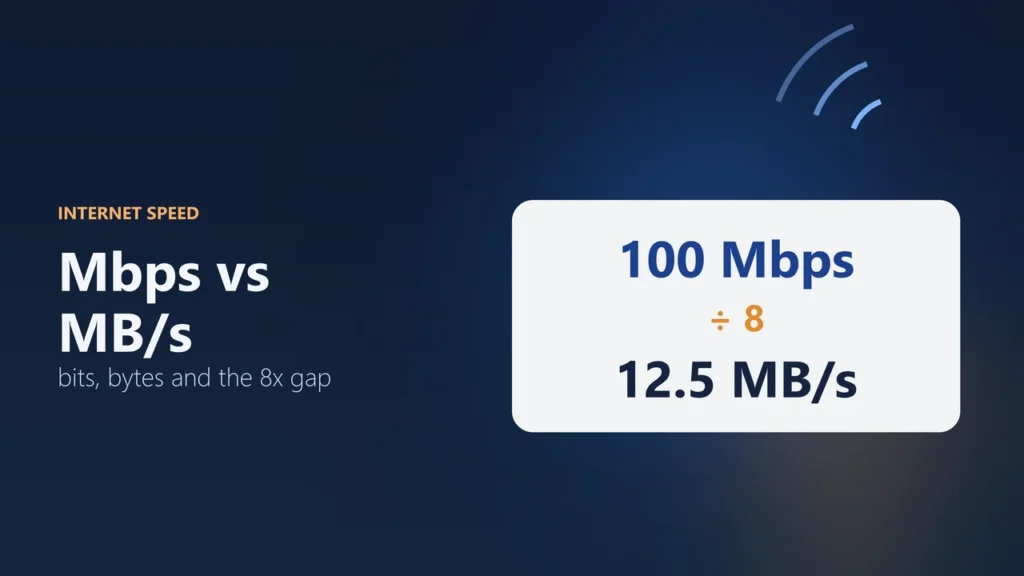
Mbps means megabits per second. MB/s means megabytes per second. One byte is 8 bits, so 1 MB/s is the same as 8 Mbps. To turn Mbps into MB/s, divide by 8. A 100 Mbps internet plan can download at most about 12.5 MB/s.
That is why your download often looks slower than the speed on your bill. Internet plans are sold in bits per second, but files are measured in bytes, so download screens often show bytes per second. This guide gives you a quick conversion chart, a simple way to work out download times, and the real reasons a download can still be slower than the math says.
- Small b = bits: Mbps (also written Mb/s) is megabits per second
- Big B = bytes: MB/s (also written MBps) is megabytes per second
- The rule: MB/s = Mbps ÷ 8, and Mbps = MB/s × 8
- Example: 100 Mbps = 12.5 MB/s, and 1 Gbps = 125 MB/s
What is the difference between Mbps and MB/s?
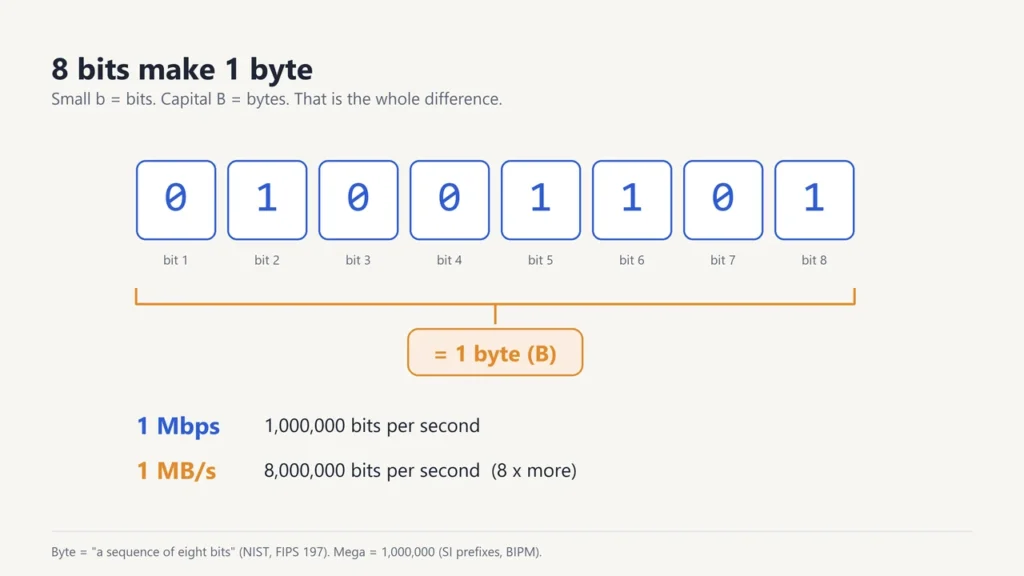
The difference is the size of the unit. A bit is the smallest piece of digital data: a single 0 or 1. A byte is a group of 8 bits. The US National Institute of Standards and Technology (NIST) defines a byte as “a sequence of eight bits” in its standard FIPS 197.
“Mega” means one million in the metric system, so:
- 1 Mbps = 1,000,000 bits each second
- 1 MB/s = 1,000,000 bytes each second = 8,000,000 bits each second
So 1 MB/s moves 8 times as much data as 1 Mbps. The only thing that tells them apart is a lowercase b or a capital B, which is why they are so easy to mix up.
How to convert Mbps to MB/s
Divide by 8. 80 Mbps ÷ 8 = 10 MB/s. To go the other way, multiply by 8: 5 MB/s × 8 = 40 Mbps.
| Plan speed (Mbps) | Top download speed (MB/s) |
|---|---|
| 10 Mbps | 1.25 MB/s |
| 25 Mbps | 3.125 MB/s |
| 50 Mbps | 6.25 MB/s |
| 100 Mbps | 12.5 MB/s |
| 200 Mbps | 25 MB/s |
| 300 Mbps | 37.5 MB/s |
| 500 Mbps | 62.5 MB/s |
| 1 Gbps (1,000 Mbps) | 125 MB/s |
| 2 Gbps (2,000 Mbps) | 250 MB/s |
Network speeds use the normal metric prefixes, which go up in steps of 1,000. The official SI rulebook from the International Bureau of Weights and Measures (BIPM) says plainly that one kilobit is 1,000 bits, not 1,024. So:
- 1 Gbps (gigabit per second) = 1,000 Mbps
- 1 Mbps = 1,000 kbps (kilobits per second)
Our guide to metric prefixes lists all of them, from kilo to tera and beyond.
How long will a download take?
Use this simple formula:
Seconds = file size in GB × 8,000 ÷ speed in Mbps
The 8,000 comes from two steps. One GB is 1,000 MB, and each MB is 8 megabits. Here are some worked examples. They show the best case, with nothing else using your connection:
| File | Speed | Working | Best-case time |
|---|---|---|---|
| 5 GB film | 50 Mbps | 5 × 8,000 ÷ 50 = 800 s | about 13 minutes |
| 5 GB film | 100 Mbps | 5 × 8,000 ÷ 100 = 400 s | about 7 minutes |
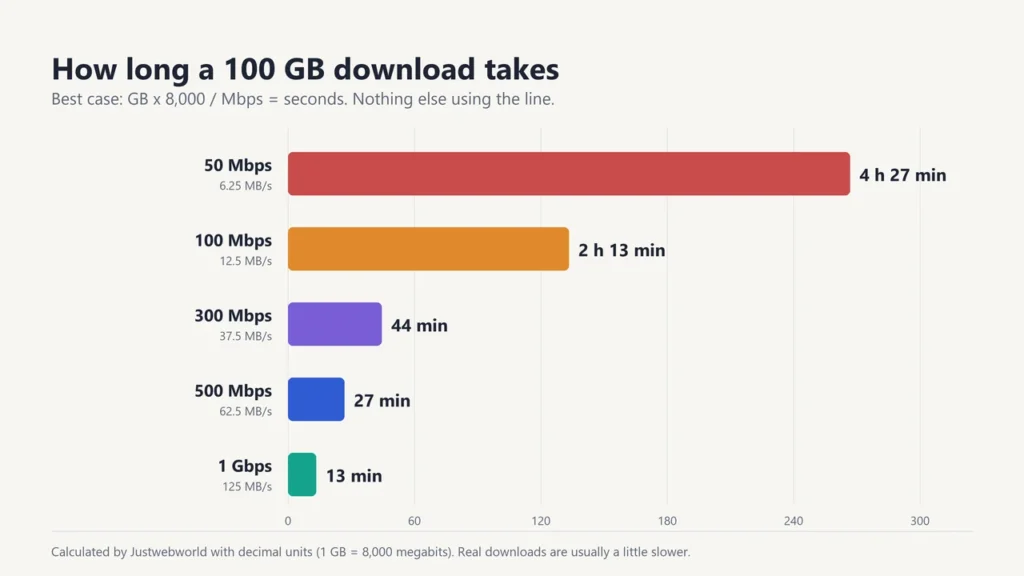
| 100 GB game | 100 Mbps | 100 × 8,000 ÷ 100 = 8,000 s | about 2 hours 13 minutes |
| 100 GB game | 300 Mbps | 100 × 8,000 ÷ 300 = 2,667 s | about 44 minutes |
| 100 GB game | 1 Gbps | 100 × 8,000 ÷ 1,000 = 800 s | about 13 minutes |
A small catch: some computers measure file sizes in powers of 2 but still label them “GB”. One of those “binary” gigabytes (properly called a gibibyte, GiB) is 1,073,741,824 bytes, or about 8.59 gigabits instead of 8. For a rough guess, the formula above is close enough. Our metric prefixes guide explains GB vs GiB.
Why is my download slower than my internet plan?
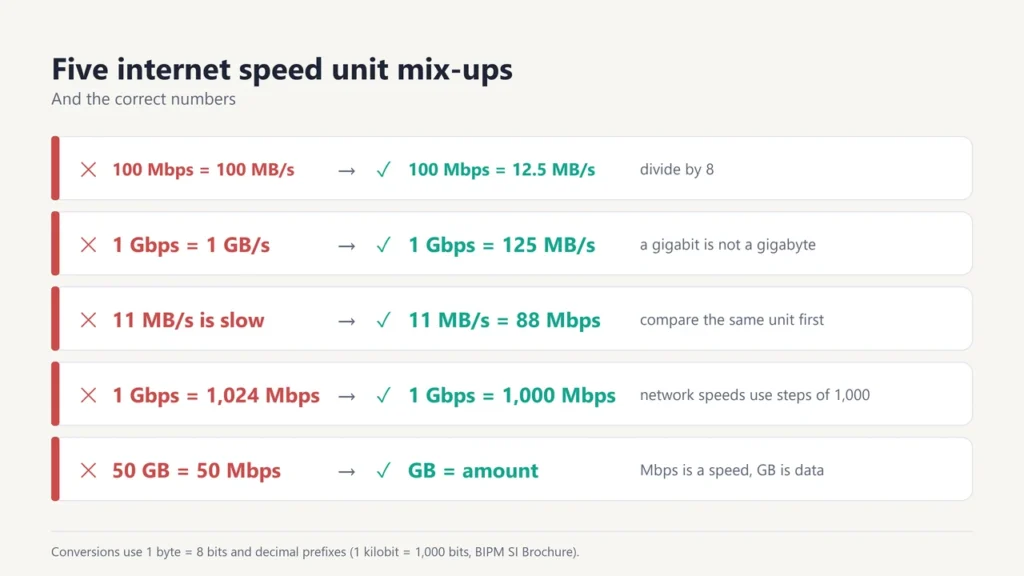
First, check that you are comparing the same units. If your plan is 100 Mbps and your download shows 11 MB/s, that is 88 Mbps, which is close to full speed. It only looks slow because MB/s is a bigger unit.
If the numbers still don’t match after converting, these are the usual causes:
- Overhead. Part of every connection carries addressing and error-checking data, not your file. So a download can never quite reach the plan speed.
- Wi-Fi. Distance, walls and other devices can slow a wireless link. A cable is usually steadier. See Wi-Fi vs Ethernet.
- Sharing. Other people or devices on your network split the same connection.
- The other end. The server you download from may send data more slowly than your line can take it.
- Your plan’s wording. Many plans promise speeds “up to” a number, so the advertised figure is a ceiling, not a promise.
To see what your line really delivers, run a test with one of the tools in our internet speed test guide. Speed tests report results in Mbps, so you can compare them directly with your plan.
An older router can also hold back a fast plan. See Wi-Fi 6 vs Wi-Fi 7 for what newer Wi-Fi generations change.
How much speed do you need for streaming?
Streaming services state their needs in Mbps. Netflix’s help centre recommends these download speeds for each picture quality:
| Netflix quality | Recommended speed | Same speed in MB/s |
|---|---|---|
| HD (720p) | 3 Mbps or higher | 0.375 MB/s |
| Full HD (1080p) | 5 Mbps or higher | 0.625 MB/s |
| Ultra HD (4K) | 15 Mbps or higher | 1.875 MB/s |
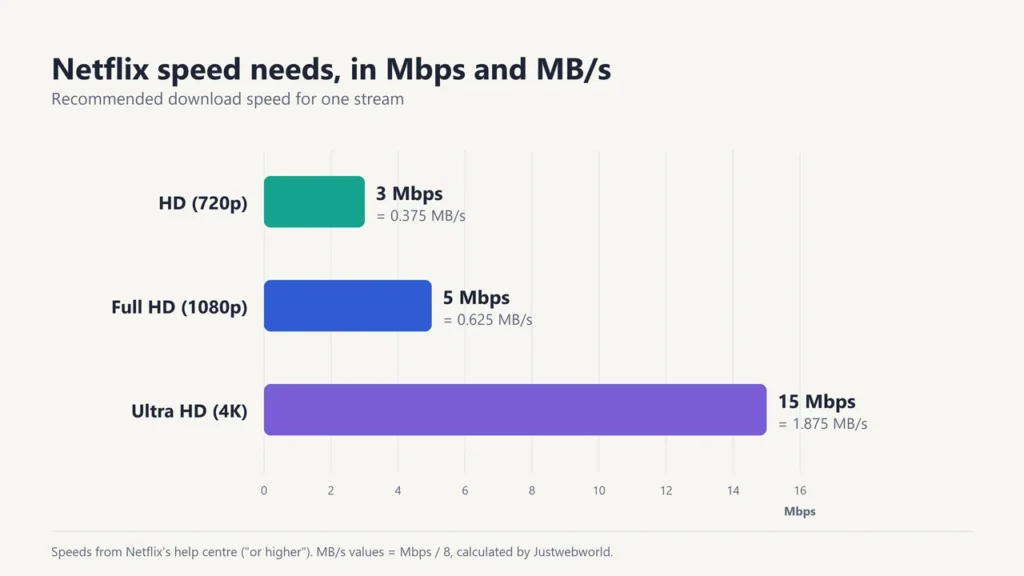
One 4K stream at 15 Mbps uses less than 2 MB of data every second. On paper, a 100 Mbps line could carry six such streams at once (6 × 15 = 90 Mbps). Real homes need some room to spare, because phones, updates and video calls share the same line.
Download speed vs upload speed
Download speed is how fast data comes to you: web pages, films and game files. Upload speed is how fast data leaves you: sending files, posting videos and your side of a video call. Both are measured in Mbps. Many home plans have a much lower upload speed than download speed, so check both numbers if you send large files or stream yourself.
The same bits-and-bytes rule applies to cables and ports: a 40 Gbps USB4 or Thunderbolt 4 port moves at most about 5 GB/s. Our guide to USB-C vs Thunderbolt compares port speeds.
Mbps, MBps, Mb/s, mbps: which spelling is right?
| You see | It means | Notes |
|---|---|---|
| Mbps or Mb/s | megabits per second | Used for internet plans and speed tests |
| MB/s or MBps | megabytes per second | Common in download screens. 8 times bigger than Mbps |
| mbps | usually megabits per second | Strictly, a small m is the prefix “milli” (one thousandth), so this spelling is not correct |
| MiB/s | mebibytes per second | Binary unit: 1,048,576 bytes each second |
The safest habit is to look at the letter B. Small b means bits. Capital B means bytes. “MBps” is easy to misread, so many people write MB/s instead.
Common mistakes with internet speed units
- Expecting 100 MB/s from a 100 Mbps plan. The real top speed is 12.5 MB/s.
- Dividing by 10 instead of 8. Some people round to 10 to allow for overhead. That gives a rough real-world guess, but the exact conversion is 8.
- Thinking a “1 Gbps” plan means 1 GB per second. It means 1 gigabit, which is 125 MB/s.
- Mixing up storage and speed. GB is an amount of data. Mbps is a speed. A “50 GB” data cap and a “50 Mbps” plan describe different things.
- Judging Wi-Fi by one test. Run a few tests, close to the router and further away, before deciding your plan is too slow.
Frequently asked questions
How many MB/s is 100 Mbps?
12.5 MB/s at most. Divide 100 by 8. Expect a little less in practice.
Is 1 MB/s the same as 1 Mbps?
No. 1 MB/s is 8 times faster than 1 Mbps, because a byte is 8 bits. 1 MB/s = 8 Mbps.
How many Mbps is 1 Gbps?
1,000 Mbps. Network speeds use decimal steps of 1,000, so 1 Gbps = 1,000 Mbps = 125 MB/s.
Why do internet providers use Mbps instead of MB/s?
Data travels over a network as a stream of single bits, so network speeds have long been measured in bits per second. Speed tests use the same unit, which makes it easy to compare a test result with your plan.
How long does it take to download 1 GB at 50 Mbps?
About 160 seconds, or just under 3 minutes, in the best case: 1 × 8,000 ÷ 50 = 160.
Is 100 Mbps enough for 4K streaming?
Yes for most homes. Netflix recommends 15 Mbps or more for one 4K stream, so 100 Mbps leaves room for several streams and other devices.
What does kbps mean?
Kilobits per second. 1,000 kbps = 1 Mbps. You will see it for slow connections and for audio quality, such as a 128 kbps music file.

Justwebworld has published guides since 2012. How we write and update articles Report an error
