

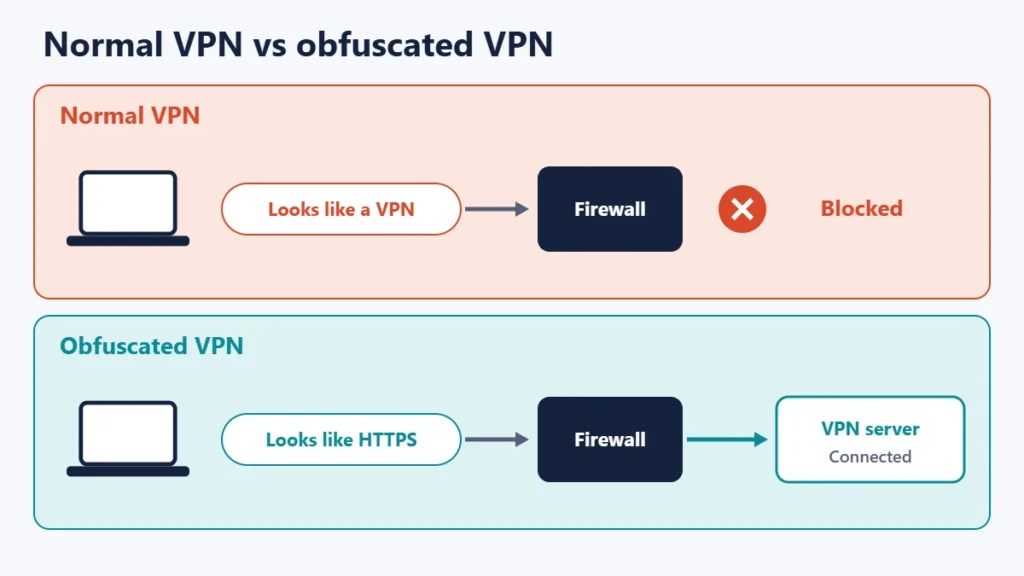
VPN obfuscation disguises VPN traffic so that it does not look like a VPN, which helps you connect on networks that detect and block VPNs. Surfshark describes obfuscated servers, also called stealth VPN, as making encrypted VPN traffic look like regular internet traffic to bypass restrictions, firewalls and deep packet inspection (DPI). It does not add privacy on its own; its job is getting you connected where a normal VPN is blocked.
The trade-off is speed. Most people never need obfuscation, and providers recommend turning it on only when a normal connection fails. This guide explains how it works, when you need it, and what different VPN apps call it.
Key takeaways
- Obfuscation hides the fact that you are using a VPN, not just what you do.
- It helps on networks that block VPNs, such as some workplaces, schools, hotels and countries.
- It is usually slower. Mullvad says it can slow your speed and increase battery use.
- Turn it on only when needed.
- Providers name it differently, such as Stealth, obfuscated servers or anti-censorship methods.
Why normal VPN traffic can be blocked
Even though a VPN encrypts your traffic, the connection itself often has a recognisable shape: particular ports, packet sizes and handshake patterns. Proton’s blog notes that traditional VPN protocols are relatively easy to recognise on a network. Networks that want to stop VPN use can look for those patterns with deep packet inspection and block them, or simply block the ports VPNs commonly use.
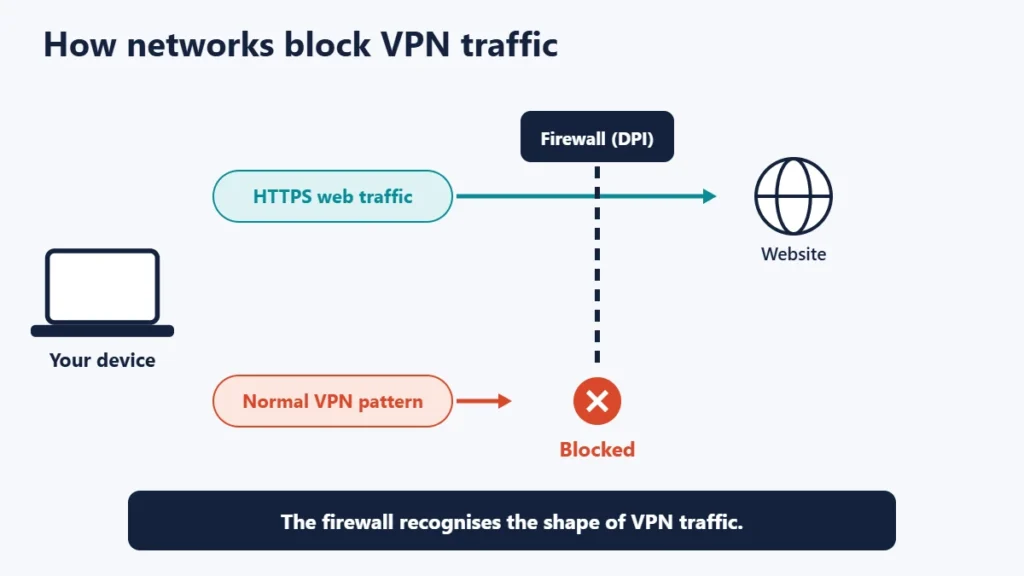
WireGuard, a popular modern protocol, is open about this. Its documentation says WireGuard does not focus on obfuscation, and that obfuscation should happen at a layer above it.
How VPN obfuscation works
Obfuscation wraps or reshapes the VPN connection so it looks like something ordinary, most often normal encrypted web traffic. Common approaches include:
- Wrapping the VPN in TLS over TCP, the same kind of connection secure websites use. Proton describes its Stealth protocol as obfuscated TLS tunnelling over TCP.
- Using web ports, such as port 443, so the traffic travels where web traffic normally goes.
- Disguising the protocol with tools such as Shadowsocks, or by carrying VPN traffic inside other protocols such as QUIC.
- Modified VPN protocols: Surfshark says its stealth VPN uses a modified version of OpenVPN.
What providers call it
| Provider | Name | How it works, according to the provider |
|---|---|---|
| Proton VPN | Stealth | Obfuscated TLS tunnelling over TCP; Proton says it is available on all plans, including Free |
| Mullvad | Anti-censorship methods | Options including LWO (Lightweight WireGuard Obfuscation), QUIC, Shadowsocks and UDP-over-TCP |
| Surfshark | Obfuscated servers | A modified OpenVPN protocol that applies obfuscation automatically when you choose OpenVPN |
Mullvad’s guide for restrictive locations describes its QUIC option as using UDP port 443 and being made to look like normal web traffic, and notes that its plain WireGuard port option does not use obfuscation, so it is not effective against packet inspection firewalls. Mullvad advises testing each method to see what works best.
When you need obfuscation
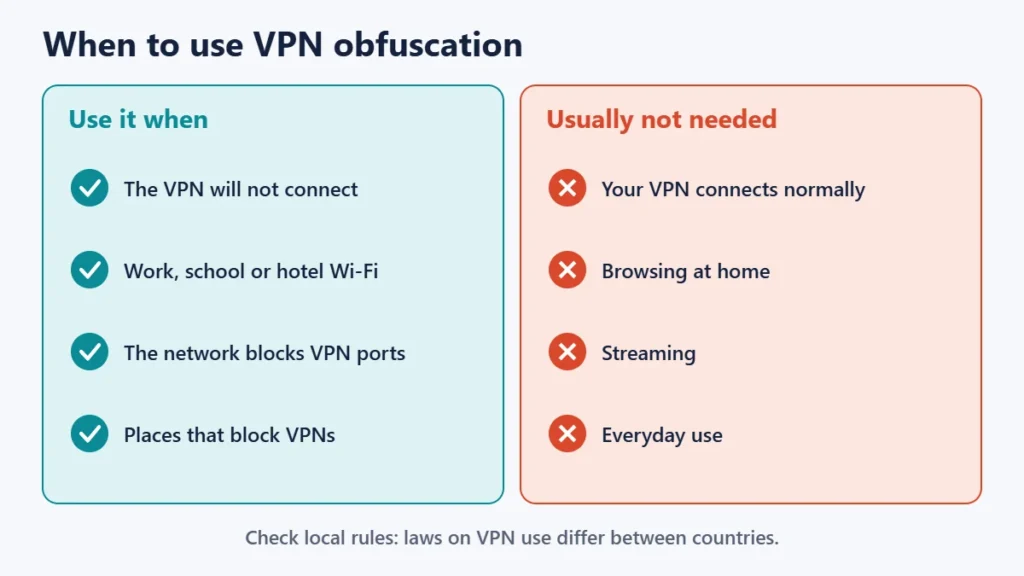
- Your VPN will not connect on a particular Wi-Fi network, such as at work, school, a hotel or an airport.
- The network blocks VPN ports but allows normal web browsing.
- You are somewhere VPNs are restricted. Mullvad notes that some countries use firewalls to block VPNs. Check the local rules before you travel, as laws on VPN use differ between countries.
If you are on public Wi-Fi and your VPN connects normally, you do not need obfuscation. Our guide to using free Wi-Fi securely covers other precautions.
The trade-offs
- Speed: Mullvad warns that obfuscation can slow down your internet speed and increase battery usage. Surfshark says obfuscated servers are often slower due to the added layer.
- Fewer servers or protocols: obfuscation may only work with certain protocols or servers.
- No extra privacy by itself: once connected, you get the same protection as a normal VPN connection.
- Not guaranteed: networks keep improving their detection, so one method may stop working and another may be needed.
How to turn it on
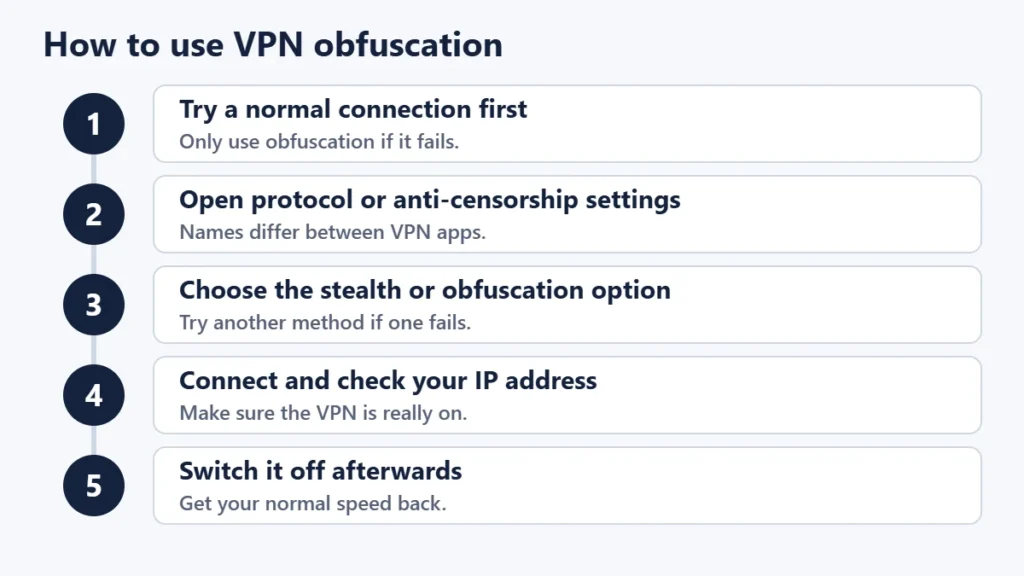
- Try a normal connection first. Mullvad advises enabling obfuscation only if you cannot connect without it.
- Open the app’s settings and look for the protocol, connection or anti-censorship section.
- Choose the stealth or obfuscation option your provider offers.
- Connect and check that your IP address has changed; see our guide on how to check if your VPN is working.
- Switch back to your normal protocol when you are on an unrestricted network, to get your speed back.
Common mistakes
- Leaving obfuscation on all the time. It usually costs speed for no benefit.
- Assuming it makes you anonymous. It hides the VPN, not your identity on sites you sign in to.
- Ignoring local rules. Using a VPN to get around a block may break a network’s terms or local law.
- Giving up after one method. Try another option if the first does not connect.
Frequently asked questions
What is a stealth VPN?
It is another name for an obfuscated VPN: one that disguises its traffic so networks do not recognise it as a VPN.
Does obfuscation make a VPN more secure?
Not really. Its purpose is to get connected where VPNs are blocked. The encryption is the same.
Does obfuscation slow down a VPN?
Usually, yes. Mullvad and Surfshark both say it tends to be slower than a normal connection.
Do I need obfuscation for streaming?
Usually not. Obfuscation is designed to get past network firewalls, not to change which server address a streaming service sees.
Can my ISP see that I use a VPN?
Usually, yes, with a normal VPN. Obfuscation makes it harder to tell.
Is WireGuard obfuscated?
Not by itself. WireGuard’s documentation says obfuscation should happen at a layer above it, which is why providers add their own methods.
The short version
VPN obfuscation disguises your VPN as ordinary web traffic so you can connect on networks that block VPNs. It is slower and only worth using when a normal connection fails. Turn it on in your app’s protocol or anti-censorship settings when needed, check that it works, switch it off afterwards, and respect local rules. For more on what VPNs do, see the pros and cons of using a VPN.

Justwebworld has published guides since 2012. How we write and update articles Report an error
