

A web application firewall (WAF) is a filter that sits in front of a website and inspects its web traffic, blocking requests that look like attacks. OWASP describes a WAF as an application firewall for HTTP applications that applies a set of rules to an HTTP conversation, generally covering common attacks such as cross-site scripting (XSS) and SQL injection. It protects your site, not your visitors’ devices.
For a website owner, a WAF is a useful extra layer, especially for sites built on popular software such as WordPress. It does not replace updates, strong logins or backups. This guide explains how a WAF works, the main types, what it can and cannot stop, and how to choose one.
Key takeaways
- A WAF inspects web requests and blocks ones that match attack patterns.
- It protects the server and the application, not visitors’ devices.
- Three common types: cloud-based, installed on the server, or built into the application as a plugin.
- False positives happen. Stricter rules catch more attacks but block more genuine visitors.
- A WAF is one layer. Updates, strong logins and backups still matter.
How a web application firewall works
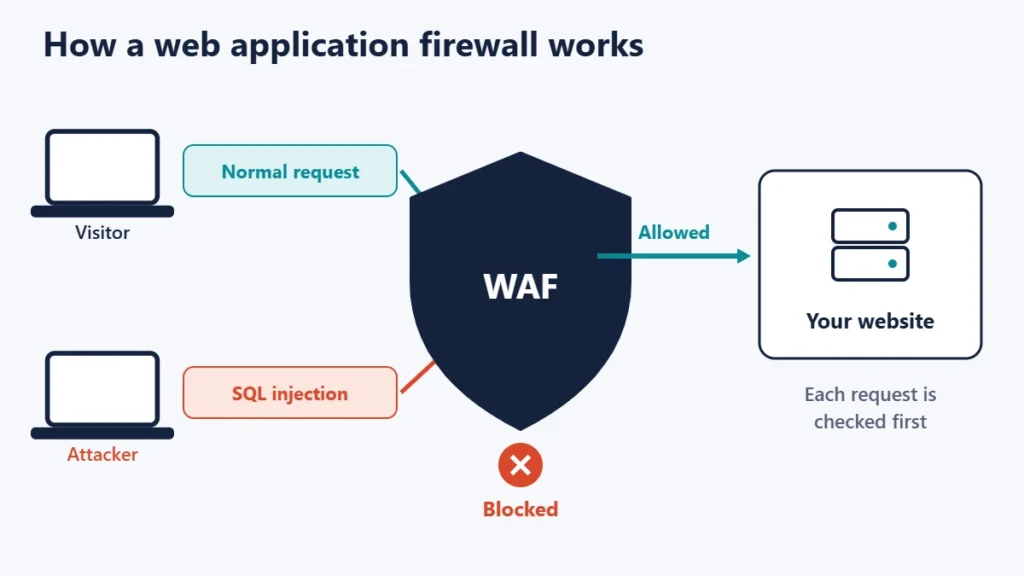
Every time someone loads a page, submits a form or logs in, their browser sends an HTTP request. A WAF reads those requests, including addresses, form fields, cookies and headers, and compares them with a set of rules. Requests that match an attack pattern are blocked or logged. Everything else passes through to your site.
OWASP notes that while proxies generally protect clients, WAFs protect servers, and that a WAF can be considered a reverse proxy. That is why a WAF is deployed to protect a specific web application or set of applications.
WAF vs network firewall
| Network firewall | Web application firewall | |
|---|---|---|
| What it looks at | Addresses, ports and connections | The content of web requests |
| Typical decision | Allow or block traffic to a port | Allow or block a specific request |
| Can spot SQL injection in a form? | No | Yes, if a rule matches it |
| Where it sits | At the network edge or on the device | In front of the website |
A network firewall might allow all traffic to port 443, the port used for HTTPS. A WAF looks inside that traffic to judge each request. Most sites benefit from both. For the personal-computer side of firewalls, see our guide to the Windows firewall.
What a WAF protects against
The OWASP Top 10 is a standard awareness document for developers and web application security. Its current 2025 edition lists categories such as Broken Access Control, Security Misconfiguration, Injection and Authentication Failures. A WAF is strongest against attacks that show up as recognisable patterns in requests:
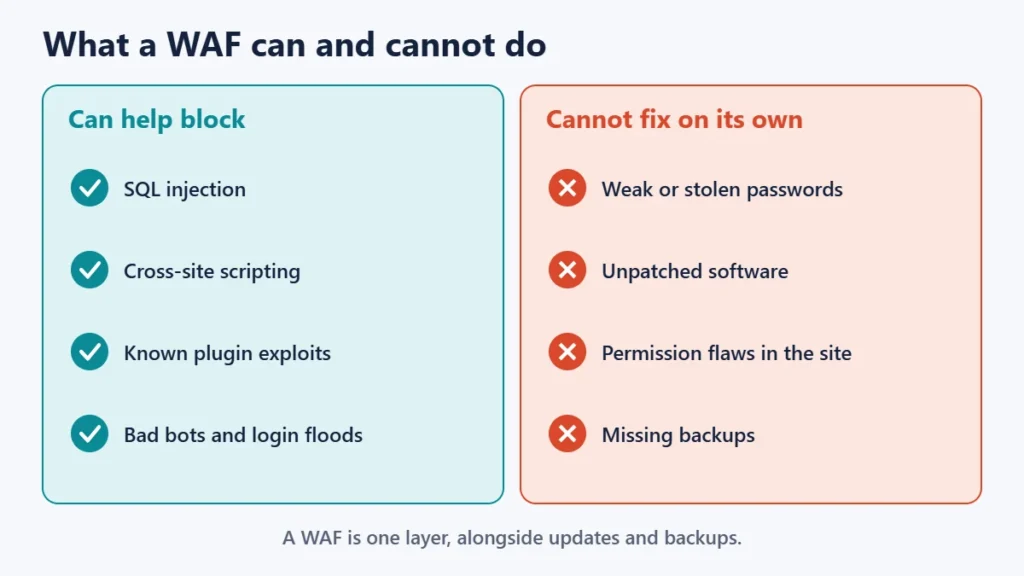
- SQL injection: attempts to slip database commands into forms or addresses.
- Cross-site scripting: attempts to inject scripts that run in other visitors’ browsers.
- Known exploit attempts: requests aimed at published flaws in plugins, themes or software.
- Bad bots and login floods: many WAFs can rate-limit or challenge suspicious traffic.
Some cloud WAF services are combined with protection against distributed denial-of-service (DDoS) attacks. Our guide to defending against DDoS attacks covers that side.
What a WAF cannot do
- Fix outdated software. A WAF may block some attempts against a known flaw, but updating removes the flaw itself.
- Stop logins with stolen or weak passwords. A correct password looks like a normal login. Use strong passwords and two-factor authentication.
- Fix logic flaws. If the application lets a user see data they should not, the requests can look entirely normal.
- Replace backups. If something gets through, backups are how you recover. Our guide on what to do when malware strikes a WordPress site explains the clean-up.
The three main types of WAF
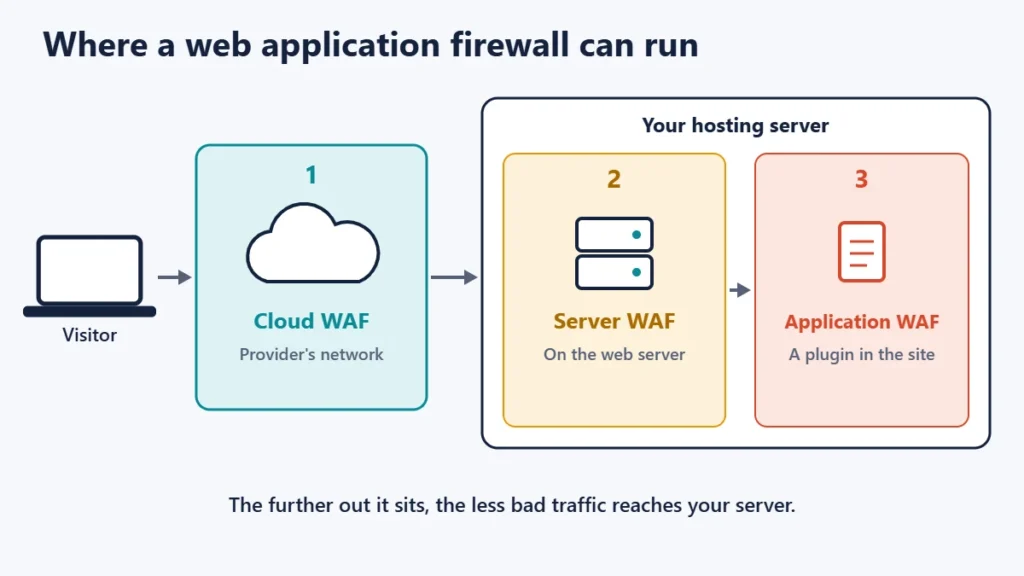
| Cloud WAF | Server WAF | Application (plugin) WAF | |
|---|---|---|---|
| Where it runs | On the provider’s network, in front of your host | On the web server | Inside the website software |
| Setup | Usually a DNS change to route traffic through the provider | Installed by the host or server admin | Installed like any plugin |
| Blocks traffic before your server | Yes | No, but before the application | No |
| Knows the application | Less | Less | More |
| Typical for | Sites of any size, often with a CDN | VPS, dedicated servers, managed hosts | WordPress and similar sites |
Cloud WAFs are often bundled with a content delivery network, because both sit in front of the site; our guide to CDNs explains that arrangement. Many web hosts also run a server WAF for every customer, so check your host’s security page before buying something you may already have.
Rules, false positives and paranoia levels
A WAF is only as good as its rules. One widely used free rule set is the OWASP CRS, which describes itself as a set of generic attack detection rules for use with ModSecurity or compatible web application firewalls. It aims to protect against a wide range of attacks, including the OWASP Top Ten, with a minimum of false alerts.
A false positive is when a genuine request is mistaken for an attack. The CRS documentation explains that in strict blocking mode, false positives can cause legitimate user transactions to be blocked, leading to poor user experience. It uses paranoia levels to set how aggressive the rules are: level 1 is baseline security with a minimal need to tune away false positives, while higher levels make it harder for an attacker to go undetected at the cost of more false alarms.
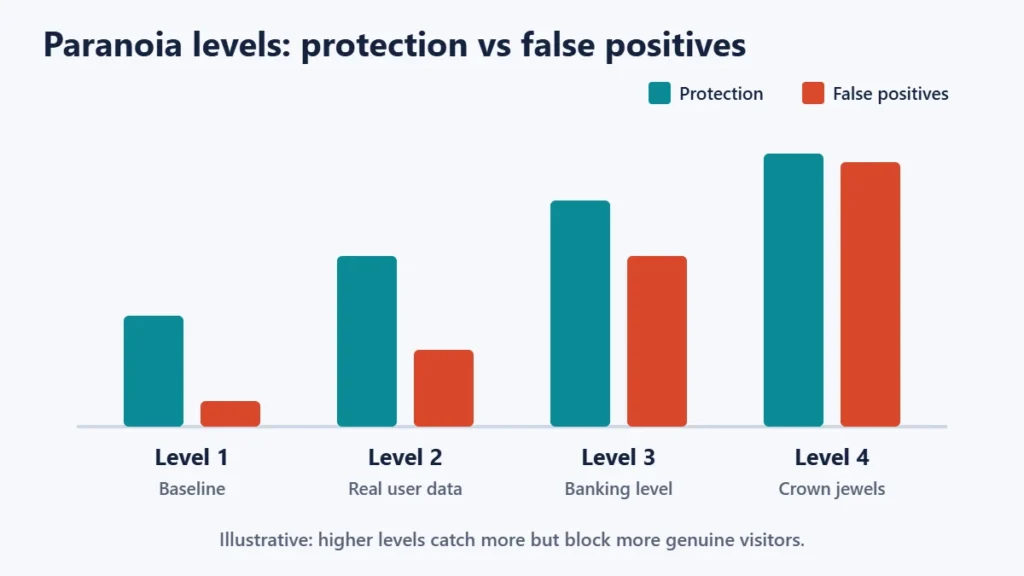
In practice, a false positive often looks like a visitor or editor suddenly getting an error when saving a page or submitting a form. If that happens after a WAF change, check the WAF’s logs before anything else; our guide to the 403 Forbidden error covers the wider causes. The CRS documentation recommends tuning false positives with rule exclusions rather than editing the rules themselves.
How to choose a WAF for your website
- Check what your host already provides. Many hosts run a server WAF by default.
- Decide where you want blocking to happen. A cloud WAF stops bad traffic before it uses your server’s resources.
- Look at the rule updates. New flaws are published constantly, so a WAF needs frequent rule updates.
- Check the logs and controls. You need to see what was blocked and allow genuine requests that were caught.
- Start in a monitoring or low-strictness mode if available, then tighten once you know what normal traffic looks like.
- Avoid stacking overlapping WAFs without a reason. Two strict layers can double false positives and make problems harder to trace.
Common mistakes
- Treating a WAF as a reason to skip updates. Patching still matters most.
- Leaving the origin server open. With a cloud WAF, attackers who find your server’s real IP address can bypass it unless the server only accepts traffic from the WAF provider.
- Turning on the strictest setting immediately. Expect to block real visitors.
- Never reading the logs. Logs show both attacks and false positives.
- Forgetting the admin area. Editors’ actions can trip rules too, so test publishing after changes.
Frequently asked questions
Do I need a WAF for a small website?
It is a worthwhile extra layer, especially for sites using popular software and plugins. Check whether your host already includes one before paying extra.
Is a WAF the same as an antivirus?
No. A WAF filters incoming web requests. A malware scanner looks for malicious code already on the site. They complement each other.
Does a WAF slow down my website?
Any inspection adds some processing. Cloud WAFs are often paired with caching and a CDN, which can offset this.
Can a WAF stop DDoS attacks?
Some cloud WAF services include DDoS protection, but a WAF on its own server cannot absorb a large flood of traffic.
Why does my WAF block my own edits?
Content such as code snippets can look like an attack to a rule. Review the log and add a narrow exclusion for that action.
Is ModSecurity a WAF?
Yes, it is a WAF engine, and the OWASP CRS is a rule set designed for it and compatible WAFs.
The short version
A web application firewall inspects requests to your website and blocks ones that look like attacks, such as SQL injection and cross-site scripting. Choose cloud, server or plugin based on where you want blocking to happen, keep rules updated, watch for false positives, and treat the WAF as one layer alongside updates, strong logins and backups. For the basics of hosting, see what web hosting is.

Justwebworld has published guides since 2012. How we write and update articles Report an error
