

A 404 Not Found error means the server could not find the page at that address. The page may have been deleted, moved without a redirect, or the link may simply be mistyped. Visitors can usually find what they need by checking the address or searching the site. Site owners should fix the broken links, redirect moved pages to their new address, and let genuinely removed pages return a 404.
A few 404s are normal on any website, and Google says they do not harm a site’s indexing or ranking. Problems start when important pages or many internal links lead nowhere. This guide explains the difference between 404, 410 and “soft 404” errors and shows how to find and fix the ones that matter.
Key takeaways
- A 404 means “not found”, with no promise about whether that is temporary or permanent.
- A 410 means “gone” on purpose and permanently.
- A soft 404 is a “not found” page that wrongly reports success.
- Redirect moved pages with a 301 to the closest matching page, not the homepage.
- Fix internal links first, because those are the 404s you control completely.
What 404 means
The HTTP standard, RFC 9110, says a 404 means the server “did not find a current representation for the target resource or is not willing to disclose that one exists”. It adds that a 404 does not say whether the absence is temporary or permanent. For pages the owner knows are permanently removed, the standard prefers a 410 Gone response instead.
| Response | What it says | When to use it |
|---|---|---|
| 404 Not Found | Nothing is here, for whatever reason | Mistyped or unknown addresses, and removed pages |
| 410 Gone | This was removed on purpose and is not coming back | Pages you deliberately deleted with no replacement |
| 301 redirect | The page has moved permanently | Pages with a new address or a close replacement |
| Soft 404 | A “not found” page that returns a success code | Never; fix it |
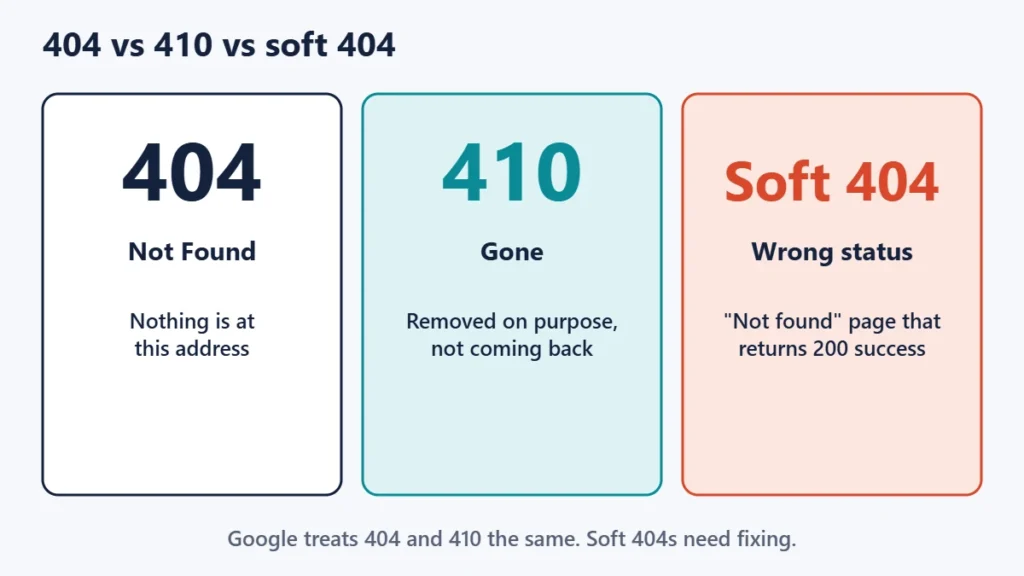
Google’s help for site owners says it currently treats 410 and 404 the same way. For pages that were already indexed, Google’s crawling documentation says the indexing pipeline removes the URL once it returns a 404 or 410.
What to do as a visitor
- Check the address for typos, extra characters or a missing part.
- Remove the end of the address step by step to reach a parent section that still exists.
- Use the site’s own search box or menu to look for the page by name.
- Search the web for the page title, in case it moved to a new address.
- Let the site know if a link on the site itself is broken.
Common causes for site owners
- Deleted pages that other pages still link to.
- Changed addresses, such as a new slug or category, without a redirect from the old one.
- Typos in links, menus or buttons.
- Site migrations where the address structure changed.
- Broken rewrite rules. On WordPress, if every post suddenly returns a 404 while the homepage works, the permalink rules are a common culprit.
- External links from other sites to addresses that never existed or were mistyped.
How to find 404 errors on your site
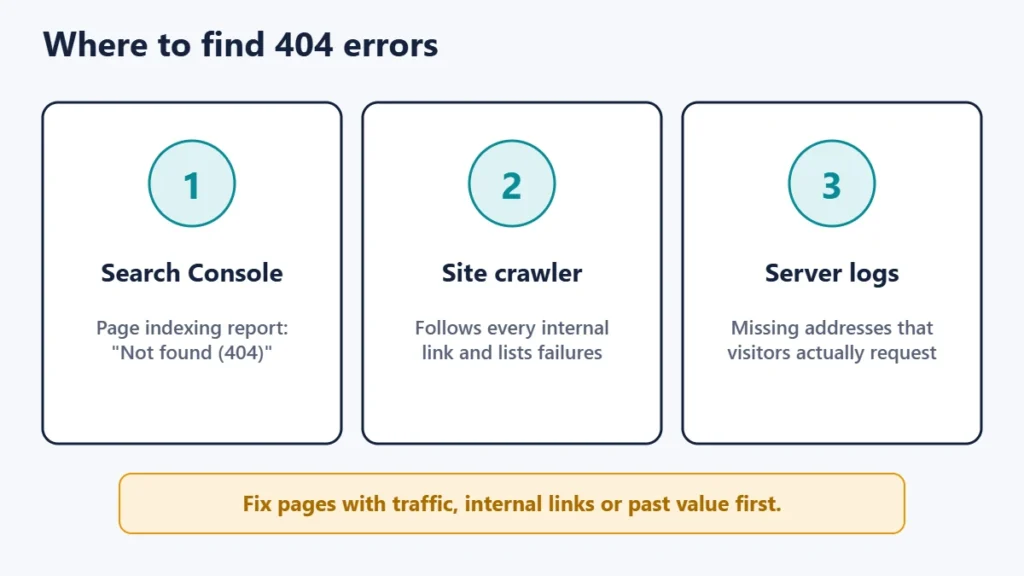
- Google Search Console: its page indexing report lists addresses Google found that returned “Not found (404)”.
- A site crawler or broken link checker: it follows every internal link and reports the ones that fail.
- Server access logs: they show which missing addresses real visitors and bots are requesting, and how often.
Prioritise 404s that get real traffic, that are linked from your own pages, or that used to be important pages. Many reported 404s are junk addresses that you can safely ignore. Google says that if you are certain the URLs should not exist on your site, you can leave those 404s alone.
How to fix each kind of 404
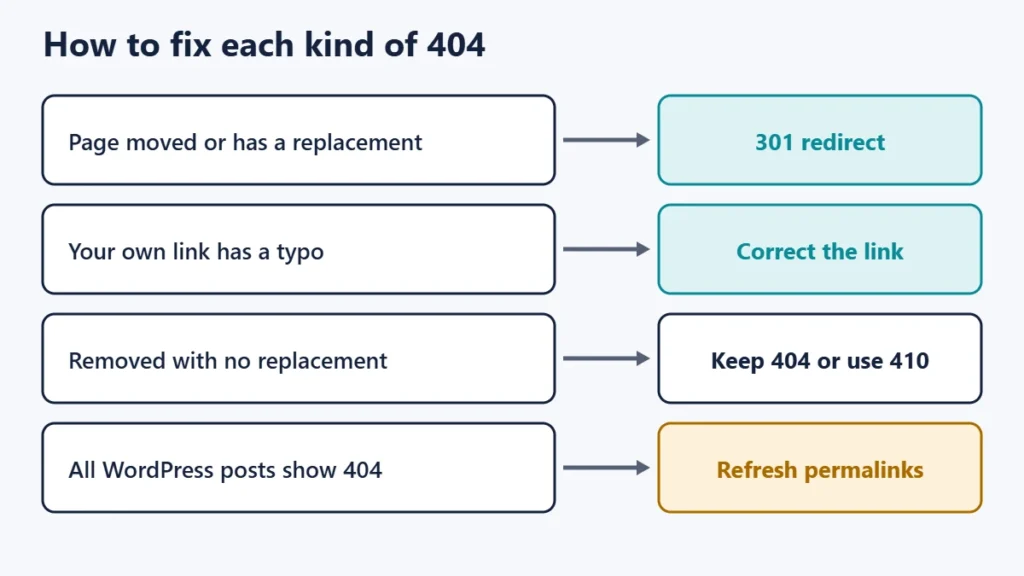
| Situation | Best fix |
|---|---|
| The page moved to a new address | 301 redirect from the old address to the new one |
| A close replacement exists | 301 redirect to that replacement |
| Your own link has a typo | Correct the link |
| The page was removed with no replacement | Leave the 404, or return 410 |
| Every post suddenly returns 404 | Refresh the rewrite rules (see below) |
Google recommends a permanent server-side redirect when a page has moved for good. Our guide to 301 and 302 redirects explains which type to use.
Avoid redirecting every missing page to your homepage. Google’s help warns that returning something other than 404 or 410 for a page that does not exist, or redirecting visitors to the homepage instead, can be problematic. Visitors land somewhere unexpected, and search engines may treat the result as a soft 404.
When every WordPress post shows a 404
If the homepage loads but posts and pages all return 404, the rewrite rules that turn pretty addresses into pages may be out of date. WordPress’s documentation notes that visiting the Settings, Permalinks screen triggers a refresh of those rules. If that does not help, click Save Changes on the same screen, and check that the server allows WordPress to update its .htaccess file.
What makes a good 404 page
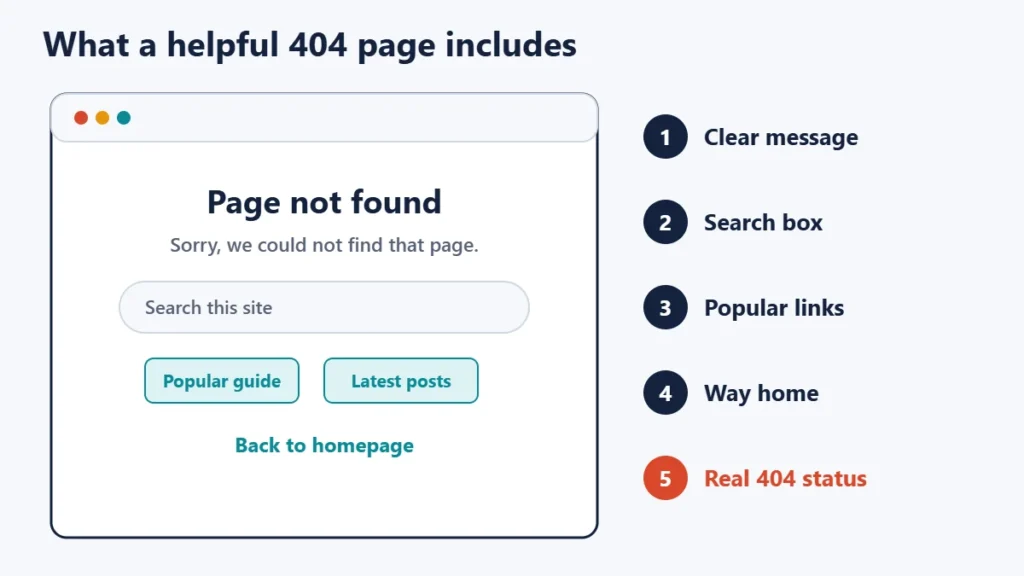
A custom 404 page can turn a dead end into a detour. Explain plainly that the page could not be found, and offer a search box, links to popular sections and a way back to the homepage. Keep the design consistent with the rest of the site, so that visitors know they are still in the right place.
Most importantly, make sure the page still returns a real 404 status code. A friendly “not found” page that returns a 200 success code is exactly what Google reports as a soft 404. You can check the code with curl -I followed by a made-up address on your site; the first line should show 404.
Common mistakes
- Redirecting all 404s to the homepage. It confuses visitors and can create soft 404s.
- Serving a “not found” page with a 200 status. Search engines may index an error page.
- Changing addresses without redirects. Old links and bookmarks break at once.
- Leaving broken internal links. These are the easiest 404s to fix and the most visible.
- Chasing every reported 404. Focus on pages with traffic, links or past importance.
Frequently asked questions
Do 404 errors hurt SEO?
Not in themselves. Google says 404s do not harm a site’s indexing or ranking. Broken internal links and missing important pages still hurt visitors, so fix those.
What is the difference between 404 and 410?
A 404 means nothing was found. A 410 says the page was removed on purpose and permanently. Google currently treats them the same.
What is a soft 404?
It is a page that looks like an error or is nearly empty, but returns a success code instead of 404. Search Console reports these so that you can fix them.
Should I redirect deleted pages?
Only when a close replacement exists. Otherwise, let the page return 404 or 410.
Why does my WordPress site show 404 for every post?
The permalink rewrite rules are often the cause. Visiting or saving the Settings, Permalinks screen usually refreshes them.
Can a 404 be my fault as a visitor?
Sometimes, if the address was mistyped. Otherwise, the page has moved or been removed on the site’s side.
The short version
A 404 means nothing was found at an address. Visitors should check the address and search the site. Site owners should find 404s through Search Console, a crawler and their logs, then fix broken links, redirect moved pages to close matches, let deleted pages return 404 or 410, and keep a helpful 404 page that still returns the right status code. For related server errors, see our guides to 403 Forbidden and 502, 503 and 504 errors, or check whether a site is down for everyone.

Justwebworld has published guides since 2012. How we write and update articles Report an error
