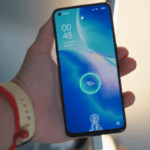
Think 4K is just for TVs? Think again. Lumonitor Labs has just launched a brand new portable monitor that is blowing minds with its brilliant 15.6” 4K screen in a package that’s lighter and thinner than MacBook Air.
In fact, Lumonitor is the lightest, thinnest, and dare we say, most attractive 4K monitor ever made.

But that’s not all. Lumonitor has a built-in power source, so you can take it on the go with nothing but a digital media player (like Chromecast or Fire Stick) and have a razor-thin, 4K entertainment system with no strings attached.
Interested? We thought so. Read on to find out more about what this game-changing monitor is capable of.
Lumonitor: 4K at Your Fingertips
Lumonitor is one of the most feature-rich portable monitors heading to the market. And experts and consumers are taking note. Lumonitor is sprinting towards a $1M crowdfunding run and has already attracted a ton of attention on the web.
One of the biggest perks is that all of Lumonitor’s features are designed to optimize the 4K experience. This involved incorporating top tech and brand new innovations never before seen.

Some highlights of Lumonitor include.
- PinPoint 4K touchscreen technology.
- Ultra-bright LED screen.
- Lighter and thinner display.
- Universal compatibility.
- Internal battery.
- Built-in speakers.
- Multi-display support.
- Lighting fast response time.
- All port support.
- Easy-to-use interface.
Let’s take a closer look at why Lumonitor’s features take 4K productivity and entertainment to a new level.
PinPoint Touch
Touchscreen monitors are nothing new, but touch sensitivity in 4K requires more advanced technology to ensure precision down to the finest 4K detail. Only Lumonitor’s PinPoint touch technology has the sensitivity to deliver just that.

Whether you’re swiping, typing, or creating a masterpiece with a stylus, you’ll be able to do so confidently while feeling totally in control of every movement, no matter how minute or expressive.

Lumonitor is THE portable device for artists, photographers, designers, editors, and anyone in the visual field. When you use Lumonitor, you don’t just see your work in 4K, you interact with it in 4K, too.
Brilliant Brightness
Lumonitor’s LED display is 2x brighter than other monitors. This makes the 3D-esque depth and gorgeous color of 4K even more stunning.
As a portable monitor, extra brightness also helps when you want to use your monitor in bright conditions. You’ll enjoy the engaging clarity of 4K even when the sun’s out.
Slim and Lightweight
At first glance, the most impressive aspect of Lumonitor is its coolness-factor. It’s razor-thin, and it’s so light that it feels almost like nothing is there.
Lumonitor is just 6mm wide. You read that right. 6mm is just over half a centimeter and about ⅕ of an inch. It’s barely even measurable with a thumb and finger.
Lumonitor weighs in at just 1.3 lbs. That’s less than half the weight of MacBook Air.
Lumonitor’s slim and lightweight design is not just for aesthetics. It also makes it incredibly easy to pack and take wherever you need to go. It can easily fit in a computer sleeve with your laptop and take up virtually no extra space in your bag.

And, the minuscule dimensions add to Lumonitor’s ease of use. It’s perfectly suited for one-handed use, even at 15.6” wide.
Connect to Anything
Lumonitor works with every device and operating system. And it’s not limited to phones and computers, either. Thanks to Lumonitor’s array of ports (more on that in a minute), you can connect to.
- Smartphones.
- Tablets.
- Computers.
- Gaming consoles (PS4, Xbox One, Switch).
- Cameras and camcorders.
- Projectors.
- More.
Lumonitor can interface with anything, which means you can collaborate, pass, share, and compare with anyone and everyone with just one monitor. And thanks to Lumonitor’s built-in power source, your settings will be saved when you unplug.
Speaking of Lumonitor’s battery.
Powerful Built-in Battery
An internal battery is an innovation that you just can’t do without in the 4K universe. Thanks to lumonitor’s battery, you can.
- Connect multiple monitors without draining your devices’ batteries.
- Turn your phone into a 4K workstation.
- Enjoy brighter and clearer 4K resolution.
- Extend your screen time.
Lumonitor will also charge all of your devices via its battery. So, if your phone is almost dead, Lumonitor will share its power so you can keep working, watching, or gaming.
Finally, Lumonitor’s internal battery allows you to unplug and use Lumonitor like a tablet. All you need is a digital media player like Chromecast or Fire Stick, and you can take Lumonitor on the go and enjoy all your media in totally wireless 4K at 15.6 inches.
Speakers on Board
The entire point of a portable monitor is to reduce clutter and make life easier. So it’s odd that most other monitors don’t include the features you need for true on-the-go productivity.

Lumonitor includes onboard Hi-Fi speakers, so you can enjoy your shows and videos, make calls, join chats, edit media, and compose your next musical masterpiece without having to haul external speakers around.
Lumonitor’s speakers weren’t an afterthought, either. They feature decent volume and an impressive audio range for being in such a thin monitor.
More Displays, Please
Why stop at one Lumonitor? If you’re building the ultimate gaming lair, coding setup, or productivity-enhancing suite, you can (and should) attach as many Lumonitors as you’d like.
Each Lumonitor has its own power source, so you don’t have to worry about draining your computer’s battery. Lumonitor is so light and thin that you can use a couple of them to create a portable multi-display setup that fits in your laptop case.

<10ms Response Time
Quick response time is crucial in 4K devices to achieve that smooth look that’s oh so satisfying. Lumonitor’s LED display tests at under 10ms, which is about as good as it gets.
This is especially apparent when watching animated shows or gaming. The ultra-responsive LED in 4K is exhilarating, to say the least.
All Port Support
In the age of the disappearing port, Lumonitor comes to the rescue. Despite its crazy-thin size, Lumonitor has managed to pack in the ports, including.
- HDMI.
- 2x USB-C.
- Micro USB.
- 5mm AUX (headphone jack).
With all of these ports, Lumonitor adds to its universally compatible appeal. But it also becomes even more travel-friendly.

With all the ports you need included in your monitor, you won’t need to pack the dongles, chargers, adapters, and cables that always get tangled in your bag.
Easy to Use
Lumonitor is so easy that anyone can use it-young, old, technologically unsavvy-whoever enjoys 4K bliss, really.
There is absolutely no learning curve. If you can use your device, you can use Lumonitor. There’s zero setup involved and no apps or programs to download.
To use Lumonitor, all you have to do is connect it to your device. It will instantly mirror your device or add a monitor to your setup. Boom.
This makes it a safe tablet alternative for kids, or a screen size enhancing tool for an elderly loved one who may know how to use their smartphone or laptop but doesn’t want to learn the ropes on a new device.
It also makes it easy to share in an office setting. Everyone can benefit from Lumonitor’s productivity-enhancing tools no matter their device or tech expertise.
Pre-Order Lumonitor Today (for a Massive Discount)
Lumonitor isn’t just another portable monitor. It’s the future of portable 4K technology.
And it’s running laps around its peers in every category.
Now, you can get Lumonitor for an exclusive pre-order price of up to 50% off. That means you can get the BEST portable monitor on the market for hundreds of dollars cheaper than standard monitors.
Not only that, but you’ll get the opportunity to stock up on exclusive discounted accessories, too.
 5 Steps to Masking Data In SQL Server
But don’t wait too long. The pre-order window is closing soon.
Discover Lumonitor today and get your pre-order on the books at lumonitor.com.