

Note (September 2026): MacX Video Converter Pro was phased out in May 2025 and is no longer maintained, according to developer Digiarty Software; the $49.95 and $34.95 prices below date from 2014 and no longer apply.
MacX Video Converter Pro is a Mac video converter from Digiarty Software that converted, downloaded, edited and recorded video. According to Digiarty, it was phased out in May 2025, is no longer maintained and was built for Intel-based Macs. Its successor is Macxvideo AI; HandBrake is a free, open-source alternative for conversion.
Key Takeaways
- MacX Video Converter Pro was discontinued in May 2025, according to Digiarty Software’s own product page.
- The app was built for Intel Macs; on Apple silicon it depends on Rosetta 2, most of which Apple is removing with macOS 28 in 2027.
- Digiarty’s replacement is Macxvideo AI, which requires macOS 10.15 or later and adds AI upscaling and enhancement.
- HandBrake (version 1.11.2 as of October 2026) is a free, open-source converter for Mac, Windows and Linux.
- Downloading YouTube videos is not allowed under YouTube’s Terms of Service unless YouTube or the rights holder permits it.
MacX Video Converter Pro is a video converter for Mac made by Digiarty Software. Mac users often need to convert videos or audio files into a format that plays on a particular device or app, and in 2014 this article looked at MacX Video Converter Pro as one option for that job. The sections below describe what the software did, and the newer sections explain its status today and the alternatives.
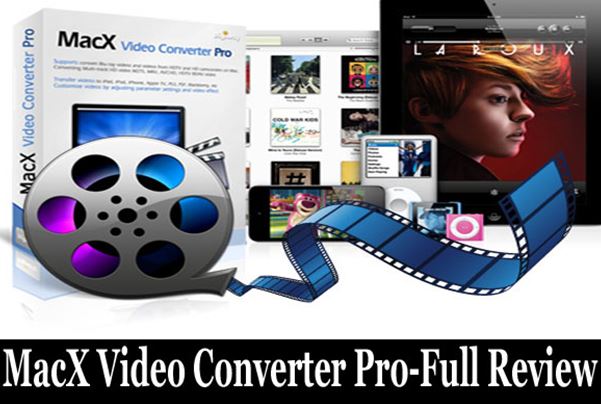
MacX Video Converter Pro for Mac
MacX Video Converter Pro was a paid (premium) converter designed to make video conversion on a Mac simpler. When this article was first published in 2014, its list price was $49.95 and a holiday promotion had cut it to $34.95; those prices no longer apply, and current pricing is covered further down. The features the software offered are described below.
Features of MacX Video Converter
The main features of MacX Video Converter Pro, as described in 2014, are listed below.
Introduction to the Features
MacX Video Converter Pro combined several tools in one Mac app. MacX Video Converter Pro could convert videos, download videos from the internet, make slideshows from images, record the screen and do basic video editing, which was more than most video converter packages offered at the time.

Feature List
• A simple, beginner-friendly interface
• Fast conversion: the 2014 marketing claimed speeds “32X faster”; Digiarty’s current product page instead claims up to 5X faster than other converters using hardware acceleration. These are the developer’s own claims, and any re-encoding involves some quality trade-off unless the video stream is copied without re-encoding
• Converts HD videos (MKV, MTS, M2TS, AVCHD, TS) and general videos (MP4, WMV, MOV, FLV, AVI and more) on a Mac; later versions added HEVC/H.265 and AV1 support, according to Digiarty
• Videos can be converted with ready-made profiles for Apple devices. In 2014 the list included the iPhone 5S and iPhone 5C, plus iPads, Windows Phone, Android, PS4 and many other devices; because the app is no longer maintained, profiles for newer devices are not being added.
• A basic editing option is included, and Digiarty’s page says output profiles prepare clips for uploading to sites such as YouTube and Facebook. The 2014 claim that edited videos could be shared directly to social media without saving them first is not described on the developer’s current page.
• Watermarks and subtitles can be added to videos.
• A slideshow maker turns JPG, PNG or BMP photos into a video and lets you add background music.
• A built-in downloader can save online videos and convert them for the Mac. Note that YouTube’s Terms of Service do not allow downloading content unless YouTube expressly authorizes it or you have permission from YouTube and the rights holders.
• A screen recorder is included, which is useful for tutorials, teaching and similar purposes.
See: WinX HD Video Converter Deluxe
Final Verdict
MacX Video Converter Pro was an all-in-one package that could download videos, convert videos, make slideshows with music and record the Mac screen, so one purchase covered four jobs that often needed separate apps.
This verdict reflects the software as it was in 2014. As of October 2026 the picture has changed: Digiarty says MacX Video Converter Pro was phased out in May 2025 and is no longer maintained, and the 2014 discount offer has long expired. Readers looking for a Mac video converter today should compare the current options described below before buying.
Is MacX Video Converter Pro Still Available?
MacX Video Converter Pro is discontinued. According to Digiarty Software’s product page, the app was phased out in May 2025, is no longer actively maintained, was built for Intel-based Macs and is not supported on future macOS releases. Digiarty now directs users to its successor, Macxvideo AI, which it describes as including all the features of MacX Video Converter Pro plus AI tools for enhancement, upscaling, stabilization and frame interpolation.
The developer’s technical specifications for MacX Video Converter Pro list support for Mac OS X Snow Leopard through macOS Sonoma. Macxvideo AI, by contrast, requires macOS 10.15 (Catalina) or later and is described as native on Apple silicon.
Why the Discontinuation Matters on Modern Macs
MacX Video Converter Pro was written for Intel processors, so on Apple silicon Macs it runs through Rosetta 2, Apple’s translation layer for Intel apps. According to Wikipedia’s article on Rosetta, most Rosetta 2 features will be removed from macOS with macOS 28 in 2027, and Digiarty itself warns that legacy software relying on Rosetta may face performance and crash risks with future macOS updates.
Apple’s own platform timeline adds to this. macOS Tahoe (macOS 26) is the final version of macOS that supports Intel-based Macs; its successor, macOS Golden Gate, was released on September 14, 2026 and runs only on Apple silicon Macs, according to Wikipedia. An unmaintained Intel-only app is therefore a poor long-term choice for a new purchase.
MacX Video Converter Pro vs. Macxvideo AI vs. HandBrake
The table below compares the discontinued app with its paid successor and with HandBrake, a free converter. Prices are those shown on Digiarty’s store page as of October 2026, during a promotion, and can change.
| Software | Status (October 2026) | Price | Platforms | Main strengths |
|---|---|---|---|---|
| MacX Video Converter Pro | Phased out May 2025, not maintained | Still listed at $39.95 lifetime license for 1 Mac | macOS (built for Intel Macs) | Conversion, download, slideshow, screen recording, basic editing |
| Macxvideo AI | Actively updated successor | $54.95 lifetime license for 1 Mac (list price $89.95) | macOS 10.15 or later, Apple silicon native | All of the above plus AI upscaling, denoise, stabilization and frame-rate boost |
| HandBrake | Actively developed (version 1.11.2) | Free and open source | Mac, Windows and Linux | Converting video from nearly any format to modern, widely supported codecs |
Digiarty also sells a 3-in-1 bundle (MacX DVD Ripper Pro, Macxvideo AI and MacX MediaTrans) listed at $79.95, and its orders come with a 30-day money-back guarantee, according to the store page. The WinX HD Video Converter Deluxe page linked above now presents Winxvideo AI, Digiarty’s Windows counterpart.
How to Choose a Video Converter for Mac
- Check maintenance status. Pick software that is still updated for current macOS versions, especially on Apple silicon Macs.
- Check format support. Make sure the converter reads your source files (for example MKV, MTS or HEVC) and outputs what your device needs, such as MP4 with H.264 or HEVC.
- Decide whether you need extras. Screen recording, slideshows or AI upscaling justify a paid tool only if you will use them; for plain conversion, a free tool such as HandBrake may be enough.
- Avoid needless re-encoding. Changing only the container (for example MKV to MP4) can sometimes be done without re-encoding, which preserves quality and saves time.
- Respect copyright and platform terms. Download or convert only content you own or have permission to use.
For step-by-step methods, see this guide on ways to convert MKV to MP4 on a Mac, the comparison of HandBrake and WinX DVD Ripper, and this roundup of 4K video converters for PC and Mac. If you prefer not to install anything, read about the types of online video converters, and if your Mac itself is misbehaving, these common MacBook problems and fixes may help.
Frequently Asked Questions
Is MacX Video Converter Pro discontinued?
Yes. MacX Video Converter Pro was phased out in May 2025 and is no longer maintained, according to its developer, Digiarty Software. Digiarty recommends its successor, Macxvideo AI.
Does MacX Video Converter Pro work on Apple silicon Macs?
MacX Video Converter Pro was built for Intel-based Macs, so on Apple silicon it relies on Rosetta 2. Most Rosetta 2 features are due to be removed with macOS 28 in 2027, so the app may stop working properly on future macOS versions.
What replaced MacX Video Converter Pro?
Macxvideo AI replaced MacX Video Converter Pro. Digiarty says it keeps the old app’s conversion, compression, recording, download and editing features and adds AI upscaling, enhancement, stabilization and frame interpolation. It requires macOS 10.15 or later.
How much does Macxvideo AI cost?
As of October 2026, Digiarty’s store page listed a Macxvideo AI lifetime license for one Mac at $54.95 during a promotion, down from a list price of $89.95. Prices change often, so check the developer’s store before buying.
Is there a free alternative to MacX Video Converter Pro?
Yes. HandBrake is a free, open-source video transcoder for Mac, Windows and Linux that converts video from nearly any format to modern, widely supported codecs. Its current version as of October 2026 is 1.11.2.
Is it legal to download YouTube videos with a converter?
YouTube’s Terms of Service prohibit downloading content unless the service expressly authorizes it or you have prior written permission from YouTube and the rights holders. Downloading your own uploads or openly licensed content is a different matter from saving other people’s videos.

Justwebworld has published guides since 2012. How we write and update articles Report an error
