Close Menu
JustwebworldJustwebworld
  • Astrology
  • Business & Finance
    • Cryptocurrency
    • Make Money
    • Entrepreneur
    • Brands
    • Companies
    • Personal Finance
      • Banking
      • Insurance
      • Trading and Investing
  • Tech
    • Computing
    • Cybersecurity
    • Electronics
    • Android
    • Apple
    • Gadgets
    • Social Media
    • Mobile Apps
    • Softwares
  • Education
    • Vocabulary
    • Abbreviations
    • General Knowledge
    • Writing & Translation
  • Lifestyle
    • Beauty & Cosmetics
    • Fashion & Style
    • Furniture & Decor
    • Luxury
    • People & Relationships
    • Pets and Animals
    • Shopping
    • Parenting
    • Gardening
    • Birthdays
  • Health
  • Travel
  • Auto
  • Gaming
  • Food
  • Entertainment
  • Sports
Facebook X (Twitter) Instagram Pinterest YouTube LinkedIn WhatsApp Telegram
Thursday, January 15
  • About
  • Contact Us
  • Advertise With Us
  • Disclaimer
  • Terms & Conditions
  • Privacy Policy
JustwebworldJustwebworld
  • Astrology
  • Business & Finance
    • Cryptocurrency
    • Make Money
    • Entrepreneur
    • Brands
    • Companies
    • Personal Finance
      • Banking
      • Insurance
      • Trading and Investing
  • Tech
    • Computing
    • Cybersecurity
    • Electronics
    • Android
    • Apple
    • Gadgets
    • Social Media
    • Mobile Apps
    • Softwares
  • Education
    • Vocabulary
    • Abbreviations
    • General Knowledge
    • Writing & Translation
  • Lifestyle
    • Beauty & Cosmetics
    • Fashion & Style
    • Furniture & Decor
    • Luxury
    • People & Relationships
    • Pets and Animals
    • Shopping
    • Parenting
    • Gardening
    • Birthdays
  • Health
  • Travel
  • Auto
  • Gaming
  • Food
  • Entertainment
  • Sports
JustwebworldJustwebworld
Home » Development & Programming » Web Development » WordPress » Top 4 Popular WordPress Page Builders for 2018

Top 4 Popular WordPress Page Builders for 2018

Michael AustinBy Michael Austin WordPress
Facebook Twitter LinkedIn Telegram Pinterest Reddit Email WhatsApp
Follow Us
WhatsApp Telegram
Share
Facebook Twitter LinkedIn Pinterest Reddit Telegram WhatsApp

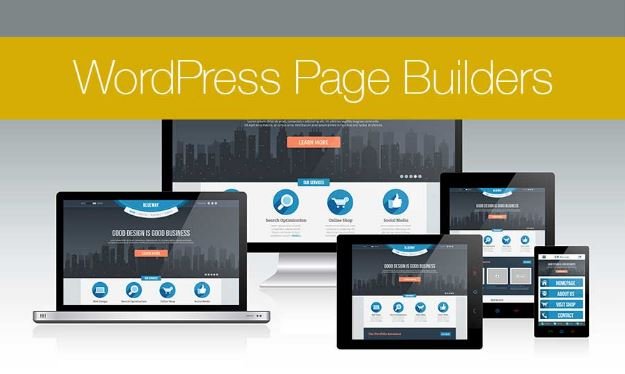
Page builders are mostly an easy way for WordPress website customization. Most drag & drop builder plugins help with easy customization of a website without an in-depth knowledge regarding coding.

Table of Contents

Toggle
  • Best Drag and Drop WordPress Page Builders
    • 1] Beaver Builder:
    • 2] Divi:
    • 3] Elementor:
    • 4] Themify Builder:

Best Drag and Drop WordPress Page Builders

Drag-and-Drop WordPress Page Builders

These builders essentially help you with creation, editing, and customization of the site layout without the need to jot down any code.

You’ll find that such page builders as Beaver Builder vs Divi keep coming up in articles which compare popular products such as this very information article on Collectiveray.

Why implement the use of drag & drop page builders for your WordPress website?

When starting a blog, numerous WordPress users find it hard to incorporate a new change to the existing page layout present on their website.

A lot of premium WordPress websites are equipped with themes that come along with an array of different layouts for the page.

However, these layouts are too complicated for someone to customize especially if the user doesn’t know anything about coding with HTML/CSS.

Many users look for WordPress websites and tools that can help with easy customization without the requirement to learn coding or invest a substantial amount of time incorporating the code.

WordPress being the most popular platform for bloggers and website owners to work upon has seen an increase in its use in the last few years.

Users have shifted from platforms that include Weebly and Wix to WordPress given its flexibility and ease of use. The only issue was with the website builder.

Also Read: How to Migrate from Blogger to WordPress without Losing Traffic and No Downtime How to Migrate from Blogger to WordPress without Losing Traffic and No Downtime

To deal with this problem, developers have created several drag & drop builder plugins to be used with WordPress.

These plugins allow the customization of each and every component present on your site plus you don’t have to write even a single code for this thing.

You can essentially add anything starting from multiple columns, images, content slide, parallax background, etc.

WordPress users can implement these components to be used as the building blocks for the layout encrypted within WordPress based themes.

These plugins can be sorted with the comparison of elements that include flexibility, user-friendliness, and design output.

Here you go with the latest page builders that are being used for WordPress websites.

1] Beaver Builder:

A premium builder for WordPress, the Beaver Builder plug-in is one of the top ranking options in the market for website customization.

Along with fast speed, this plug-in flaunts an on-boarding tour incorporated within the builder which helps the user understand and familiarize with the basics of using this tool.

If you are looking for a paid tool to help customize your WordPress website with unlimited access to an array of styling elements, Beaver Builder is the best thing you can buy off from the market at a feasible price tag of $99.

Beaver Builder: WordPress Page Builder Plugin

The Beaver Builder is equipped with an interface that houses live drag & drop feature. You can see all the changes being incorporated by you with just the simple action of dragging the elements located at the right hand sidebar followed by dropping it off on the page.

Also Read: Post Content From Facebook On Your Site Automatically Post Content From Facebook On Your Site Automatically

You can also click over any of the elements present inside the page in order to edit the properties. This particular plug-in has both basic as well as advanced modules that can help you cover anything that you might want to add.

With the modules, you can add carousel, sliders, backgrounds, buttons, content blocks and many others elements to your website. It is easy to be used by beginners with a tool to customize even the minute details of the website with pre-customized templates.

2] Divi:

Divi WordPress builder plugin comes with fast themes and easy to incorporate elements for WordPress. It flaunts more than 20 templates/layouts that can be used on various websites.

Divi - WordPress Theme & Visual Page Builder

You can easily create your very own layouts with the use of Divi. This plug-in also lets you export the layout present in another Divi installation onto another one. It also comes along with hundreds of elements which can be dragged and dropped anywhere over the layout of your website.

The pricing for Divi starts at $69 for each year. The functionality of this page builder is superb with an access to work along with other themes of WordPress.

3] Elementor:

This particular page builder for WordPress websites has been built from the scratch to ensure great speed during execution. As a user, you shall immediately notice the fact that this plug-in is highly responsive and fast.
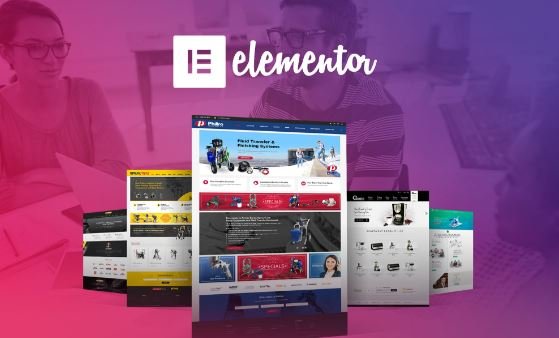
Elementor - WordPress Page Builder

Elementor is actually a live plugin for your website. This means users can see the page live while editing the same with this page builder. You can easily create sections followed by a selection of the number of columns to be used for each of these sections.

Also Read: Top Things to Consider for WordPress Themes Top Things to Consider for WordPress Themes

Elementor houses numerous widgets that can be used with various website elements. Starting from the basic images to the text widgets, users can make use of this plug-in to incorporate advanced functions that include sliders, testimonials, accordions, icons, tabs, social media, etc. Each of these widgets comes with their very own settings.

Elementor also lets you incorporate widgets that have been created by any different plug-in for WordPress. It houses ready-made templates which can easily be inserted within the website pages. The basic pricing of Elementor starts with $49 for the license for a single site.

4] Themify Builder:

Themify Builder is a simple yet highly intuitive builder that houses numerous modules readily available for use which can easily be added to the posts or pages of the website. A lot of these page modules actually require the user to install a separate plug-in for WordPress.

Drag & Drop Page Builder For WordPress - Themify

With the use of Themify Builder, you can easily edit your website with the live option as well as admin area. With the live option, you get to understand the exact changes that need to be incorporated into the website.

This page builder also comes in with many layouts that are available for instant use that can be quickly applied to the page. The basic price for this page builder is $39.

Themify Builder houses promising features for the users but with time to be dedicated towards learning some of these features before incorporating them into the website.


cards
Powered by paypal
Follow on WhatsApp Follow on Telegram
Share. Facebook Twitter Pinterest LinkedIn Tumblr Email Telegram WhatsApp Copy Link
Previous ArticleHow to Improve the Speed of Your WordPress Site
Next Article How Artificial Intelligence Will Influence Workplace Dynamics Sooner Than We Expect
Michael Austin
  • Website
  • Facebook
  • X (Twitter)
  • Pinterest
  • Instagram
  • LinkedIn

Michael Austin is an expert writer who loves creating engaging and easy-to-understand content. With years of experience, he specializes in writing well-researched articles that inform, inspire, and entertain readers. His clear and simple writing style makes complex topics easy to grasp. Whether it's trending news, helpful guides, or expert insights, Michael’s content is designed to be valuable and SEO-friendly, ensuring it reaches the right audience. Stay connected for his latest articles!

Related Posts

Post Content From Facebook On Your Site Automatically

WordPress Website Compliant With GDPR – How To Do It?

6 Benefits Of Using WordPress

How to Deploy An eCommerce Site On WordPress

7 Benefits of WordPress Over Traditional Websites Design By Srmehranclub

BuddyX Review – Best Theme For Social Community

Leave A Reply

Subscribe to Blog via Email

Enter your email address to subscribe to this blog and receive notifications of new posts by email.

Join 43.4K other subscribers
Categories
Latest Posts

Understand How Wind Emulators Upgrade Renewable Energy Training In Institutes

Expert Tips On Proper Use Of Septic System Cleaning Products

Discover Why An Online Tutor Job In Bangalore Is A Flexible Earning Option

Group Vs Customised Australia Trips: How to Decide What Suits You

What to Know About Choosing the Right Support Path

How to Keep Your Yamaha Bike Running Smoothly in Indian Weather Conditions

Is Celebrity Culture Dying? Why People Are Losing Interest in Famous Stars in 2026

Why Your Brain Feels Overloaded All the Time – The Real Cost of Modern Stress & Burnout

Ever Wondered Why Travel Feels So Meaningful? The Truth Might Surprise You

Ford Territory Automatic: The Perfect SUV for Filipino Families

The content on this website is provided solely for educational and informational purposes. We do not promote, endorse, or deal in any products, services, or activities mentioned. While we strive to share accurate and up-to-date information, we make no warranties regarding completeness, reliability, or accuracy. Any action you take based on the information found here is strictly at your own risk, and we will not be liable for any losses or damages in connection with the use of our website.

DMCA.com Protection Status
Quick Links
Age Calculator
Angel Number Calculator
Case Converter
Sudoku Online
Word Counter
Love Calculator
Jack Doherty YouTuber
Snake Dream Meaning
Get Rid of Cockroaches
Indian Cricket Team Coaches
Best Volleyball Team Names
Useful Links
Number to Words
Period Calculator
Yes-No Picker Wheel
Demon Name Generator
Kingdom Name Generator
Harry Potter Name Generator
Daddy Yankee Biography
Crocodile Dream Meaning
Goa Budget Trip Guide
Maryse Mizanin WWE Diva
Best Cricket Team Names
Helpful Resources
Colors Name In English
Best Computer Brands
WhatsApp Web
Most Beautiful Beaches
Tesla Cybertruck Review
Richest Actors in the World
India Jarvis Actress
Cat Dream Meaning
Belmar Beach New Jersey
Aryna Sabalenka Tennis Superstar
Best WhatsApp Group Names
Explore More
Good Morning Handsome
Best English Songs of All Time
Cricket World Cup Winners
Ways to Say Rest In Peace
Britain’s Got Talent Winners
American Idol Winners
Dude Perfect Net Worth
Horse Dream Meaning
Ramakrishna Beach Visakhapatnam
Anastasia Potapova Tennis Star
Best Funny Team Names
Facebook X (Twitter) Instagram Pinterest YouTube Tumblr LinkedIn WhatsApp Telegram Threads RSS
  • About
  • Contact Us
  • Advertise With Us
  • Disclaimer
  • Privacy Policy
  • Terms & Conditions
  • Web Stories
Copyright © 2012-2026. JustWebWorld - All Rights Reserved. | Sitemap

Type above and press Enter to search. Press Esc to cancel.

×

👇 Bonus Reads for You 🎁

How to Schedule Blog Posts on WordPress
No thumbnail
7 Benefits of WordPress Over Traditional Websites Design By Srmehranclub
How to backup your wordpress and joomla
How to Backup Your WordPress (or Joomla) Blog Using cPanel?
Custom WordPress Development Services
Advantages Of Custom WordPress Development Services