

Useful WordPress Plugins For Your Website
We Already Know that WordPress is a Free and Open Source Blogging Tool and a Content Management System. The Popular Features of WordPress is its plugin architecture which allows users and developers to extend its abilities beyond the core installation. Now WordPress has over 25000 Plugins on Their Database. Each Plugins have a Custom Features. When I Migrate my Blogger blog to WordPress at that time I don’t know about plugin after a reading Such a great and useful blogs I used WordPress Plugins on My Blog. Here I am going to Show Best Free WordPress Plugins that you should have installed On Your Website.

Every WordPress Users Must Have Plugins List :-
1. Akismet :-

Akismet is a very useful WordPress plugin for the people who get the Lot’s of spam comment. This plugin helps your blog to find spam comments and moving that comments into spam folder.
2. WordPress SEO by Yoast :-

The Only SEO Plugin you need for your WordPress Blog. It helps you to create better title, adds meta tags for more search friendly snippets. You can also set social titles for the WordPress Blog. Write better content and have a fully optimized WordPress site using the WordPress SEO plugin by Yoast.
3. W3 Total Cache :-

This is Probably the Best WordPress Plugin for Increase your Site Speed Score. You can get a better SEO for your blog by improving your WordPress Site Speed by W3 Total Cache. It Improves Page Loading Speed,Web Server Performance and minify and HTTP compression of HTML,CSS,JavaScript and feeds.
4. Google XML Sitemaps :-
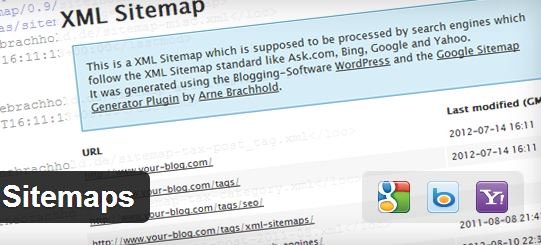
Already the Name explains, Google XML-Sitemaps plugin generate Sitemaps for better indexing Of posts and pages on a website. It automatically pings Google,Yahoo,Bing and Search Engines When the Website is updated with the new post. Here no need to create manually site map This plugin automatically create a sitemap and submit to search engine.
5. Jetpack by WordPress.Com :-

Jetpack is a All in One Plugin does not need of any recognition. This Plugin Include most of all things like image widget, social sharing widget, Publicize feature to automatically tweet and post to fan pages when we update a post, subscription and comment, post by Email, vault Press(For Backup) and etc. It supercharges your self‑hosted WordPress site with the awesome cloud power of WordPress.com
6. SEO Smart Links :-

SEO Smart Links plugin automatically adds no follow attribute to all external links which means link juice will never flow from you. It can automatically link keywords and phrases in your posts and comments. It is a perfect solution to get your blog posts interlinked or add affiliate links to other sites and that too automatically.
7. WP-Optimize :-

This plugin clean-up your WordPress database tables. It can remove post revisions and trash comments so it’s more useful plugin. This simple but effective plugin allows you to clean up your WordPress database and optimize it without phpMyAdmin.
8. P3 (Plugin Performance Profiler) :-

This plugin find out which plugins are slowing down your website from all plugins and generate a pie chart report so we can find out which plugin not more useful for us. See which plugins are slowing down your site. This plugin creates a performance report for your site.
9. Auto Post Thumbnail :-

This Plugin helps you to generate automatically thumbnail to your all WordPress post. If you are old blogger and your old post can’t have a thumbnail in post than this plugin helps you for generate thumbnail.
10. Related Post Plugin :-

Yet another Related Post plugin generate a Related posts according to any post. It is useful for keep Your visitors to your blog. It can increase Pageviews/visitor. Display a list of related entries on your site and feeds based on a unique algorithm. Now with thumbnail support built-in!
11. WP Smush.it :-

WP Smush.it plugin will help in reducing the size of images that you are uploading on your blog. it will be really helpful in improving the speed of your blog by lowering down the size of images available in your blog contents.
12. Broken Link Checker :-

This Plugin Find Out Broken Links From Your Blog(Like as 404 Not Found). So you can easily fixing that type of error. It will improve SEO Ranking of your Blog. it also check your posts, comments and other content for broken links and missing images, and notify you if any are found.
13. WordPress Backup Plugin :-

WordPress Backup Plugin will back up your entire site including your database and all your files on a schedule that suits you. This Plugin Store Backup to FTP,Directory,Dropbox etc. and also Send Backup through Email.
14. Google AdSense Plugin :-

Google AdSense Plugin allows you to set parameters of the ads displaying, such as format,size, color of the elements in the ad block, rounded corners and the ad block position on the website.
How to Install WordPress On HostGator
Conclusion :-
There is Lot’s of Plugins on the WordPress Database. you may confuse which plugins to use for your website. Here I Listed a Most useful Plugins that Must want Every Newbie WordPress Users Install it on their Website. I hope that this plugins List helpful for your website and improves the Performance of your website.
If you Like this post than Please share it on Facebook and Google+. If you have any questions or query than please leave a comment below.

Justwebworld has published guides since 2012. How we write and update articles Report an error

14 Comments
you welcome Gopi 🙂
Thank you bro,, ALL in One (BULK PACK)
Thanks IRISH for take your time to Read my Article.
I am using both Blogger and WordPress for my different website both are Good on their Place.
you are always welcome Endette Mendoza 🙂
This WordPress Plugins are use for both WordPress.Com and WordPress.org Self Hosted Blog.
you are always welcome Sunshine Kelly 🙂
Thanks Le-An Lacaba 🙂 for take your time for reading my article.
Right I Love W3 Total Cache it’s Really Good Plugin 🙂
U Welcome 🙂
akismet,w3 cache they are really good wordpress plugin.I used them several times to protect scam or to speed up my blog.
Nice list Harshil. You have listed some must to have plugins here. Thanks for this share.
Great post Harshil. I am using WordPress as well and previously I am using Blogger. I also observed a lot of differences from plug ins through widgets. It’s nice to read great insights from your side.
Keep it up!
thanks for the tips. currently, re arranging my blogsite and these will be working if my site is in wordpress.com? or are only for wordpress.org users
thanks for the tips. i will try out
cool! i’ve always wanted to try wordpress, but sadly I’ve already started a blog on blogger. I would share this info to other bloggers though!