

HSTS (HTTP Strict Transport Security) is a security header that tells browsers to only ever connect to your website over HTTPS. MDN Web Docs explains that the header informs browsers that the host should only be accessed using HTTPS. Once a browser has seen it, it automatically switches any http:// link to https:// and refuses to let visitors click through certificate errors.
HSTS closes a gap that a simple HTTP-to-HTTPS redirect leaves open, but it is a commitment: if HTTPS breaks, visitors cannot get in. This guide explains how HSTS works, its settings, preloading, and how to turn it on safely.
Key takeaways
- HSTS forces HTTPS in browsers that have seen your header.
- It is set with the Strict-Transport-Security header and a max-age.
- It only works after the first secure visit, unless your site is preloaded.
- Certificate errors become hard stops with no click-through.
- Start with a short max-age and increase it once everything works.
Why a redirect is not enough
Most HTTPS sites redirect http:// requests to https://. But that first request still travels unencrypted, and someone on the same network could intercept it before the redirect happens. RFC 6797, the HSTS standard, describes a mechanism enabling sites to declare themselves accessible only via secure connections. With HSTS, a returning browser never makes the insecure request in the first place.
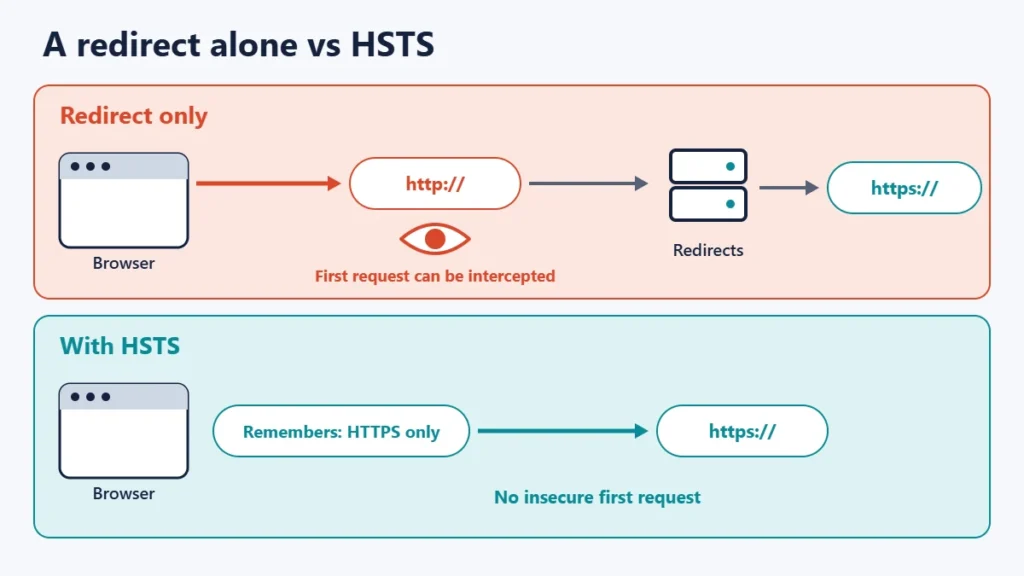
How HSTS works
- A visitor reaches your site over HTTPS.
- Your server sends the header, for example
Strict-Transport-Security: max-age=31536000; includeSubDomains. - The browser remembers your domain. MDN says it adds the host’s domain name to its persistent list of HSTS hosts.
- Future http:// links are upgraded to https:// before any request is sent.
- Certificate problems become hard errors. MDN notes the browser does not offer the user a way to proceed or click through the error message.
Browsers ignore the header if it is sent over plain HTTP, so it must be sent over HTTPS to count.
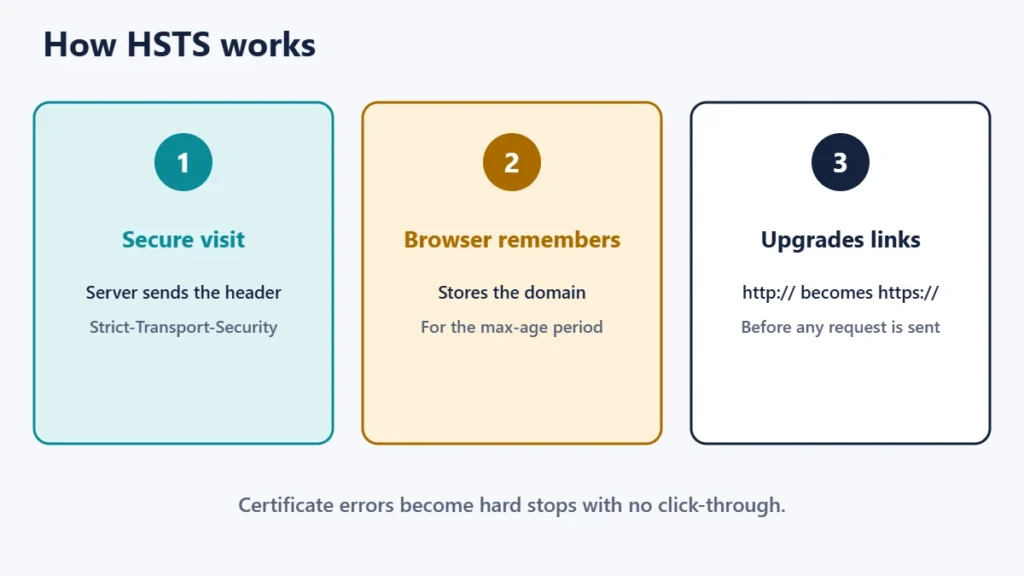
The HSTS settings
| Directive | What it does |
|---|---|
max-age | How long, in seconds, the browser remembers to use only HTTPS. 31536000 is one year. |
includeSubDomains | Applies the policy to every subdomain as well. |
preload | Signals that you want the domain added to browser preload lists. |
MDN notes that to disable HSTS you set max-age=0, which tells browsers to forget the policy the next time they see it.
Be careful with includeSubDomains. Every subdomain, including ones for email services, old tools or internal systems, must work over HTTPS first. Our guide to subdomains vs subdirectories explains how subdomains and certificates relate.
The first-visit gap and preloading
MDN points out that HSTS does not take effect until the browser has made at least one secure connection to the host. The HSTS standard discusses this as a bootstrap weakness. Preloading closes it: browsers ship with a built-in list of HSTS domains, so they use HTTPS even on the very first visit.
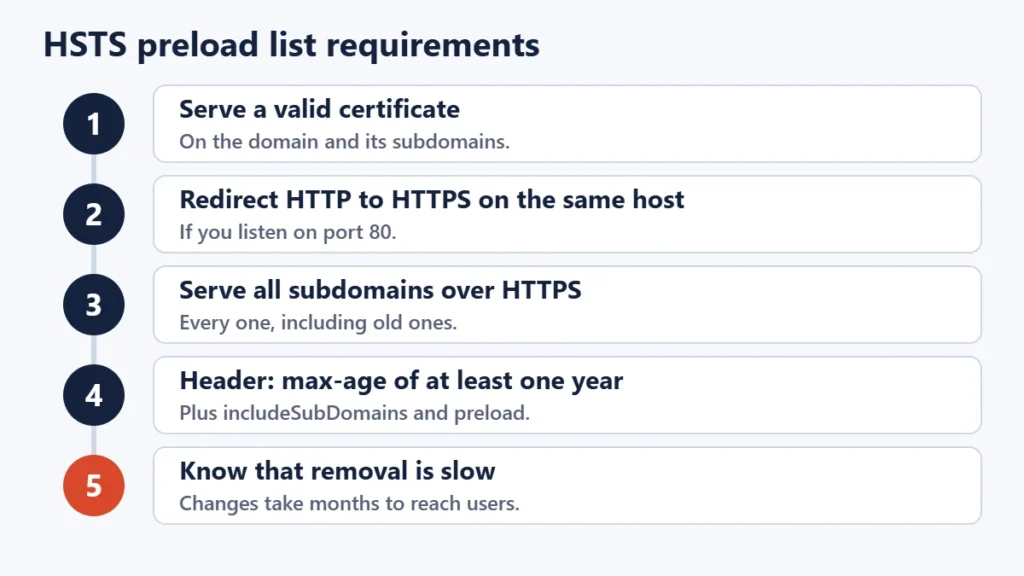
The preload list site, hstspreload.org, lists the requirements: serve a valid certificate, redirect from HTTP to HTTPS on the same host, serve all subdomains over HTTPS, and send the header with a max-age of at least one year plus includeSubDomains and preload. It also warns that inclusion in the preload list cannot easily be undone, and that changes take months to reach users. Only preload if you are sure every part of your domain will stay on HTTPS.
How to turn on HSTS safely
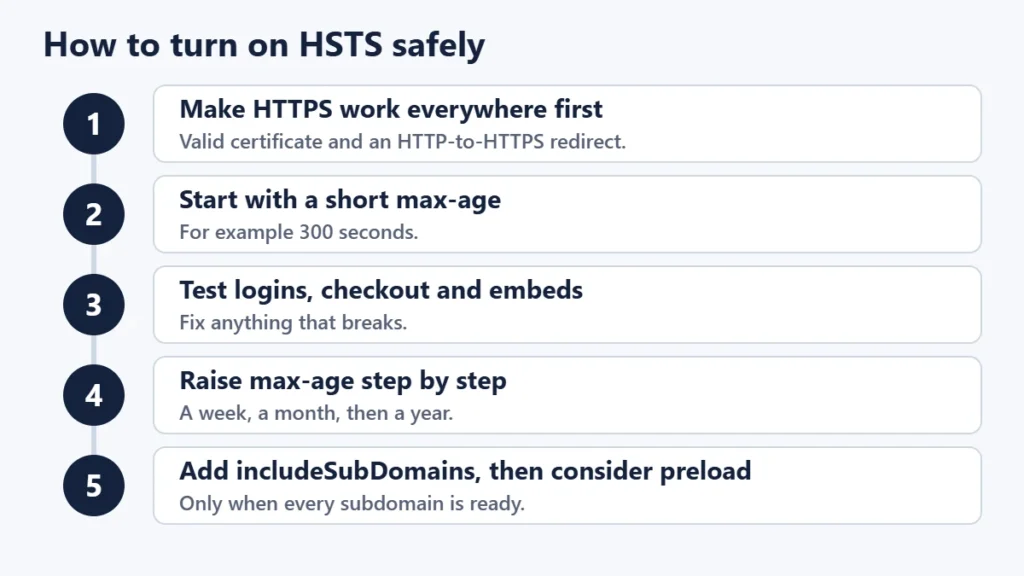
- Get HTTPS working everywhere first, with a valid certificate and an HTTP-to-HTTPS redirect. Our guide to “Not secure” warnings helps.
- Start with a short max-age, such as 300 seconds, so a mistake does not stick.
- Test the site, including logins, checkout and any embedded content.
- Increase max-age in steps, for example to a week, a month, then a year.
- Add includeSubDomains only once every subdomain works on HTTPS.
- Consider preload last, if at all.
You can set the header in your web server configuration, in your CDN or security service settings, or through some hosting panels and security plugins. Our comparison of Apache, Nginx and LiteSpeed covers the main server types.
Common mistakes
- Turning on HSTS before HTTPS works everywhere. Visitors can be locked out.
- Using a one-year max-age on day one. Start short.
- Adding includeSubDomains too early, breaking a subdomain still on HTTP.
- Preloading without understanding the commitment.
- Letting the certificate expire. With HSTS, there is no click-through. Mixed configurations can also cause redirect loops.
Frequently asked questions
Is HSTS necessary?
It is strongly recommended for sites that are fully on HTTPS, because it removes the insecure first request.
Does HSTS affect SEO?
Not directly. It strengthens HTTPS, which is good practice for any site.
How do I check if a site uses HSTS?
Look at the response headers in your browser’s developer tools for Strict-Transport-Security.
How do I remove HSTS?
Send the header with max-age=0. Browsers forget the policy the next time they receive it.
What happens if my certificate expires with HSTS on?
Visitors whose browsers remember your policy cannot bypass the error, so renew certificates before they expire.
Should a small site preload?
Usually not. Standard HSTS gives most of the benefit without the hard-to-undo commitment.
The short version
HSTS tells browsers to use only HTTPS for your site, removing the insecure first request that a redirect leaves and blocking certificate click-throughs. Turn it on only after HTTPS works everywhere, start with a short max-age and increase it gradually, add includeSubDomains carefully, and treat preloading as a long-term commitment. For hosting basics, see what web hosting is.

Justwebworld has published guides since 2012. How we write and update articles Report an error
