

A static IP address stays the same, while a dynamic IP address is assigned automatically and can change over time. Most home internet connections use dynamic addresses, handed out by the provider’s equipment for a set period. Static addresses are used where something needs to be found at the same address every time, such as a web server, a VPN gateway or a security camera you reach from outside.
For most people at home, a dynamic IP is fine and often better for privacy. A static IP is worth paying for when you host something, need remote access, or must be on an allowlist. This guide explains the difference, how addresses are assigned, and how to decide.
Key takeaways
- Static IP: fixed, set by an administrator or provider.
- Dynamic IP: assigned automatically for a limited time and may change.
- Home connections are usually dynamic; servers are usually static.
- Static IPs help with hosting, remote access and allowlists.
- Dynamic DNS can give a changing address a fixed name.
What an IP address is
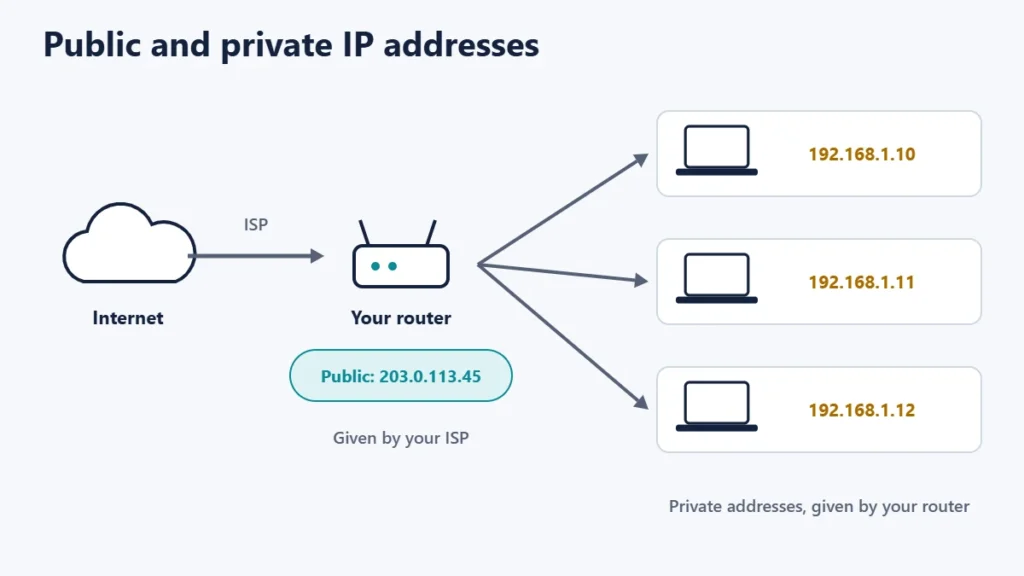
MDN Web Docs defines an IP address as a number used to address each device on an IP network uniquely. There are two kinds: the private address your device has inside your home network, given by your router, and the public address your router uses on the internet, given by your internet service provider (ISP). Static and dynamic can apply to either.
How dynamic addresses are assigned
Dynamic addresses usually come from DHCP, the Dynamic Host Configuration Protocol. RFC 2131, which defines it, describes three ways of allocating addresses. In dynamic allocation, DHCP assigns an address to a device for a limited period of time, or until the device gives it up. That period is called a lease. In manual allocation, an administrator assigns the address and DHCP simply passes it on, which is one way to give a device a fixed address.
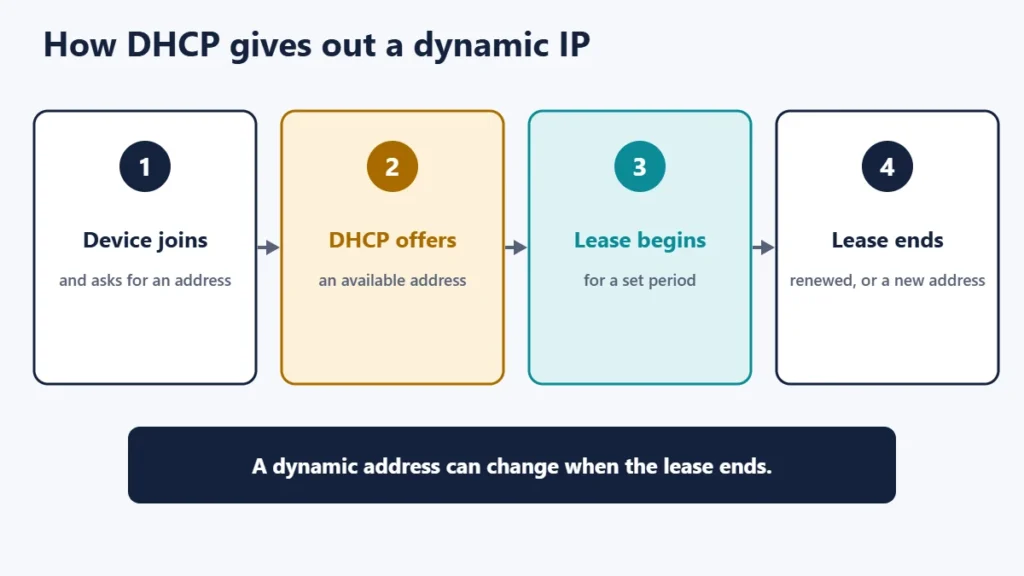
In practice, a dynamic address may stay the same for a long time if the lease keeps being renewed, but there is no guarantee. It may change after a router restart, an outage or a change at the ISP.
Static vs dynamic at a glance
| Static IP | Dynamic IP | |
|---|---|---|
| Changes? | No | Can change |
| How it is set | Manually or reserved | Automatically, usually by DHCP |
| Typical use | Servers, remote access, allowlists | Homes, phones, everyday devices |
| Cost from an ISP | Often extra, or business plans | Included |
| Privacy | Easier to track over time | Changes can make tracking harder |
| Set-up effort | More | None |
When a static IP helps
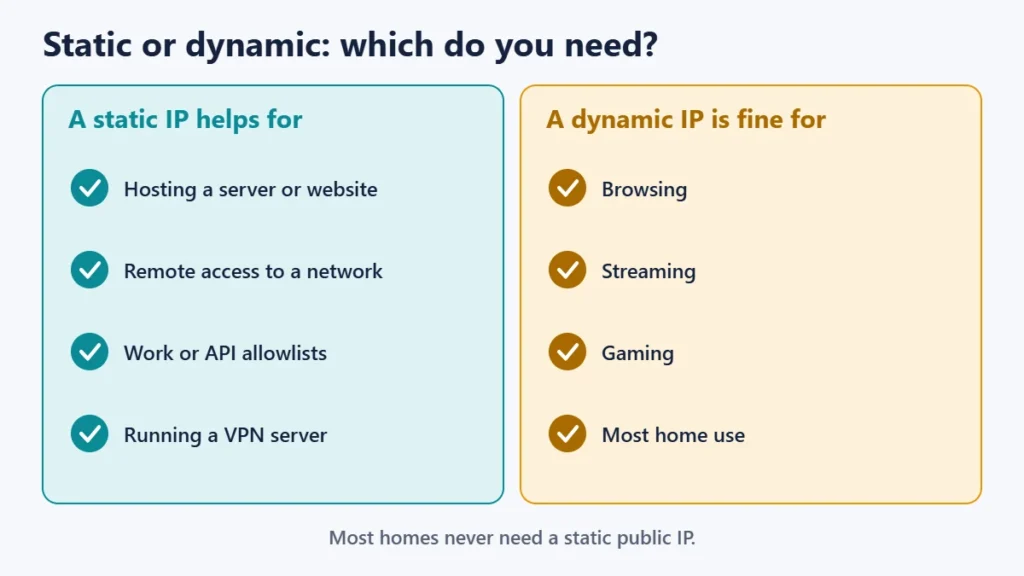
- Hosting a website or server. Domain names point to IP addresses, so the address should not change. Our guide to nameservers and A records explains how a domain points to an address. Web hosts give servers fixed addresses for this reason.
- Remote access to a home or office network, cameras or a NAS drive.
- Allowlists. Some work systems and APIs only accept connections from approved addresses. For websites, our guide on whether you need a dedicated IP address covers the hosting side.
- Running a VPN or game server that others connect to.
When a dynamic IP is better
- Everyday home use. Browsing, streaming and gaming work the same either way.
- Privacy. An address that changes is harder to link to you over time. For IPv6, RFC 8981 describes temporary addresses whose purpose is to limit how easily eavesdroppers can correlate network activity by address.
- No extra cost or set-up.
Static IP inside your home network
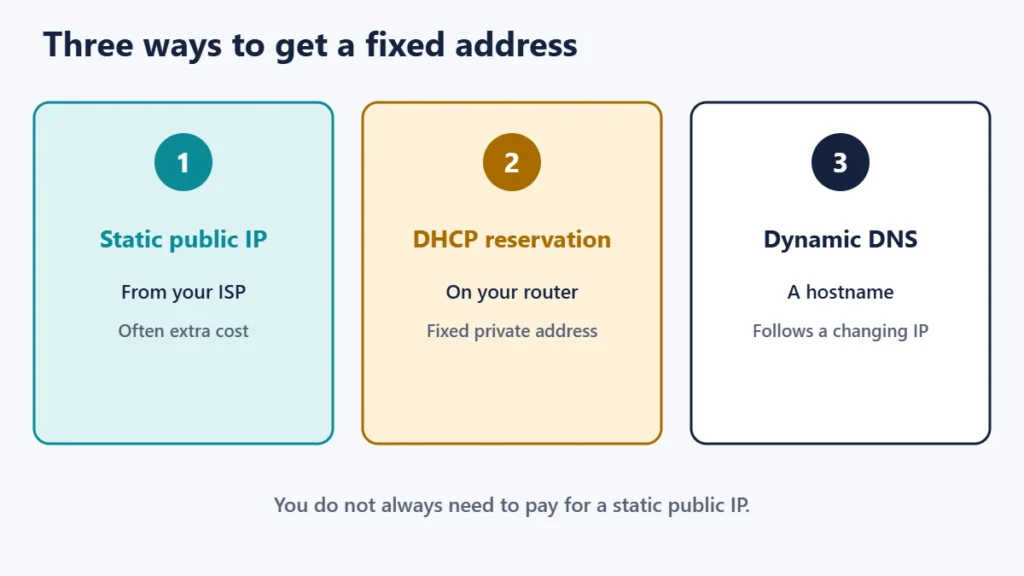
Inside your network, you can give a device a fixed private address without paying your ISP anything. Most routers have a DHCP reservation setting that always gives the same address to a chosen device, which is useful for printers, network drives and smart home hubs. This is usually easier and safer than typing a fixed address into the device itself, because the router keeps track of it.
Dynamic DNS: a middle ground
If you only need to reach your home network by name, dynamic DNS can help. A small program on your router or a device updates a hostname whenever your public address changes, so the name keeps pointing at the right place. Many routers support it. It is not a full replacement for a static IP, for example where an allowlist needs a fixed address, but it covers many home uses.
How to check your IP address
- Public address: search for “what is my IP” or visit an IP lookup page. Note it over a few days to see whether it changes.
- Private address: look in your device’s network settings or your router’s connected devices list.
- Whether you have a static public IP: check your ISP plan or ask your provider.
If you are curious which company runs a server you connect to, our guide to finding who hosts a website shows how to look up an address.
Common mistakes
- Paying for a static IP you do not need. Most home users never do.
- Typing a fixed address into a device that clashes with one the router hands out. Use a DHCP reservation instead.
- Exposing devices to the internet just because they have a fixed address. Secure them first.
- Assuming a dynamic address never changes because it has stayed the same for months.
Frequently asked questions
Is a static IP faster?
No. Speed depends on your connection, not on whether the address changes.
Is a static IP more secure?
Not by itself. A fixed address is easier to find and target, so devices reachable from the internet need good security.
Do I have a static or dynamic IP?
Most home connections are dynamic. Check your ISP plan, or watch whether your public address changes over time.
How do I get a static IP?
Ask your ISP; it is often an add-on or part of business plans. For devices at home, use a DHCP reservation on your router.
Why did my IP address change?
Your lease may have ended, or your router or the provider’s equipment may have restarted.
Does a VPN give me a static IP?
Not usually. Most VPNs use shared addresses, but some offer a dedicated IP as an add-on.
The short version
A static IP stays the same; a dynamic IP is leased automatically and can change. Dynamic addresses suit most homes and are better for privacy, while static addresses suit servers, remote access and allowlists. Use DHCP reservations for fixed addresses inside your network, and dynamic DNS if you only need a stable name. For hosting basics, see what web hosting is.

Justwebworld has published guides since 2012. How we write and update articles Report an error
