

Web hosting runs your website, and email hosting runs the mailboxes for your domain, such as [email protected]. Many hosting plans include basic email, so one account can cover both. But they are separate services, and you can keep email with one company and your website with another. That is often the more reliable choice for a business that depends on email.
The key to understanding the difference is DNS: your domain’s records decide where web traffic goes and, separately, where email goes. This guide explains how the two work, the trade-offs of bundling them, and what to check before you move either one.
Key takeaways
- Web hosting stores and serves your website’s files.
- Email hosting stores and delivers your domain’s mail.
- DNS keeps them separate: A records point to the website and MX records point to email.
- Bundled email is fine for light use; dedicated email services usually suit businesses better.
- Moving your website should not break email, as long as the email records stay in place.
What is the difference?
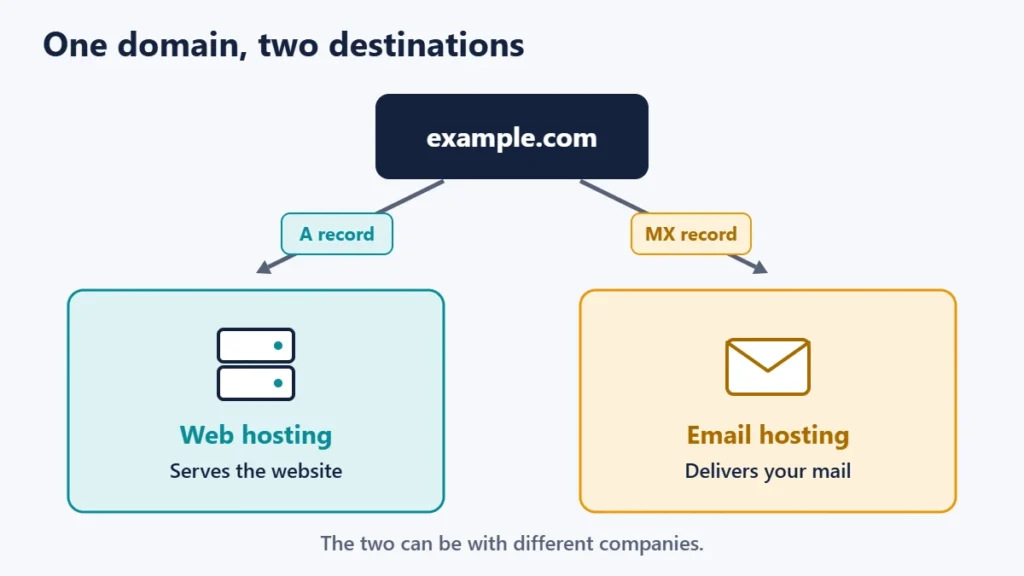
Your domain’s DNS contains different records for different jobs. An A record points your domain to the server that hosts your website. An MX record names the mail server that should receive email for your domain. Because they are separate records, they can point to different companies. Our guide to nameservers and A records explains how domains point to hosting.
| Web hosting | Email hosting | |
|---|---|---|
| What it does | Stores and serves website files and databases | Receives, stores and sends mail for your domain |
| Key DNS records | A, AAAA, CNAME | MX, plus TXT records for authentication |
| What you use daily | Your website and its admin area | Webmail or an email app |
| What failure looks like | The site will not load | Email bounces, vanishes or lands in spam |
| Typical providers | Hosting companies | Hosting companies or dedicated email services |
New to hosting? Our introduction to what web hosting is covers the basics.
Bundled email vs a dedicated email service
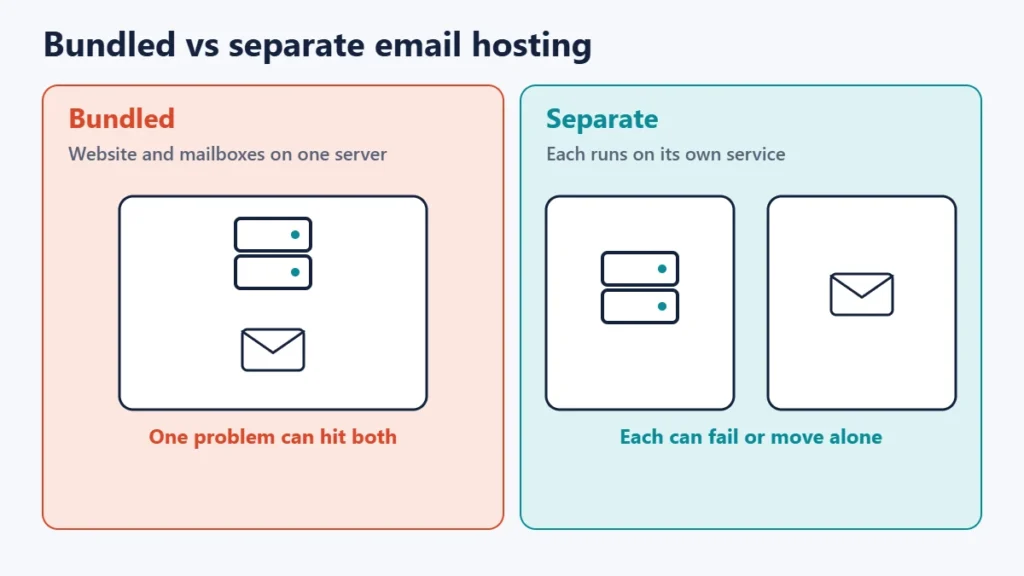
Many web hosting plans include mailboxes on the same server as your website. Dedicated email services, such as the business plans from large email providers or specialist email hosts, run mail on separate infrastructure.
| Email bundled with web hosting | Dedicated email service | |
|---|---|---|
| Cost | Often included | Usually per mailbox |
| Setup | Simple, often automatic | Needs DNS changes |
| If the website server has problems | Email may be affected too | Email keeps working |
| Storage and features | Varies, often basic | Usually larger mailboxes, calendars and collaboration tools |
| Changing web host | Mailboxes must move as well | Email stays put |
| Best for | Personal sites, light use | Businesses that rely on email |
If you are comparing a host’s own email offering, our guide to Hostinger Business Email shows what a typical hosting-company email plan includes.
Sending email from your website
Websites send email too, such as contact form messages, order confirmations and password resets. By default, WordPress sends these from your web server through its built-in PHPMailer library. That can work, but mail sent straight from a shared web server is more likely to be rejected or filtered, because the server is often not set up as a properly authenticated mail sender.
Google’s email sender guidelines also explain that on a shared IP address, the activity of every sender affects the reputation of all of them. A common fix is to route website email through your email service or a transactional email provider, typically with an SMTP plugin, so that it is sent from an authenticated, reputable source.
The DNS records that keep email working
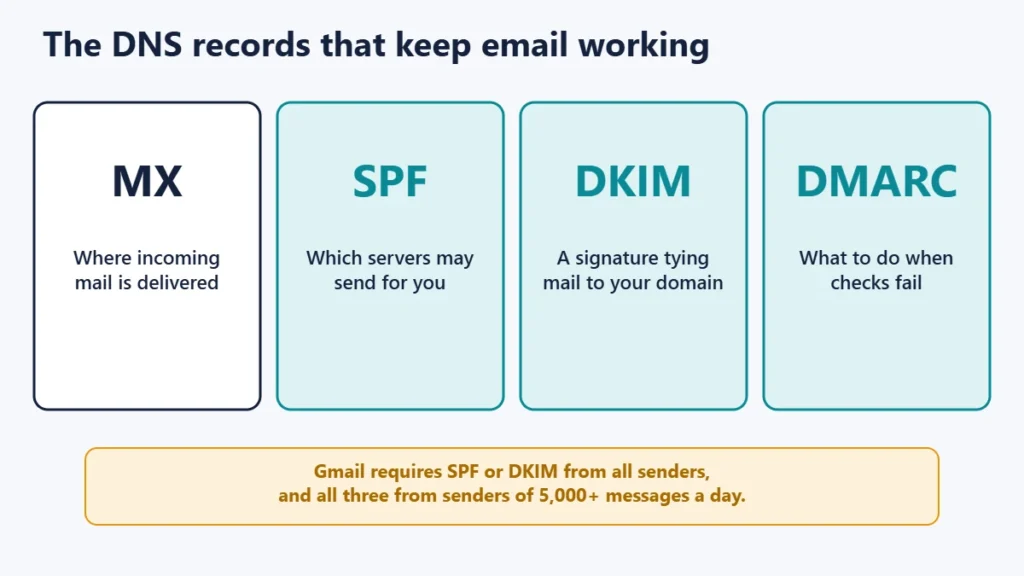
- MX records tell other servers where to deliver your domain’s incoming mail.
- SPF, defined in RFC 7208, lets a domain list the hosts that are allowed to send mail using its name.
- DKIM, defined in RFC 6376, lets the domain owner sign messages so receivers can tie them to that domain.
- DMARC, defined in RFC 7489, lets the domain publish a policy for messages that fail these checks, and receive reports.
These are no longer optional extras. Google’s sender guidelines say that since 1 February 2024, all senders to Gmail accounts must set up SPF or DKIM, have valid forward and reverse DNS for their sending servers, and use TLS. Senders of around 5,000 or more messages a day must set up SPF, DKIM and DMARC, align the From address with one of them, and offer one-click unsubscribe on marketing mail. Our guides to email authentication and why emails land in spam go further.
Changing web host without breaking email
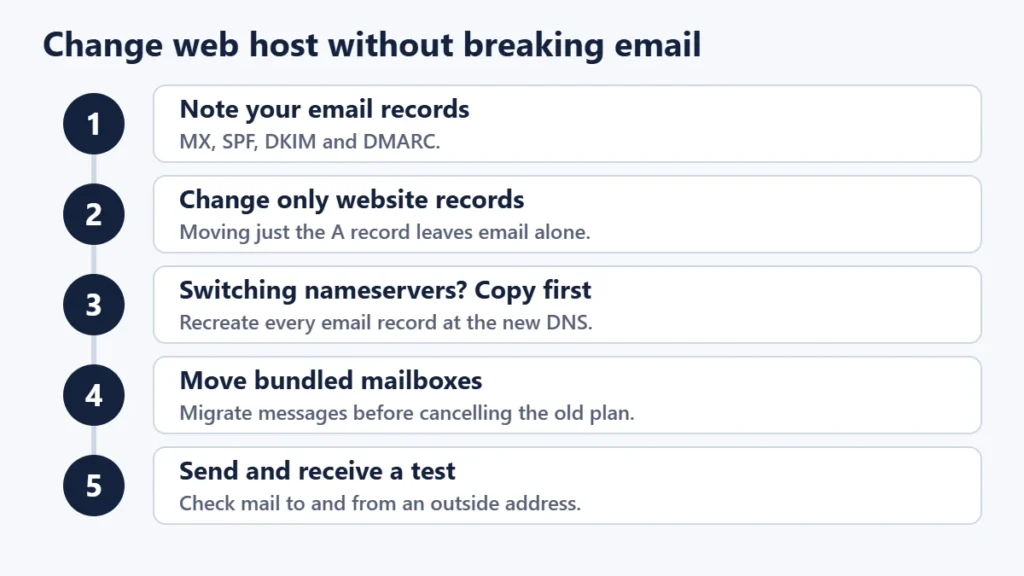
- Write down your current email records: MX, SPF, DKIM, DMARC and any others your email provider gave you.
- Decide how the website will move. If you are only changing the A record, email records stay untouched.
- If you are switching nameservers, recreate every email record at the new DNS provider before the switch.
- If email was bundled with the old host, set up the new mailboxes and migrate old messages before cancelling.
- Test afterwards by sending and receiving messages, including to and from an outside address.
Email connection settings worth knowing
Email apps connect to your email host using standard ports. RFC 8314 recommends connections that start encrypted straight away: port 993 for IMAP, 995 for POP3 and 465 for sending. Port 587 is also widely used for sending, with encryption switched on after connecting, and RFC 6409 reserves it for email submission. Your email provider’s setup page lists the exact server names to use.
Which setup should you choose?
- A personal site or hobby project: bundled email is usually enough.
- A small business: a dedicated email service is usually worth it, because email outages cost more than website hiccups.
- A site sending lots of automated mail: use a transactional email service for website messages, separate from staff mailboxes.
- Planning to change host soon: keep email separate so that the move only affects the website.
Common mistakes
- Switching nameservers without copying MX records. Incoming email stops arriving.
- Cancelling the old host before moving mailboxes. Bundled email disappears with the plan.
- Sending form emails straight from a shared server. They often end up in spam.
- Adding more than one SPF record. Combine your senders into a single SPF record.
- Using a free webmail address for a business. A domain address looks more trustworthy and stays with you.
Frequently asked questions
Do I need email hosting if I have web hosting?
Not necessarily. Many web hosting plans include email. You need a separate email service only if the included one does not meet your needs.
Can my email and website be with different companies?
Yes. DNS lets your website and email point to different providers, and this is a common setup.
Will changing my web host affect my email?
Only if your email is bundled with the old host, or if its DNS records are lost during the move.
Why do emails from my website go to spam?
The web server is often not an authenticated sender. Route website mail through an email or transactional service, and set up SPF, DKIM and DMARC.
What is an MX record?
It is the DNS record that tells other mail servers where to deliver email for your domain.
Is free email included with web hosting good enough?
For light personal use, often yes. For a business, check mailbox size, reliability, spam filtering and what happens if the server has problems.
The short version
Web hosting serves your website and email hosting runs your mailboxes, and DNS sends each to the right place. Bundled email is convenient for small sites, while a separate email service protects a business from website problems and makes moves easier. Whatever you choose, keep your MX, SPF, DKIM and DMARC records correct, and copy them before any DNS change.

Justwebworld has published guides since 2012. How we write and update articles Report an error
