

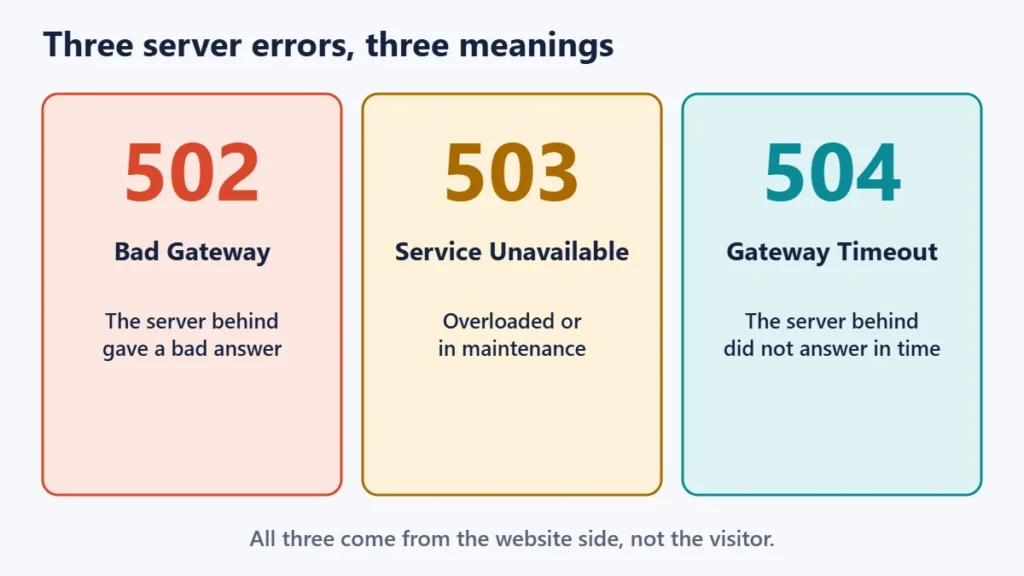
A 502 Bad Gateway means a server in the middle got a bad response from the server behind it. A 503 Service Unavailable means the website is temporarily overloaded or down for maintenance. A 504 Gateway Timeout means the server in the middle waited too long for a response. All three are server-side errors, so as a visitor, the usual fix is to wait a minute and try again.
If you run the website, the three codes point to different causes and different fixes. This guide explains each error in plain language, shows where in the chain it happens, and gives a troubleshooting order for site owners, including how to handle planned downtime without hurting search visibility.
Key takeaways
- 502: the upstream server answered, but the answer was invalid.
- 503: the server is temporarily unable to cope, often from overload or maintenance.
- 504: the upstream server did not answer in time.
- Visitors can rarely fix these. They come from the website’s side, not yours.
- For planned maintenance, use a 503 with a Retry-After header, and keep it short.
502 vs 503 vs 504 at a glance
| 502 Bad Gateway | 503 Service Unavailable | 504 Gateway Timeout | |
|---|---|---|---|
| What happened | The upstream server sent an invalid response | The server cannot handle the request right now | The upstream server did not reply in time |
| Usually temporary? | Often | Yes, by definition | Often |
| Common causes | Crashed application, broken upstream connection, misconfigured proxy | Overload, maintenance mode, resource limits | Slow database queries, long-running scripts, overloaded upstream |
| What a visitor can do | Refresh after a minute | Wait and retry later | Refresh after a minute |
| Where an owner looks first | The application or upstream service | Load, limits and maintenance settings | Slow requests and timeout settings |
What “gateway” means in these errors
Many websites do not answer visitors directly. A request often passes first through a gateway or proxy, such as a CDN, a load balancer or a web server like nginx in front of the application. That front server then asks the server behind it, often called the upstream or origin server, for the page.
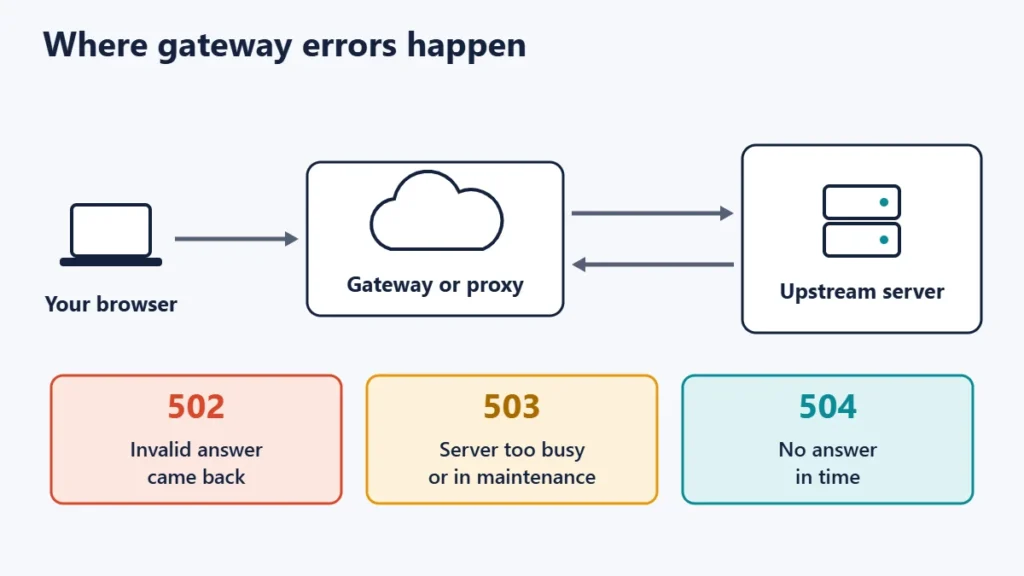
The HTTP standard, RFC 9110, describes both 502 and 504 from that gateway’s point of view. A 502 means the server, “while acting as a gateway or proxy, received an invalid response” from the server it contacted. A 504 means it “did not receive a timely response” from the upstream server. A 503 is different: the server is “currently unable to handle the request due to a temporary overload or scheduled maintenance”. For comparison, a 500 Internal Server Error means the server hit an unexpected condition. Our guide to the 500 Internal Server Error covers that one.
502 Bad Gateway: causes and fixes
A 502 usually means the application behind the web server has stopped working properly. MDN Web Docs notes that there are many possible causes and that fixing them generally needs investigation by the server owner or administrator.
Typical causes include:
- The application process, such as PHP, Node.js or Python, has crashed or restarted.
- The proxy is pointed at the wrong address or port.
- A firewall or security rule blocks the connection between the two servers.
- The upstream returns malformed or oversized response headers.
What to check: confirm the application service is running, read the web server’s error log for the failing upstream address, restart the application process, and review recent configuration or plugin changes.
503 Service Unavailable: causes and fixes
A 503 is the server saying “not right now”. MDN describes the common causes as a server that is down for maintenance or overloaded. RFC 9110 adds that the server may send a Retry-After header suggesting how long to wait, given either as a number of seconds or as a date.
Typical causes include:
- Maintenance mode during an update. For example, WordPress briefly shows an “unavailable for scheduled maintenance” message while updating.
- Traffic spikes that exceed the server’s capacity.
- Hosting resource limits on CPU, memory or simultaneous processes.
- A deliberate pause during migration or repairs.
What to check: whether an update or maintenance task is stuck, your hosting dashboard’s resource usage, and whether caching is working. If 503s happen at regular busy times, the plan may simply be too small. Our explainer on what 99.9% uptime means puts allowed downtime in perspective.
504 Gateway Timeout: causes and fixes
A 504 means the front server gave up waiting. MDN notes that if a gateway receives no response at all from the origin, it sends a 504 rather than a 502. Gateways enforce time limits; nginx, for example, defaults to 60 seconds for reading a response from a proxied server.
Typical causes include:
- Slow database queries or a database under heavy load.
- Long-running scripts such as imports, backups or report generation.
- An upstream server that is overloaded or unreachable.
- A slow external service that the page waits for.
What to check: which pages or actions time out, slow-query and application logs, and whether heavy tasks can run in the background instead of during a page request. Raising timeouts can hide the symptom, but making the slow request faster is the real fix.
A troubleshooting order for site owners
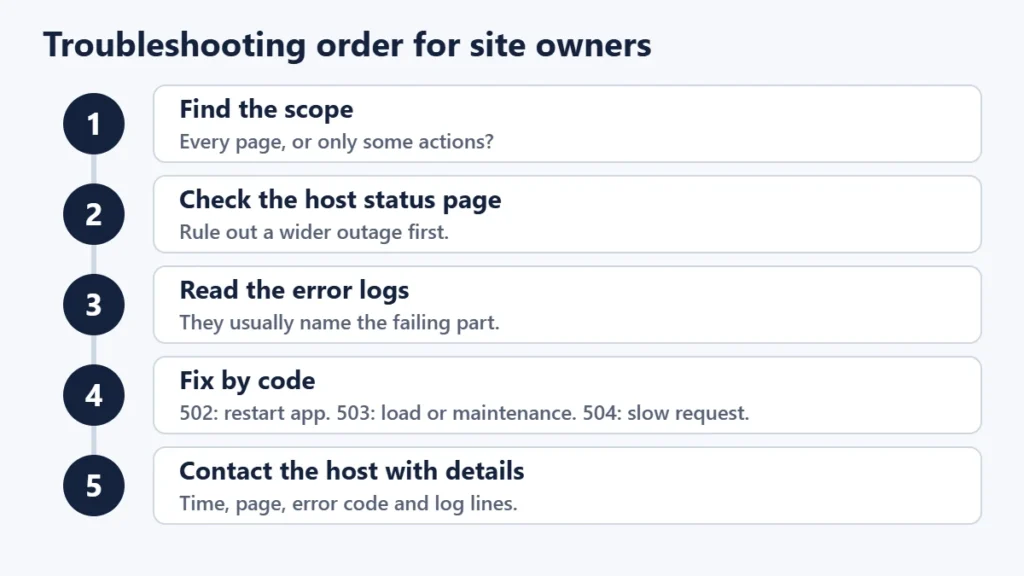
- Find the scope. Does every page fail, or only certain actions? One slow page points to that page’s code or queries.
- Check your host’s status page or dashboard for incidents.
- Read the logs. Web server and application error logs usually name the failing upstream or script.
- Undo recent changes, such as a new plugin, update or configuration edit.
- Act on the specific code: restart the application for 502s, reduce load or finish maintenance for 503s, and speed up slow requests for 504s.
- Check any CDN or proxy. If a CDN sits in front of the site, its error page may name the failing side. Our guide to CDNs explains how they sit between visitors and your server.
- Contact your host with the exact time, page and error code. Our guide to finding who hosts a website helps if you are not sure which company runs the server.
How these errors affect search engines
Google’s Search Central documentation says 5xx errors prompt Google’s crawlers to temporarily slow down. Already indexed URLs are kept for a time, but URLs that persistently return a server error are eventually removed from the index. Once the server returns normal responses again, crawling gradually speeds back up.
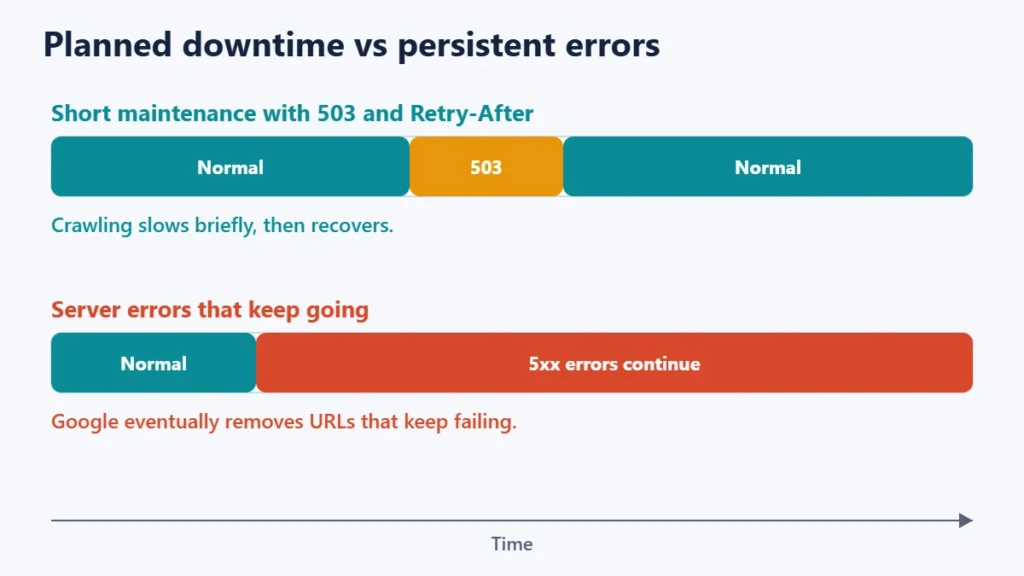
For planned downtime, Google’s current guidance is to keep the site available with limited functionality where possible. If you must disable a whole site urgently for one or two days, it recommends returning an informational error page with a 503 status, using a Retry-After header, and not returning a 503 for robots.txt, which would block all crawling. For longer closures it advises other approaches, since disabling a site for weeks can have negative consequences.
What to do as a visitor
- Wait a minute and refresh. Many of these errors clear quickly.
- Try again later for a 503, especially during sales or launches.
- Check whether others are affected. Our guide to checking if a website is down for everyone walks through it.
- Avoid resubmitting payments or forms repeatedly. Check your email or account for a confirmation first.
Common mistakes
- Treating all 5xx codes the same. Each one points to a different part of the system.
- Raising timeouts without finding the slow request. The error goes away, but the page is still slow.
- Serving maintenance pages with a 200 status for short outages. Search engines may treat the maintenance page as your real content.
- Leaving maintenance mode on. A stuck update can keep a site in 503 long after it should be back.
- Returning 503 for robots.txt. Google says this blocks all crawling.
Frequently asked questions
Is a 502 error my fault?
Almost never. It comes from the website’s servers. If many sites fail for you, check your own connection instead.
How long does a 503 error last?
It depends on the cause. Maintenance usually takes minutes, while overload can last as long as the traffic spike. A Retry-After header, if sent, gives the server’s estimate.
What is the difference between a 502 and a 504?
Both come from a gateway. A 502 means the server behind it returned an invalid response, while a 504 means it did not respond in time.
Do these errors hurt SEO?
Brief errors are unlikely to matter much. Persistent server errors slow crawling and can eventually lead to URLs being removed from Google’s index.
Can a CDN cause a 502 or 504?
A CDN usually reports these errors on behalf of the origin server behind it. The CDN itself can occasionally be the cause, so check its status as well as your host’s.
Should I use a 503 for maintenance?
Yes, for short planned downtime. Add a Retry-After header and keep the window as short as possible.
The short version
A 502 means a bad answer from the server behind the gateway, a 503 means the server is temporarily overloaded or in maintenance, and a 504 means the answer never came in time. Visitors should wait and retry. Site owners should check scope, status pages and logs, then fix the part of the chain that each code points to.

Justwebworld has published guides since 2012. How we write and update articles Report an error
