

Bandwidth is how much data can move through a connection at once, while data transfer is the total amount of data that actually moves over a period, usually a month. MDN Web Docs defines bandwidth as the measure of how much information can pass through a data connection in a given amount of time. Hosting companies often use the word “bandwidth” loosely to mean monthly data transfer, which is why plans can be confusing.
For most small websites, neither is the limit that matters in practice. Hosts tend to restrict CPU, memory, storage or visitor numbers instead, even on plans marketed as “unlimited” or “unmetered”. This guide explains the terms, how to estimate what you need, and what to check in a hosting plan.
Key takeaways
- Bandwidth is capacity: how much data can flow per second.
- Data transfer is usage: how much data flows in total, usually per month.
- Hosts often say “bandwidth” when they mean monthly data transfer.
- “Unmetered” is about billing, not a promise of unlimited use.
- Other limits usually bite first, such as CPU, memory, storage or visitors.
Bandwidth vs data transfer
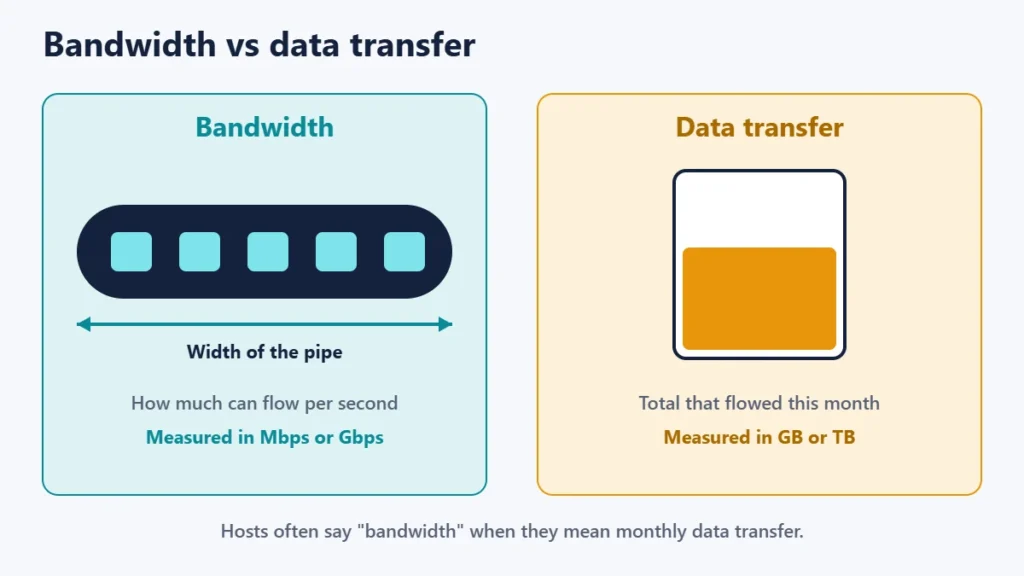
| Bandwidth | Data transfer | |
|---|---|---|
| What it measures | Capacity: data per second | Usage: total data over time |
| Typical units | Mbps or Gbps | GB or TB per month |
| Affects | How many visitors can load pages at once | How much your site serves in total |
| Hosting plans call it | Port speed or network speed | Often “bandwidth” or “monthly traffic” |
MDN notes that bandwidth is usually measured in bits per second, such as megabits (Mbps) or gigabits (Gbps). Data transfer is measured in bytes, such as gigabytes (GB). Since there are 8 bits in a byte, the two units are easy to mix up. If you are curious about the speed side, our guide to ping, jitter and latency explains the related terms.
What uses data transfer on a website
Every time someone loads a page, your server sends the HTML, images, stylesheets, scripts and any video or downloads. Bots, search engine crawlers and your own visits count too. The biggest items are usually images and video, so optimising them is the quickest way to reduce transfer. Our guide to PNG vs JPG vs WebP shows how image formats affect file size.
How to estimate how much you need
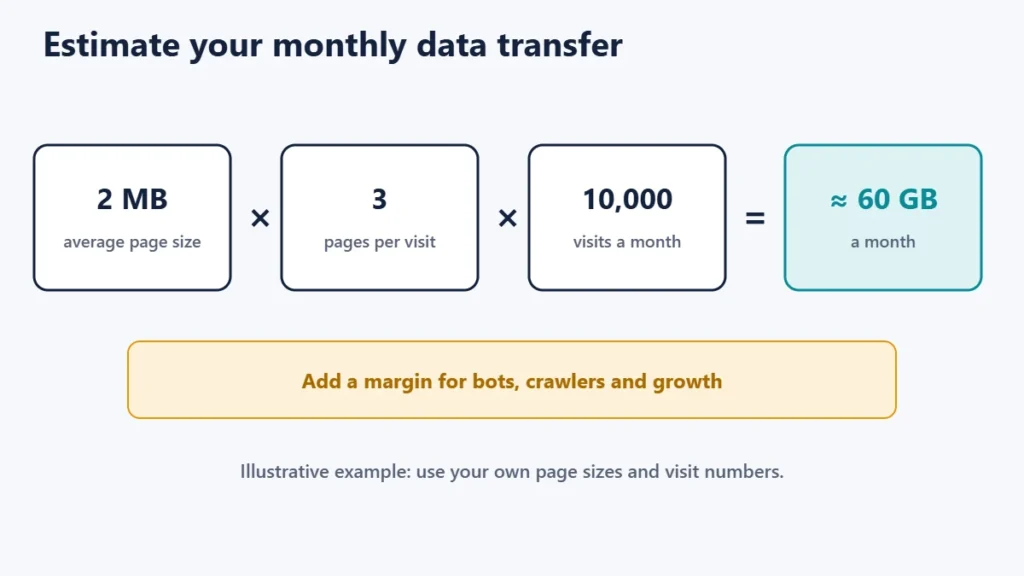
A simple estimate is:
monthly data transfer ≈ average page size × pages per visit × visits per monthFor example, a site with 2 MB pages, 3 pages per visit and 10,000 visits a month would transfer about 2 × 3 × 10,000 = 60,000 MB, or roughly 60 GB, before bots and caching. That is an illustration, not a benchmark; check your own page sizes with your browser’s developer tools and your visit numbers in your analytics. Add a margin for growth and for crawlers.
What “unlimited” and “unmetered” really mean
Many plans advertise unlimited or unmetered bandwidth. The fine print is what matters:
- DreamHost says it provides unmetered network transfer across all plans, but adds that “unmetered” describes how it bills for bandwidth, not a guarantee against abuse, and that it may limit bandwidth while it reviews an account. Its current web hosting plans are metered by disk storage, inode count and a monthly visitor threshold instead.
- Bluehost’s terms reserve the right to review every account for excessive usage of CPU, bandwidth, disk space and other resources.
- SiteGround’s fair use article describes monitoring server resources like CPU, RAM and I/O, with thresholds for those rather than for bandwidth.
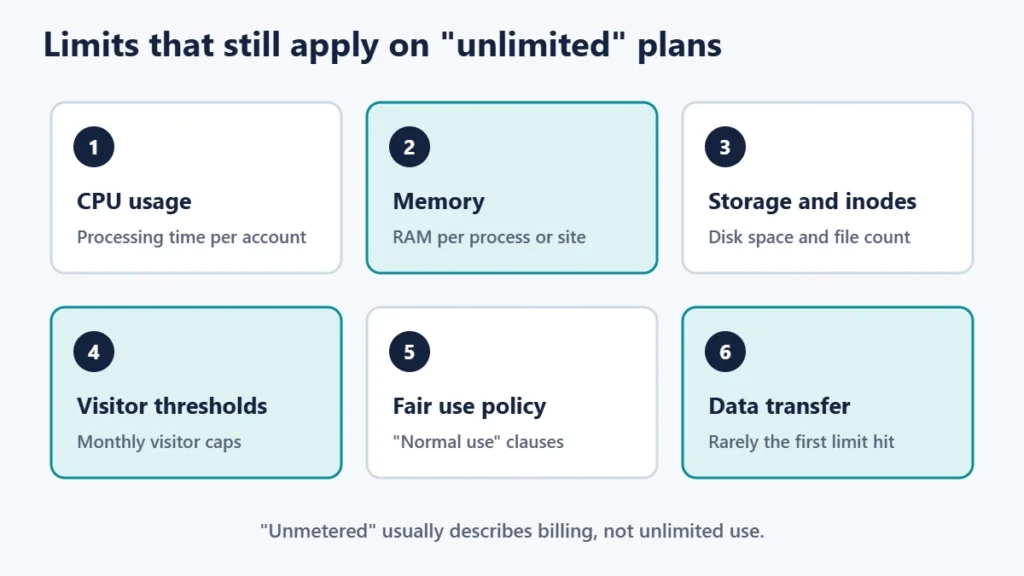
In short, “unmetered” usually means you are not charged per gigabyte, not that you can use unlimited resources. A site that gets very popular is more likely to hit CPU or memory limits, or a visitor cap, than a data transfer limit. Our guide to what 99.9% uptime means covers another figure worth reading carefully in a plan.
How to reduce data transfer
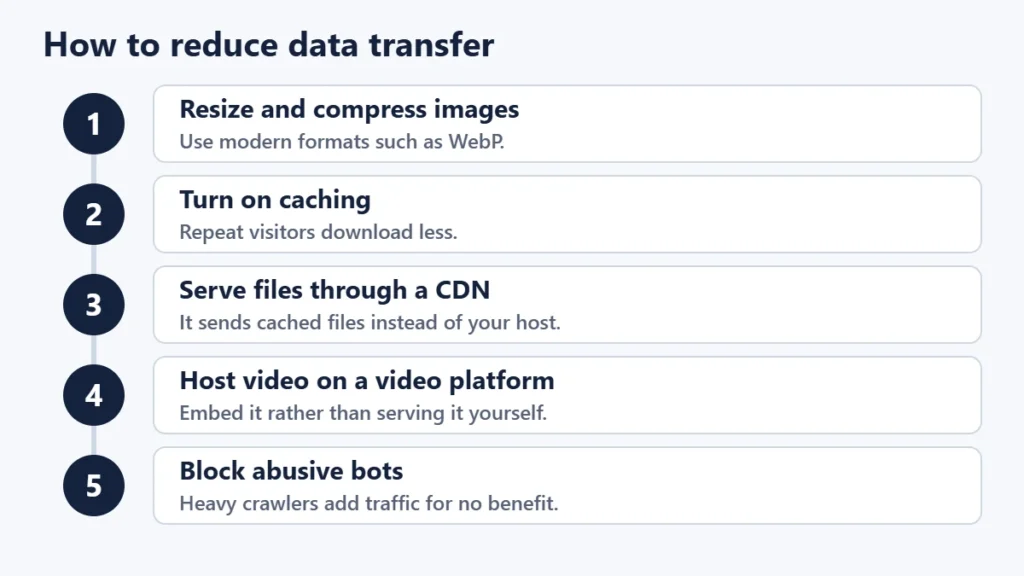
- Resize and compress images before uploading, and use modern formats.
- Turn on caching so repeat visitors download less.
- Use a CDN. A content delivery network serves cached files from its own servers, which reduces what your host sends.
- Host video elsewhere, such as on a video platform, and embed it.
- Block abusive bots that crawl heavily without benefit.
Most of these also make your site faster; see our website speed tips.
What to check in a hosting plan
- Is there a monthly data transfer limit? If so, how much, and what happens if you go over it: extra charges, slowdown or suspension?
- What does “unlimited” exclude? Read the fair use or resource policy.
- What other limits apply? Look for CPU, memory, inodes, storage and visitor caps.
- Is there a port speed? On VPS and dedicated servers, this is the bandwidth in the strict sense.
- How easy is it to upgrade if your traffic grows?
Common mistakes
- Confusing Mbps with MB. One is speed in bits, the other is size in bytes.
- Taking “unlimited” literally. Read the policy.
- Uploading full-size photos straight from a camera or phone.
- Ignoring bots, which can account for a lot of traffic.
- Paying for a big transfer allowance when CPU or memory is the real limit.
Frequently asked questions
Is bandwidth the same as data transfer?
Not strictly. Bandwidth is capacity per second; data transfer is the total used. Hosts often use “bandwidth” to mean monthly transfer.
How much bandwidth does a small website need?
Estimate it from page size, pages per visit and visits. Many small sites use far less than common plan limits.
What happens if I exceed my data transfer limit?
It depends on the host. Some charge extra, some slow the site, and some suspend it until the next period. Check the plan terms.
Is unmetered bandwidth really unlimited?
No. DreamHost, for example, says unmetered describes how it bills, not a guarantee against abuse, and other resource limits still apply.
Does a CDN reduce bandwidth use?
Yes, for cached files, because the CDN serves them instead of your server.
Does more bandwidth make my site faster?
Only if bandwidth was the bottleneck. Server speed, caching and page size usually matter more.
The short version
Bandwidth is how much data can flow per second; data transfer is how much flows in a month. Hosts often blur the two, and “unlimited” or “unmetered” usually describes billing rather than a promise. Estimate your needs from page size and visits, read the resource limits that really apply, and cut transfer with smaller images, caching and a CDN. For hosting basics, see what web hosting is.

Justwebworld has published guides since 2012. How we write and update articles Report an error
