

WHOIS domain privacy hides your personal contact details from the public record of who registered a domain. ICANN, which oversees domain names, explains that privacy and proxy services let customers register a domain name without publishing their contact information in public lookup services. Many registrars include it free, and since 2018 much personal data in domain records has been redacted by default anyway.
Privacy does not remove your obligations: you must still give your registrar accurate details. This guide explains what domain registration data is, how privacy services and redaction work, and what to check for your own domain.
Key takeaways
- Domain records hold contact details for each registration.
- Privacy and proxy services keep your details out of public lookups.
- Many personal details are redacted by default under ICANN rules since 2018.
- RDAP has replaced WHOIS for most domain lookups.
- Your registrar still needs accurate details, or the domain can be suspended.
What domain registration data is
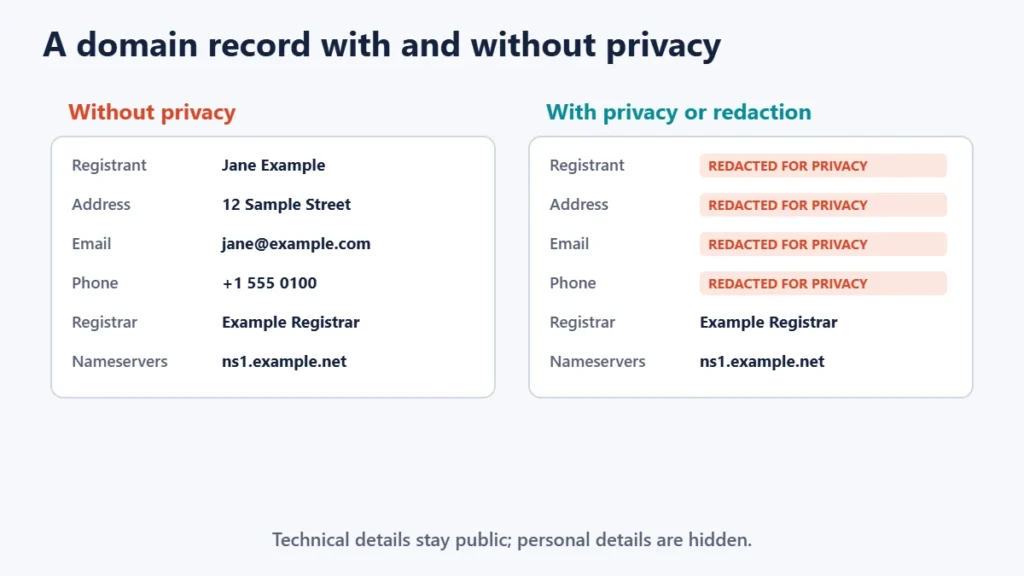
When you register a domain, your registrar collects contact details for the registrant and technical contacts. Historically, these were published through the WHOIS service, so anyone could look up who owned a domain, their address, email and phone number. ICANN describes the lookup services collectively as Registration Data Directory Services, covering WHOIS and its successor, RDAP.
From WHOIS to RDAP
RDAP, the Registration Data Access Protocol, was created as the replacement for the WHOIS protocol, according to ICANN. ICANN says that as of 28 January 2025, registries and registrars are no longer required to provide WHOIS services for most domains, with exceptions such as .com. ICANN’s own lookup tool uses RDAP. If you need to look up a domain, our guide to free WHOIS lookup services lists options.
Privacy services vs proxy services
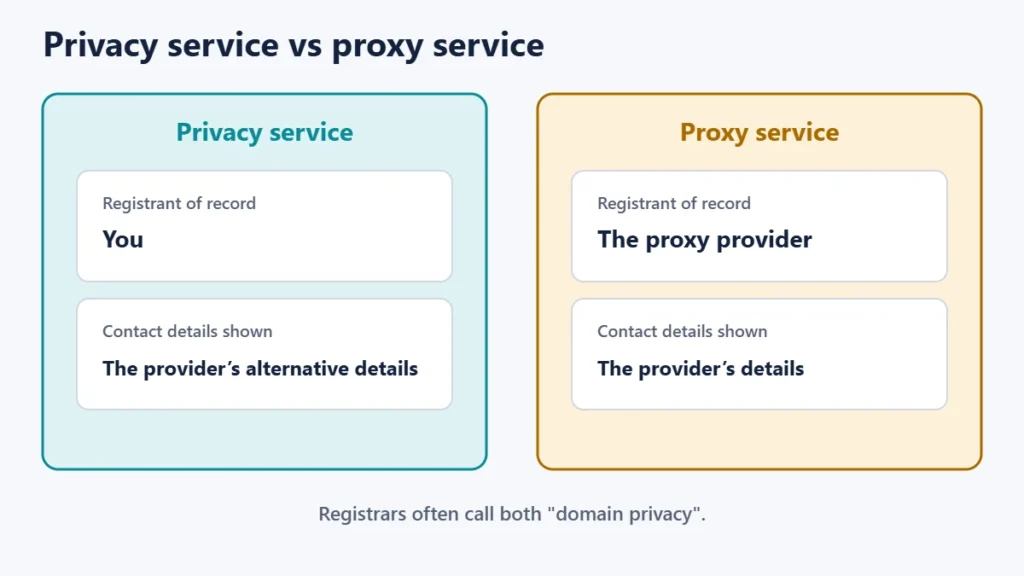
| Privacy service | Proxy service | |
|---|---|---|
| Who is the registrant of record | You | The proxy provider |
| Name shown publicly | Yours | The provider’s |
| Contact details shown | Alternative details from the provider | The provider’s |
| Typical cost | Often free with registration | Often free with registration |
ICANN explains the difference: with a privacy service, your name appears as registrant but the provider publishes alternative, reliable contact information; with a proxy service, the proxy provider is the registrant of record. In practice, many registrars simply call both “domain privacy” or “WHOIS protection”.
Redaction by default
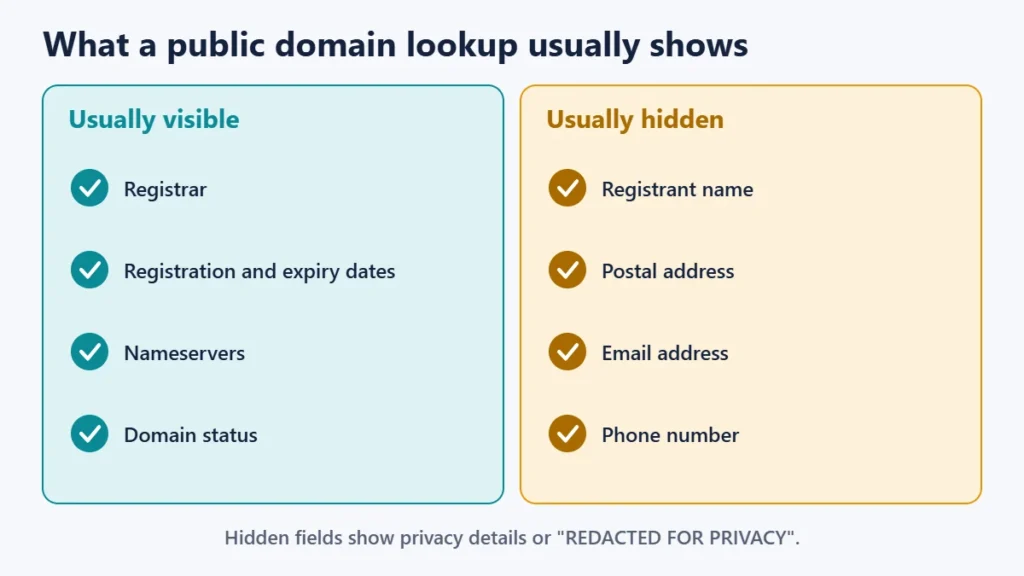
Since May 2018, ICANN’s rules have required registrars and registries to redact many personal fields in public registration data unless the registrant consents to publication. Redacted fields are shown as “REDACTED FOR PRIVACY”, and the contact email address itself is not published. That means many domains already show little personal information even without a paid privacy add-on. A separate privacy service can still help hide details that are not redacted, depending on your registrar, domain extension and where you live.
Why domain privacy matters
- Less spam and fewer scam calls from people harvesting domain records.
- Personal safety, especially if you register domains in your own name at a home address.
- Fewer fake renewal and “SEO” offers targeting new domain owners.
Be careful with any email claiming your domain is about to expire unless it comes from your actual registrar. Our guide to why emails land in spam covers related email issues.
Your obligations still apply
Privacy hides your details from the public, not from your registrar. ICANN’s guidance on accurate registration data says registrants must provide accurate and reliable contact details and update them within seven days of any change. Registrars may suspend or cancel a domain if the registrant does not respond to accuracy inquiries for over fifteen days. Keep your account email current, because that is where renewal and verification messages go.
How to check and turn on domain privacy
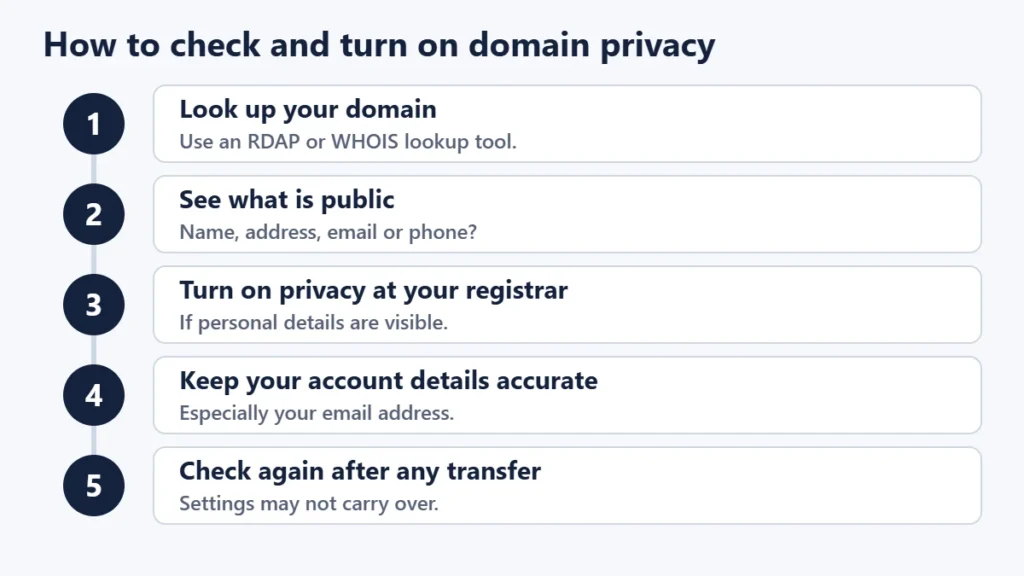
- Look up your domain with ICANN’s lookup tool or another RDAP or WHOIS service.
- See what is public. Note whether your name, address, email or phone appear.
- Turn on privacy in your registrar account if personal details are visible and the option is offered.
- Keep your account details accurate, especially your email address.
- Check again after a transfer, because privacy settings do not always carry over between registrars.
If you are not sure which company manages your domain, our guides to finding who hosts a website and nameservers and A records help you trace it.
Common mistakes
- Giving false details to stay private. Use a privacy service instead; false data can lead to suspension.
- Letting the account email lapse, so you miss renewal and verification messages.
- Assuming privacy hides everything. The registrar, dates and nameservers stay public.
- Falling for fake renewal notices sent to addresses from old domain records.
- Not checking after a transfer.
Frequently asked questions
Is WHOIS privacy necessary?
Many personal fields are now redacted by default, but privacy can still hide details that are not. It is usually worth turning on if your registrar offers it free.
Is WHOIS privacy free?
Many registrars include it free; some charge. Check your registrar’s options.
Can someone still find out who owns my domain?
The public record shows little personal data, but authorities and others with a legitimate reason can request it through proper channels.
What is RDAP?
The Registration Data Access Protocol, which ICANN describes as the replacement for WHOIS.
Does domain privacy affect SEO?
There is no sign that it does. It only changes what the public domain record shows.
Can I have privacy on every domain extension?
Not always. Some country-code domains have their own rules. Check with your registrar.
The short version
Domain registration records used to publish owners’ personal details, but privacy and proxy services, and ICANN’s redaction rules since 2018, now hide most of them. RDAP has replaced WHOIS for most lookups. Turn on privacy if your details are still visible, never give false information, and keep your registrar account details accurate so you do not miss renewals. For hosting basics, see what web hosting is.

Justwebworld has published guides since 2012. How we write and update articles Report an error
