

A VPN works by creating an encrypted connection, often called a tunnel, between your device and a server run by the VPN provider, then sending your internet traffic through that server. Proton VPN’s explainer describes it as creating an encrypted connection between your device and a VPN server, so websites see the server’s IP address instead of yours. Anyone between you and the server, such as a Wi-Fi operator or your internet provider, sees only encrypted data.
That makes a VPN useful on public Wi-Fi, for hiding your IP address from websites and for keeping your browsing away from your internet provider. It also has limits, and it moves trust to the VPN company. This guide explains the steps in plain language, what a VPN protects, and what it does not.
Key takeaways
- A VPN encrypts traffic between your device and the VPN server.
- Websites see the VPN server’s IP address, not yours.
- Your internet provider sees a connection to the VPN, not your activity.
- The VPN provider takes your ISP’s place, so trust matters.
- A VPN does not stop all tracking, such as cookies and accounts you sign in to.
Without a VPN vs with a VPN
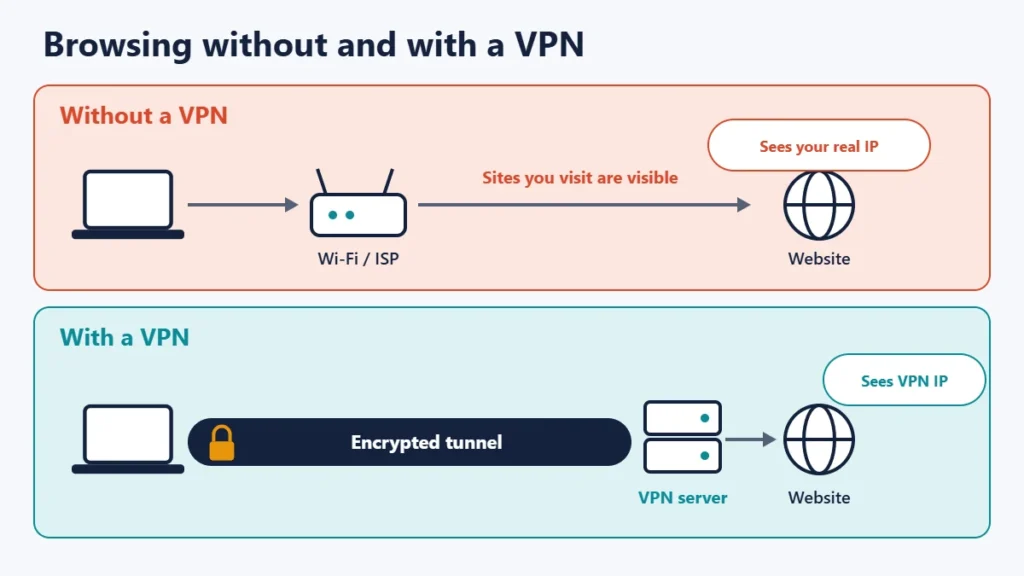
Normally, your device sends requests through your local network and your internet service provider (ISP) straight to each website. The website sees your public IP address, and your ISP can see which sites you connect to. With a VPN on, your device sends everything to the VPN server first, inside an encrypted connection, and the server passes it on to the website.
How a VPN works, step by step
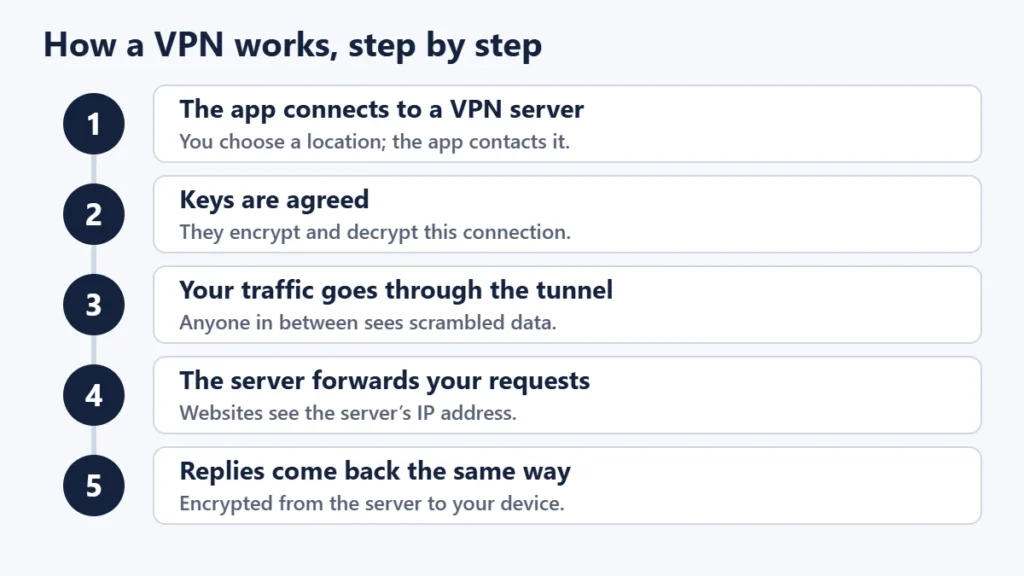
- The app connects to a VPN server. You pick a location, and the app contacts a server there.
- Your device and the server agree on keys. These are used to encrypt and decrypt traffic for that connection.
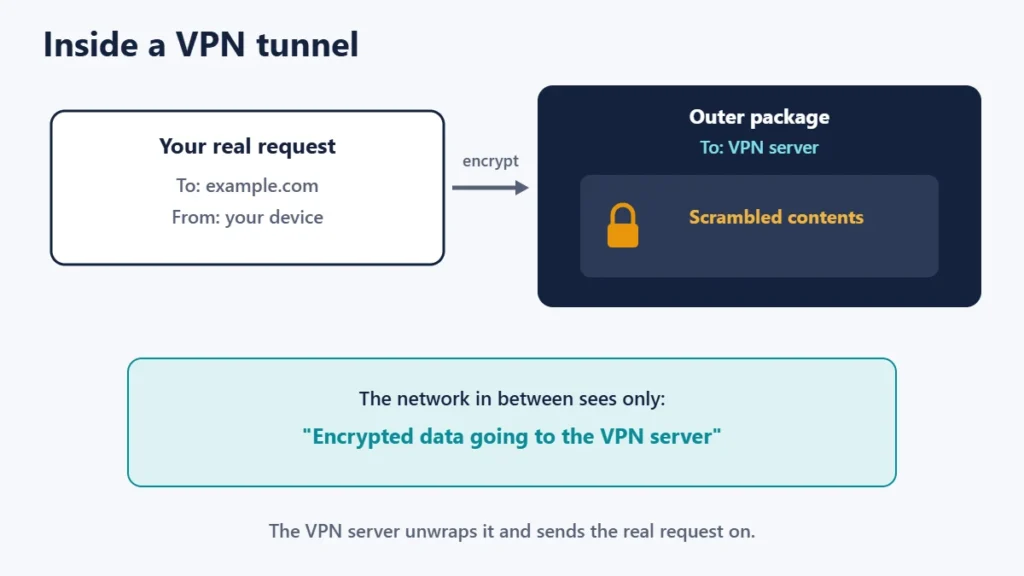
- Your traffic is encrypted and sent through the tunnel. Anyone in between sees only scrambled data going to the VPN server.
- The server forwards your requests. It decrypts them and sends them on to websites using its own IP address.
- Replies come back the same way, encrypted from the server to your device.
What the tunnel and encryption mean
The “tunnel” is simply each piece of your traffic wrapped inside an encrypted package addressed to the VPN server. WireGuard, a popular modern VPN protocol, describes this as securely encapsulating IP packets over UDP. Each side has a key pair, and WireGuard’s “cryptokey routing” links each peer’s public key to the tunnel addresses it is allowed to use.
The encryption itself uses standard, well-studied algorithms. WireGuard’s protocol page lists ChaCha20 for encryption, authenticated with Poly1305, and Curve25519 for key exchange. Other protocols, such as OpenVPN and IKEv2, use different algorithms but the same idea.
Who can see what
| Without a VPN | With a VPN | |
|---|---|---|
| Wi-Fi operator | Which sites you connect to | Only that you use a VPN |
| Your ISP | Which sites you connect to | Only that you use a VPN |
| VPN provider | Nothing | Your IP address and the sites you connect to |
| Websites | Your real IP address | The VPN server’s IP address |
Proton sums up the trade-off: with a VPN, your ISP can’t see your online activity, but the VPN provider replaces your ISP, meaning it can see your browsing history. That is why choosing a trustworthy provider matters as much as the technology.
What a VPN does not do
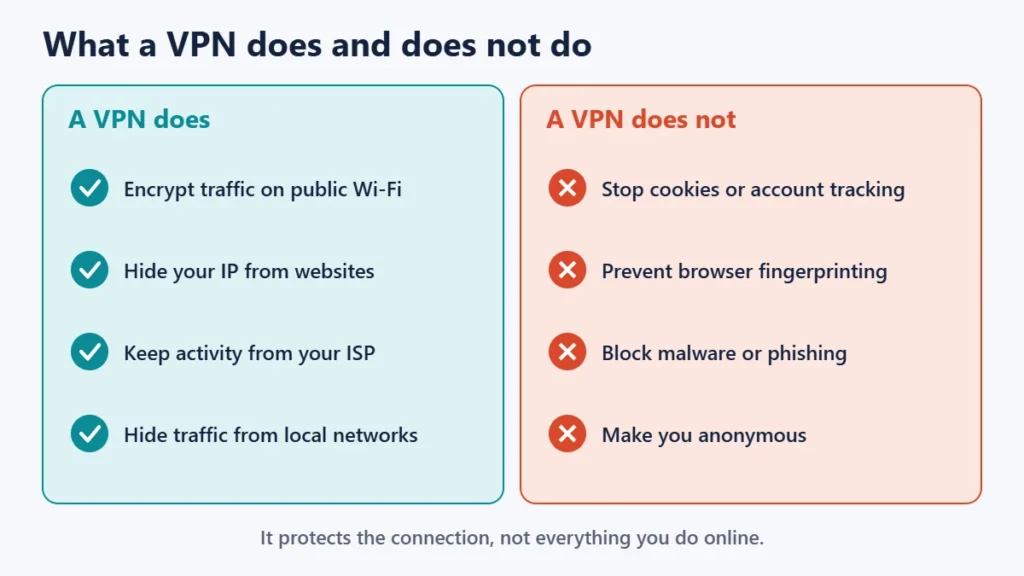
- It does not stop all tracking. Mullvad says that a VPN will hide your IP address, but to stop being tracked, a trustworthy VPN is not enough.
- It does not hide you from accounts you sign in to. If you log in, that service knows it is you.
- It does not replace HTTPS. After the VPN server, traffic to a site is protected only if the site uses HTTPS. See our guide to “Not secure” warnings.
- It does not make you immune to scams or malware. Good security habits still matter.
Making sure your VPN is doing its job
A VPN only protects you if traffic really goes through the tunnel. Check that your IP address changes, run DNS and WebRTC leak tests, and turn on the kill switch so a dropped connection does not expose your address. Our guides on how to check if your VPN is working and VPN kill switches walk through both.
Where VPNs are most useful
- Public Wi-Fi, in cafes, hotels and airports. See our guide to using free Wi-Fi securely.
- Keeping browsing from your ISP.
- Hiding your IP address from sites you visit.
- Reaching services from another location, where the terms allow it.
- Protecting a whole home network with a VPN router; see our guide to VPN routers.
Common misunderstandings
- “A VPN makes me anonymous.” It hides your IP address, not your identity.
- “My ISP can’t tell I use a VPN.” It can usually see the connection to the VPN server, just not what is inside.
- “All VPNs are the same.” Trust, logging policies and app quality differ.
- “Once connected, I’m always protected.” Drops and leaks can happen without a kill switch and leak protection.
Frequently asked questions
Does a VPN encrypt everything?
It encrypts traffic between your device and the VPN server. Beyond the server, HTTPS protects traffic to websites.
Can my internet provider see what I do with a VPN?
No, it sees only that you are connected to a VPN server. The VPN provider can see your activity instead.
Does a VPN slow down my internet?
Usually a little, mainly because traffic takes a longer route through the VPN server.
What is a VPN protocol?
The set of rules a VPN uses to build the tunnel and encrypt traffic, such as WireGuard, OpenVPN or IKEv2.
Is using a VPN legal?
In many countries, yes, but rules differ. Check local laws, and remember that illegal activity stays illegal with a VPN.
Do I need a VPN at home?
It depends on what you want to hide and from whom. On a trusted home network, the main benefit is keeping browsing from your ISP.
The short version
A VPN builds an encrypted tunnel from your device to a VPN server and sends your traffic through it, so networks in between see only encrypted data and websites see the server’s IP address. It moves trust from your ISP to the VPN provider, and it does not stop cookies, account tracking or fingerprinting. Choose a provider you trust, keep the kill switch on, and check for leaks. For a wider look, see the pros and cons of using a VPN.

Justwebworld has published guides since 2012. How we write and update articles Report an error
