

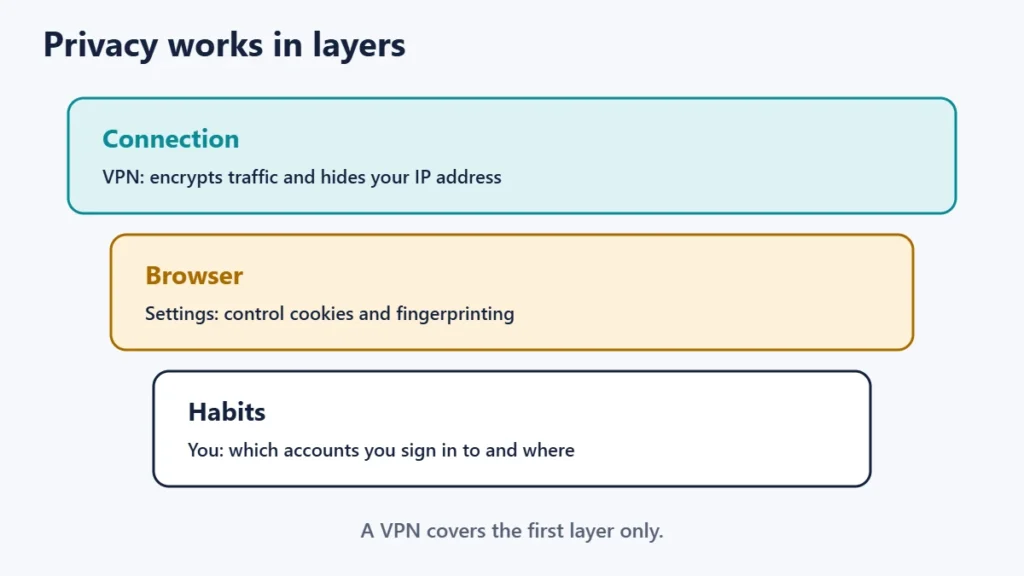
Yes, you can still be tracked when using a VPN, just not by your IP address. A VPN hides your real IP address from websites and keeps your activity from your internet provider, but cookies, accounts you sign in to, and browser fingerprinting all work regardless of your IP. Mullvad, itself a VPN provider, puts it plainly: a VPN will hide your IP address, but to stop being tracked, a trustworthy VPN is not enough.
Knowing who can see what helps you decide what else to do. This guide explains what a VPN hides, the ways tracking still happens, and practical steps to reduce it.
Key takeaways
- A VPN hides your IP address and your activity from your ISP.
- The VPN provider can see your traffic in your ISP’s place.
- Cookies and logins identify you whatever your IP address.
- Browser fingerprinting can recognise your browser without cookies.
- Combine a VPN with a privacy-focused browser and good habits.
What a VPN hides, and from whom
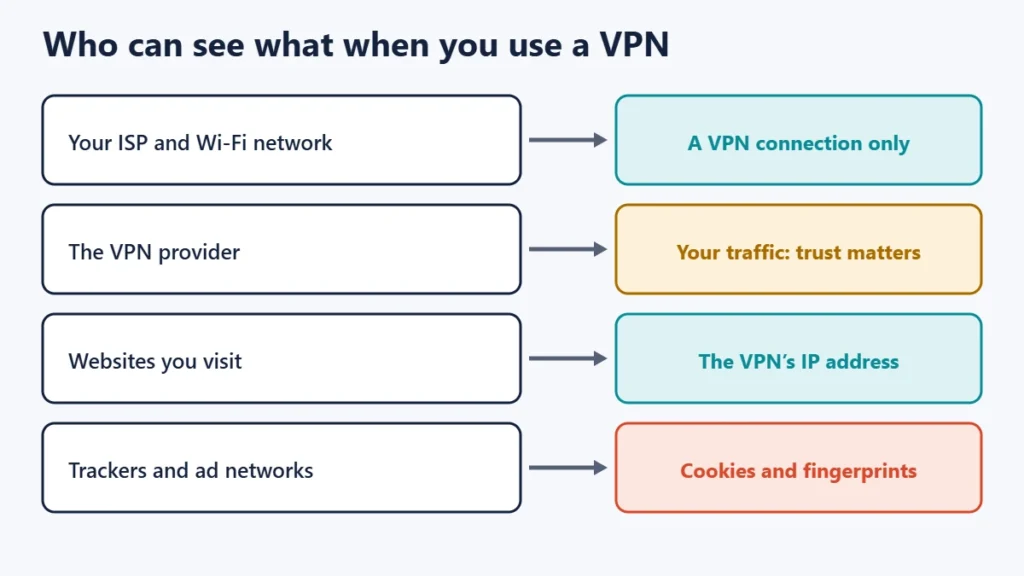
| Who | Without a VPN | With a VPN |
|---|---|---|
| Your ISP and Wi-Fi network | Can see which sites you connect to | Sees a connection to the VPN |
| The VPN provider | Nothing | Can see your traffic, so trust matters |
| Websites | See your real IP address | See the VPN’s IP address |
| Advertisers and trackers | Cookies, fingerprints and IP | Cookies and fingerprints still work |
Proton’s explainer notes that with a VPN your ISP can’t see your online activity, but the VPN provider replaces your ISP, meaning it can see your browsing history. Choosing a provider with a clear, audited no-logs policy is the first step.
Ways you can still be tracked
1. Cookies
Cookies are small pieces of data that websites store in your browser. MDN Web Docs explains that a third-party server can create a profile of a user’s browsing history and habits based on cookies sent to it. A VPN does not touch cookies, so a tracker can recognise the same browser before and after you connect. MDN also notes that browsers increasingly block third-party cookies by default.
2. Accounts you sign in to
If you are logged in to an email, social media or shopping account, that service knows it is you, whatever IP address you appear to have. Signing in links your activity to your identity.
3. Browser fingerprinting
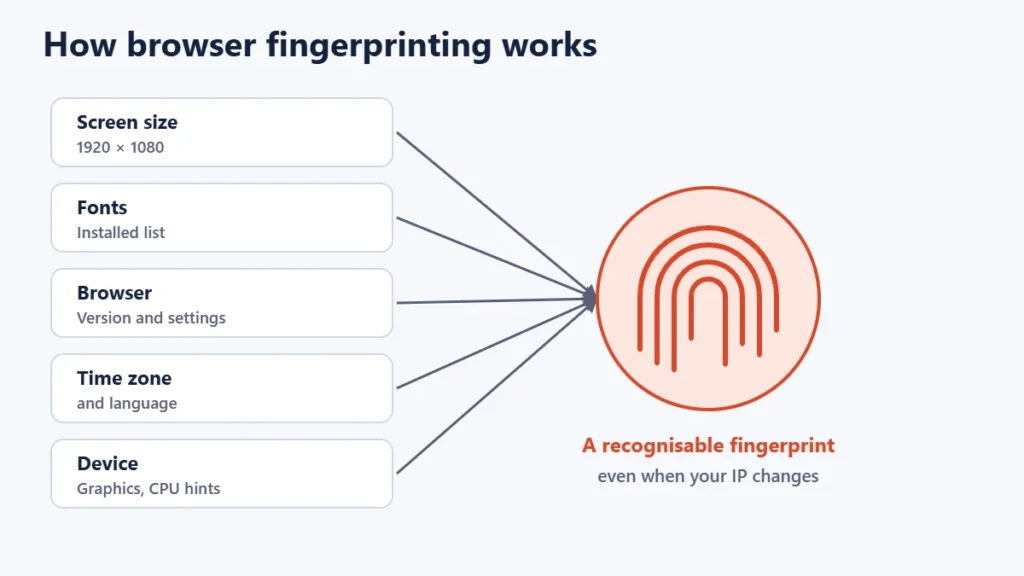
The Electronic Frontier Foundation (EFF) describes browser fingerprinting as a method of tracking web browsers by the configuration and settings information they make visible to websites, rather than by IP addresses or cookies. Things like your screen size, fonts and browser version can combine into a profile that is unusual enough to recognise.
4. Leaks
If your VPN leaks DNS requests or your real IP through WebRTC, your real address can still be exposed. Our guide on how to check if your VPN is working shows how to test for leaks, and a kill switch stops exposure if the connection drops.
5. The VPN provider itself
Because the provider can see your traffic, its logging and privacy practices matter. Read its privacy policy, and look for independent audits of its no-logs claims.
6. Malware and phishing
Spyware on your device, or details you type into a fake site, are not affected by a VPN.
How to reduce tracking
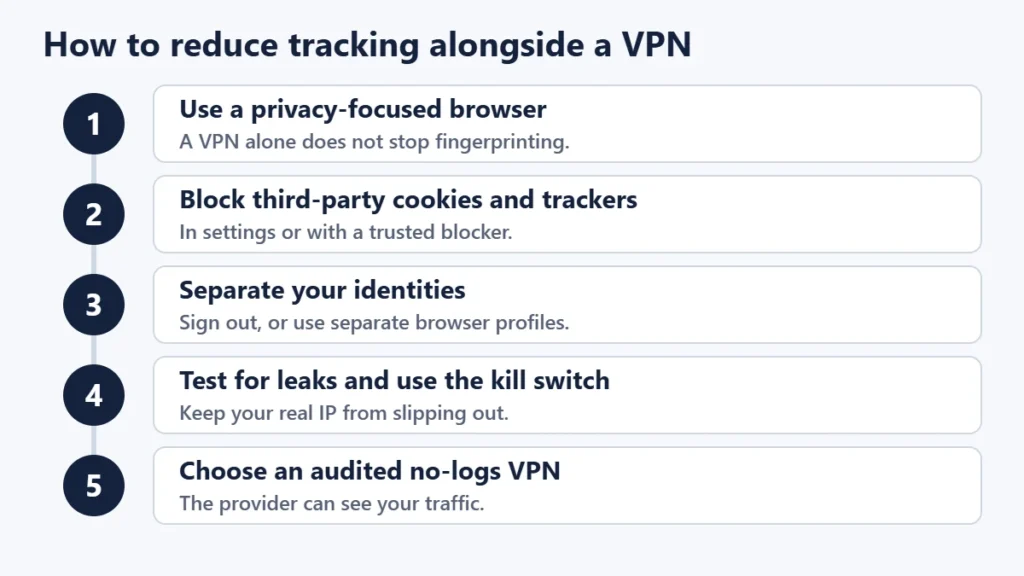
- Use a privacy-focused browser. Mullvad says that is why a VPN is not enough for privacy and why you also need a privacy-focused browser.
- Block third-party cookies and trackers in your browser settings or with a trusted content blocker.
- Separate your identities. Sign out of accounts, or use separate browser profiles for personal, work and private browsing.
- Clear cookies regularly, or use private windows for one-off browsing.
- Keep the VPN leak-free. Test it and turn on the kill switch.
- Choose your VPN carefully. Check its logging policy and audits; our guide to the pros and cons of using a VPN covers what to look for.
For stronger anonymity, where you do not want to trust any single company, Tor routes traffic through several volunteer relays, at the cost of speed.
Common mistakes
- Assuming a VPN makes you anonymous.
- Staying logged in to accounts while trying to browse privately.
- Using a free VPN with an unclear business model. See our guide to whether free VPNs are safe.
- Never testing for leaks.
- Ignoring browser settings, which matter as much as the VPN for tracking.
Frequently asked questions
Can police or governments track me with a VPN?
A VPN makes it harder to link traffic to you, but authorities can request records from providers and services, and accounts or devices can still identify you. A VPN does not make illegal activity legal.
Can websites tell I am using a VPN?
Often, yes. Many VPN server addresses are known, so sites can recognise that traffic comes from a VPN.
Does incognito mode stop tracking?
It stops your browser saving history and cookies after you close the window, but sites can still track you during the session and see your IP without a VPN.
Can Google track me with a VPN?
If you are signed in to a Google account, yes. Cookies and other signals can also link activity.
Can my VPN provider track me?
It can see your traffic, so choose one with a clear no-logs policy and independent audits.
Does a VPN stop targeted ads?
Not by itself, because ad networks mainly use cookies, accounts and fingerprints. Tracker blocking helps more.
The short version
A VPN hides your IP address and keeps your activity from your ISP, but you can still be tracked through cookies, accounts you sign in to, browser fingerprinting, leaks and the VPN provider itself. Pair a trustworthy VPN with a privacy-focused browser, tracker blocking, separate profiles and regular leak tests to cut tracking down. For a wider view of online privacy, see our guide to passkeys vs passwords for securing your accounts.

Justwebworld has published guides since 2012. How we write and update articles Report an error
