

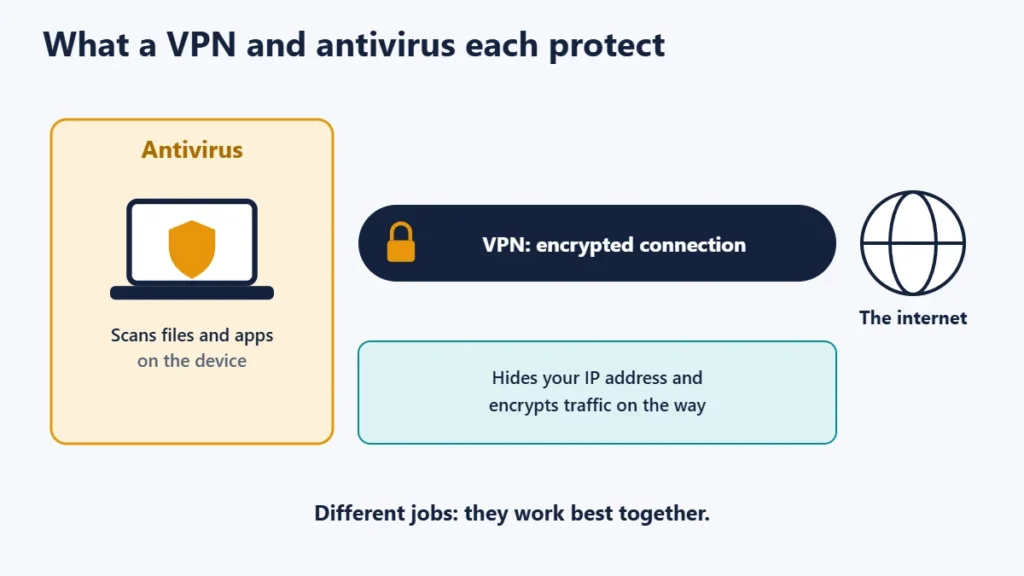
A VPN and antivirus software protect against different things, so most people benefit from both. A VPN encrypts your internet connection and hides your IP address. Antivirus software finds and removes malicious software on your device. The UK’s National Cyber Security Centre (NCSC) describes an antivirus product as a program designed to detect and remove viruses and other kinds of malicious software, which is not something a VPN is built to do.
The good news is that you may already have antivirus: Windows and macOS include built-in protection. This guide compares the two, explains where each helps, and covers VPN features such as malware blocking that blur the line.
Key takeaways
- A VPN protects your connection; antivirus protects your device.
- A VPN does not stop malware. Proton says a VPN is no substitute for antivirus.
- Antivirus does not hide your IP address or encrypt your Wi-Fi traffic.
- Built-in antivirus is included with Windows and Apple computers.
- VPN blocklists can stop some malicious sites but are not full antivirus.
VPN vs antivirus at a glance
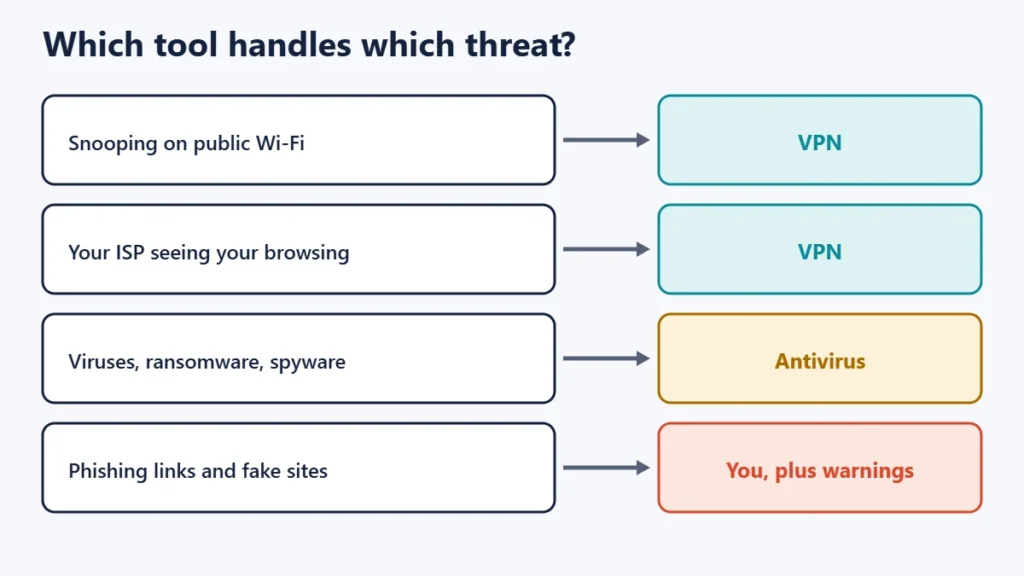
| VPN | Antivirus | |
|---|---|---|
| Protects | Your internet connection | Your device and files |
| Hides your IP address | Yes | No |
| Encrypts traffic on public Wi-Fi | Yes | No |
| Detects and removes malware | No | Yes |
| Blocks malicious websites | Some, with blocklist features | Often, with web protection |
| Stops phishing | No | Partly, with warnings |
| Usually included with your computer | No | Yes, built-in options |
What a VPN protects you from
A VPN creates an encrypted tunnel between your device and a VPN server, so people on the same Wi-Fi network and your internet provider cannot read your traffic, and websites see the VPN server’s IP address instead of yours. It is most useful on public Wi-Fi and when you want to keep browsing private from your provider. Our guide to the pros and cons of using a VPN covers the details.
What it does not do is inspect what you download. Proton’s own blog is clear: a VPN isn’t designed as a primary line of defence against malware, and it is no defence if you follow a link in a phishing email or download malicious software.
What antivirus protects you from
Antivirus software scans files and apps for malicious code, such as viruses, ransomware and spyware, and removes or quarantines what it finds. Microsoft describes its Windows Security app as built into Windows, and says Microsoft Defender Antivirus continuously scans your device for potential threats. The NCSC notes that antivirus is often included free in the operating systems that run Windows and Apple computers, and that making sure this built-in antivirus is switched on will make you instantly safer.
For more on how antivirus works, see our guides on what virus protection does and whether a Mac needs antivirus.
VPN malware blockers: useful, but not antivirus
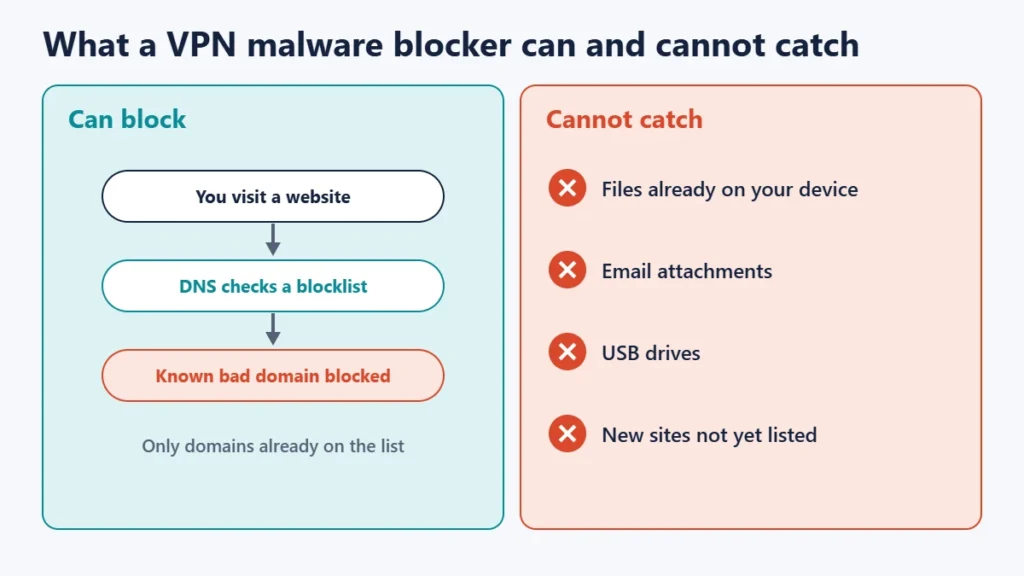
Some VPNs include a feature that blocks known malicious domains. Proton’s NetShield, for example, protects devices by blocking ads, trackers and malware, by checking the domains you visit against databases of domains known to host malware, ads or trackers. That can stop some threats before they load.
But a blocklist only knows about domains already flagged. It does not scan files already on your device, or catch malware arriving by USB drive, email attachment or a site not yet on the list. Proton’s own advice remains that a VPN is no substitute for antivirus or internet security software.
Do you need both?
- Antivirus: yes, for almost everyone. Make sure your built-in antivirus is on and updating.
- A VPN: if you use public Wi-Fi or want to keep browsing private from your provider. Our guide to using free Wi-Fi securely explains why.
- On phones, keep the system and apps updated and install apps only from official stores. See our guide to antivirus apps for Android.
Security basics that matter as much as either
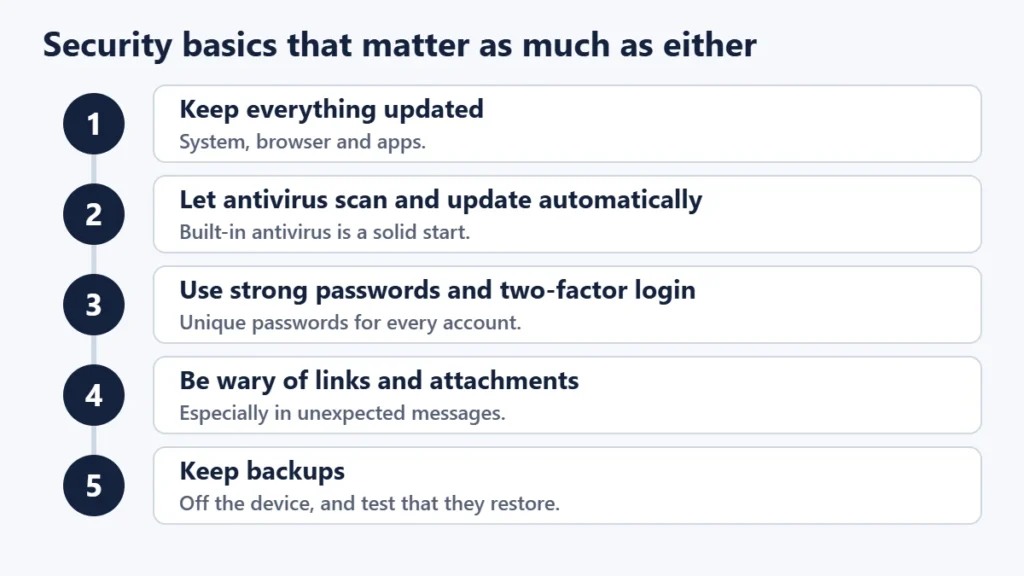
- Keep everything updated, including your operating system, browser and apps.
- Let antivirus update and scan automatically. The NCSC advises setting antivirus to scan all new files and receive updates automatically.
- Use strong, unique passwords and two-factor authentication.
- Be careful with links and attachments, especially in unexpected messages.
- Keep backups, following the 3-2-1 backup rule.
The NCSC also notes that separate antivirus products won’t always work alongside built-in antivirus, so avoid running two full antivirus programs at once.
Common mistakes
- Thinking a VPN stops viruses. It does not scan files.
- Turning off built-in antivirus without replacing it.
- Running two antivirus programs that conflict.
- Relying on a VPN blocklist as your only malware protection.
- Ignoring updates, which fix many of the holes malware uses.
Frequently asked questions
Does a VPN protect against viruses?
No. A VPN encrypts your connection; it does not scan files. Some VPNs block known malicious sites, which helps a little.
Is Windows Defender enough?
For many home users, the built-in Windows Security app with Microsoft Defender Antivirus, kept on and updated, is a solid baseline.
Can antivirus replace a VPN?
No. Antivirus does not encrypt your traffic or hide your IP address.
Do I need antivirus on a Mac?
Macs include built-in protection. Keep macOS updated and see our guide to Mac antivirus for when extra software helps.
Is a security suite with a VPN worth it?
It can be convenient, but check that both parts are good on their own, especially the VPN’s privacy policy.
Can a VPN stop phishing?
No. Phishing relies on tricking you, so caution and browser or antivirus warnings matter more.
The short version
A VPN protects your connection and hides your IP address; antivirus protects your device from malicious software. They solve different problems, so they work best together. Make sure your built-in antivirus is on and updating, add a VPN for public Wi-Fi and privacy, and keep up with updates, strong passwords and backups. To confirm your VPN is working properly, see how to check if your VPN is working.

Justwebworld has published guides since 2012. How we write and update articles Report an error
